
Best Other Controllers for Unique Workflows 2026
Look, DAWs are powerful, but sometimes clicking a mouse just isn't cutting it for shaping sounds or triggering complex sequences. You're chasing a feel, a physicality - something beyond the sterile click. We're diving into controllers that go beyond the standard MIDI keyboard, stuff that lets you sculpt sounds and performance in ways that feel genuinely unique, whether you're layering synths, triggering loops, or building custom instruments.
Last updated: July 22, 2026 • Next update: July 29, 2026
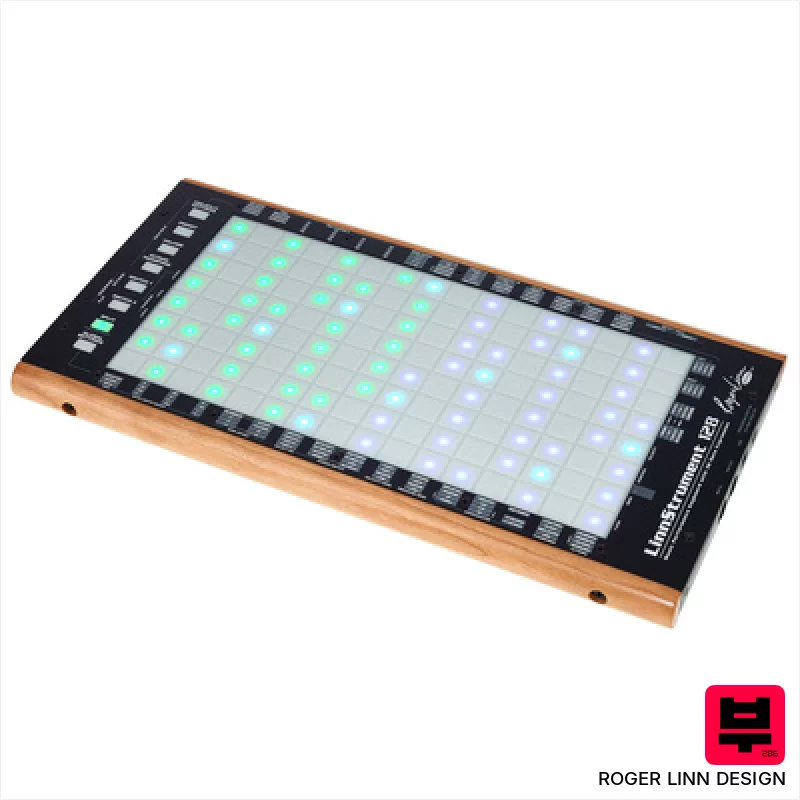
Roger Linn Design LinnStrument 128
- • Unique sensor technology offers unparalleled expressive control.
- • Row-based layout fosters intuitive playing for stringed instrument players.
- • Versatile grid mode expands functionality beyond traditional keyboard.
- • Solid build quality with a robust feel, designed for stage and studio.
- • Steep learning curve requires significant time investment to master.
- • Limited polyphony compared to traditional keyboard workstations.
- • Premium-priced, representing a significant investment for many musicians.

Steven Slate Audio Raven Max Core Station
- • Solid silver/black finish exudes professional quality and a clean aesthetic.
- • Modular table design allows for customization and future expansion of your workspace.
- • Integrated cable management drastically reduces clutter and improves workflow efficiency.
- • Padded leather armrest provides exceptional comfort during extended mixing sessions.
- • The substantial size and weight necessitate significant space and potential assembly assistance.
- • High-end price point positions it as an investment for serious studio professionals.
- • Controller dependency means it's only as good as the included or chosen MTi MAX units.
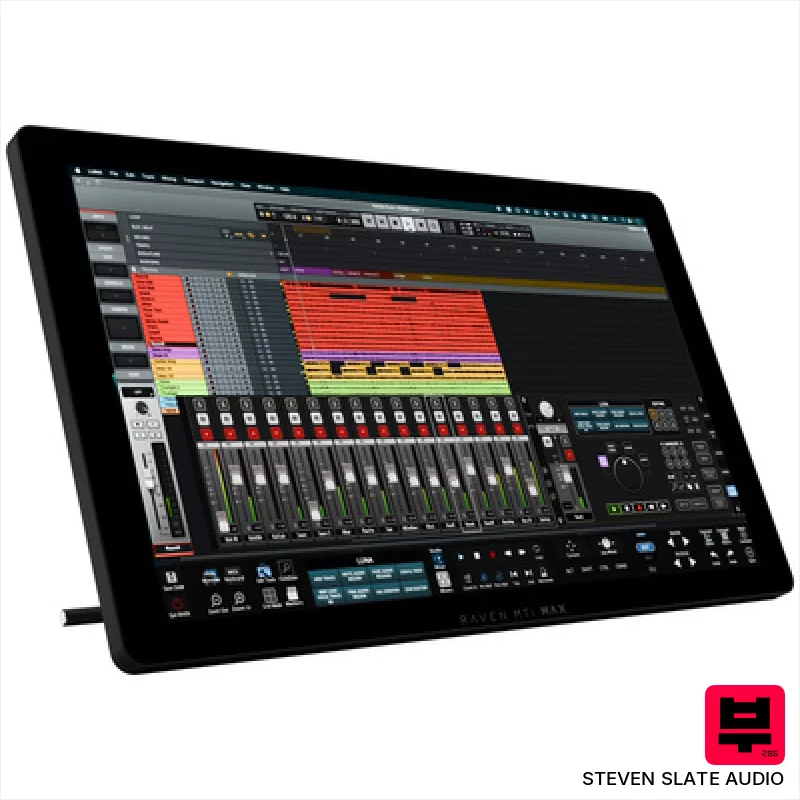
Steven Slate Audio Raven MTi MAX
- • Excellent touchscreen resolution (2560x1440) offers crisp visuals and precise control.
- • Raven 4.0 software provides deep DAW integration and customizable workflows.
- • Batch Commander allows for complex macro creation, significantly speeding up tasks.
- • Multiple virtual faders (up to 32) provide extensive mixing control in a compact space.
- • Reliance on iLok copy protection can be inconvenient for some users.
- • Limited DAW compatibility compared to universal MIDI controllers.
- • The size and weight make portability a significant consideration.
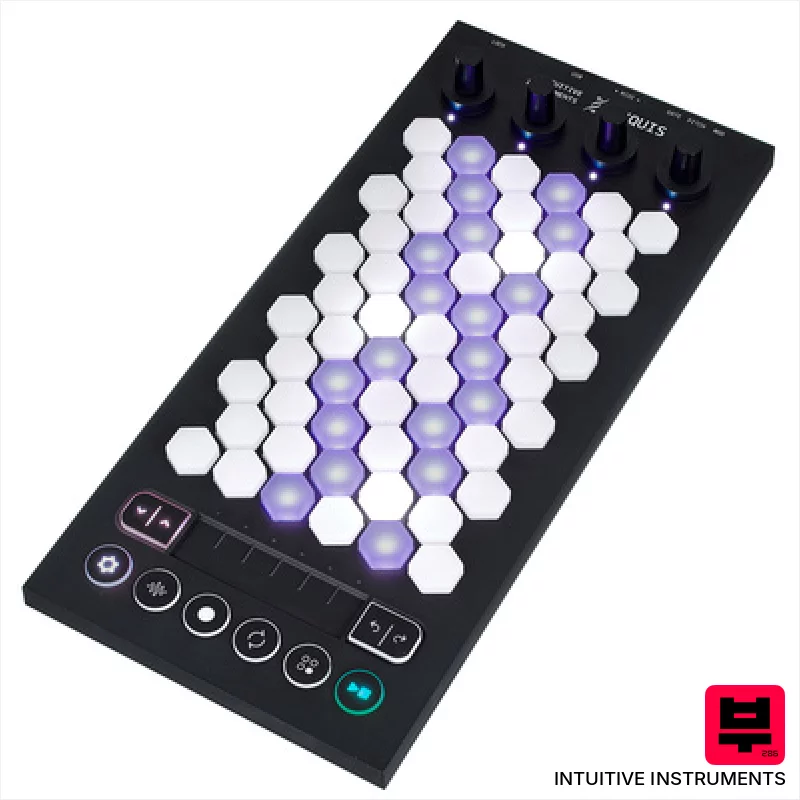
Intuitive Instruments Exquis
- • Hexagonal keys offer unique tactile response and expressive possibilities.
- • Capacitive touch slider provides nuanced, real-time parameter control.
- • Comprehensive Exquis app unlocks deep sound design and composition tools.
- • Compact size and lightweight design make it highly portable for studio and stage.
- • Limited key travel might not suit players accustomed to traditional keyboards.
- • CV outputs are mono, restricting more complex modular patching options.
- • The hexagonal key layout requires a learning curve for some users.
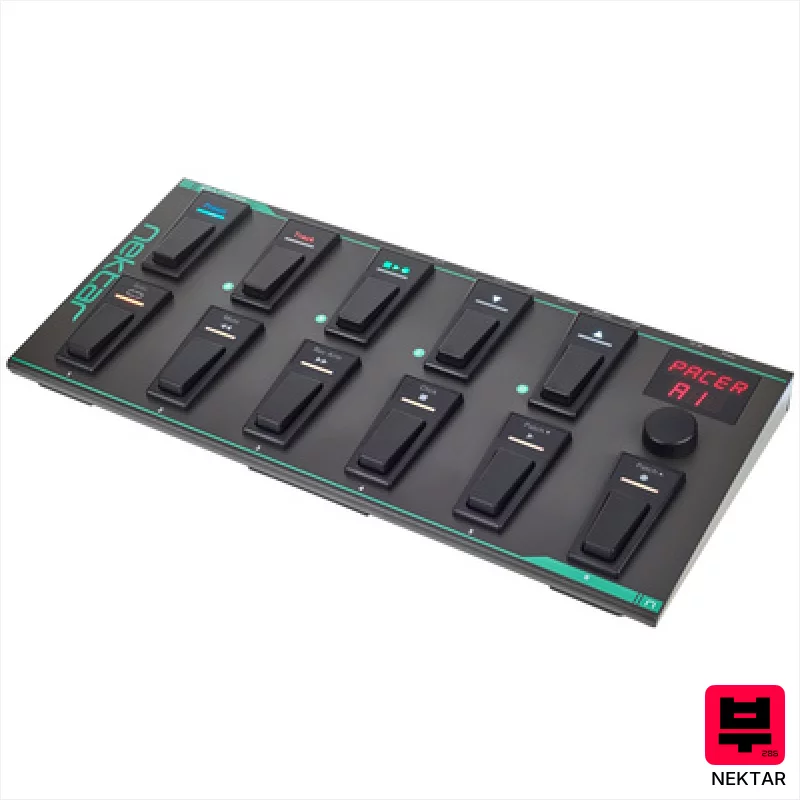
Nektar Pacer
- • Robust metal housing inspires confidence and longevity.
- • Flexible footswitch programming allows complex DAW control sequences.
- • Extensive DAW integration simplifies workflow in popular recording software.
- • Programmable relays add versatility beyond standard MIDI functions.
- • External footswitch/expression pedal support requires additional purchase.
- • Encoder feels a little plasticky compared to premium rotary controllers.
- • Preset management, while extensive, could benefit from a dedicated software editor.

Vidami Original Video Foot Controller
- • Solid, weighty construction feels durable and stable during use.
- • Customizable speed settings offer granular control for learning complex passages.
- • Direct MP4/MP3 playback eliminates dependency on internet connectivity.
- • USB-A connection is reliable and avoids proprietary power solutions.
- • The weight (over 2lbs) can make it less portable for frequent travel.
- • Limited to specific video platforms; compatibility isn't universal.
- • Single USB-A port limits expansion or connection to other devices.

Playtronica Biotron Midi Controller
- • Unique concept bridging nature and digital music creation is genuinely innovative.
- • Extremely lightweight and compact design allows for portable and experimental setups.
- • Latency-free response provides a surprisingly playable and expressive performance experience.
- • Simple installation and DAW integration lowers the barrier to entry for experimental musicians.
- • Limited control parameters restrict complex musical expression and nuanced sound design.
- • Reliance on plant health and environmental conditions introduces unpredictable performance variations.
- • Requires a separate USB-C cable, adding to the initial investment and potential inconvenience.
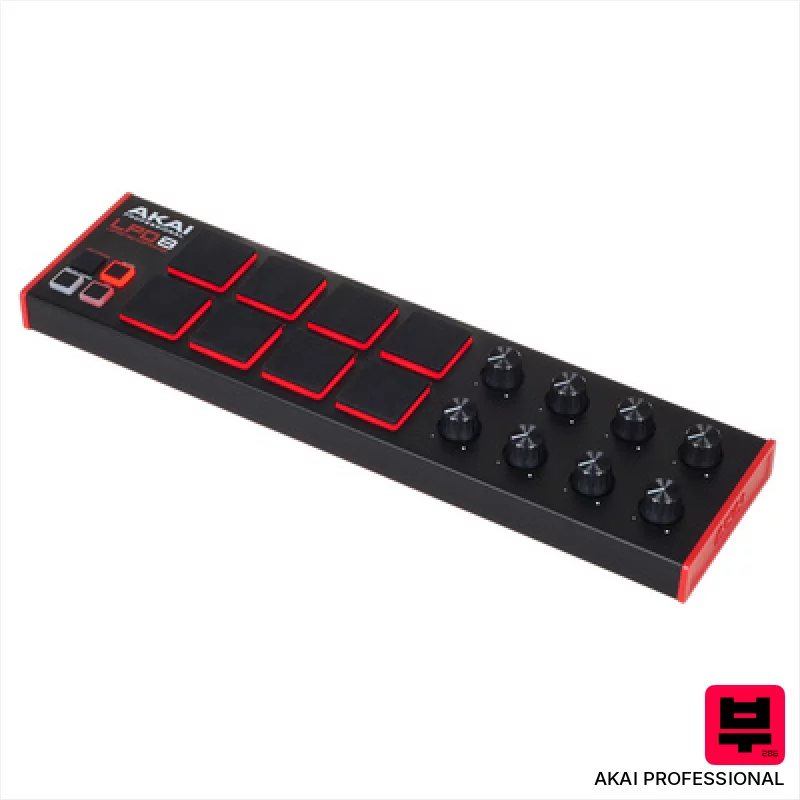
AKAI Professional LPD8 MKII
- • Responsive MPC pads offer surprisingly good tactile feedback.
- • RGB backlighting enhances visual performance and workflow.
- • Compact size makes it incredibly portable and desk-friendly.
- • MPC Beats software provides a decent starting point for beginners.
- • Plastic build feels somewhat flimsy, especially for frequent travel.
- • Assignable knobs lack detents, making precise adjustments tricky.
- • Limited pad size restricts complex finger drumming techniques.
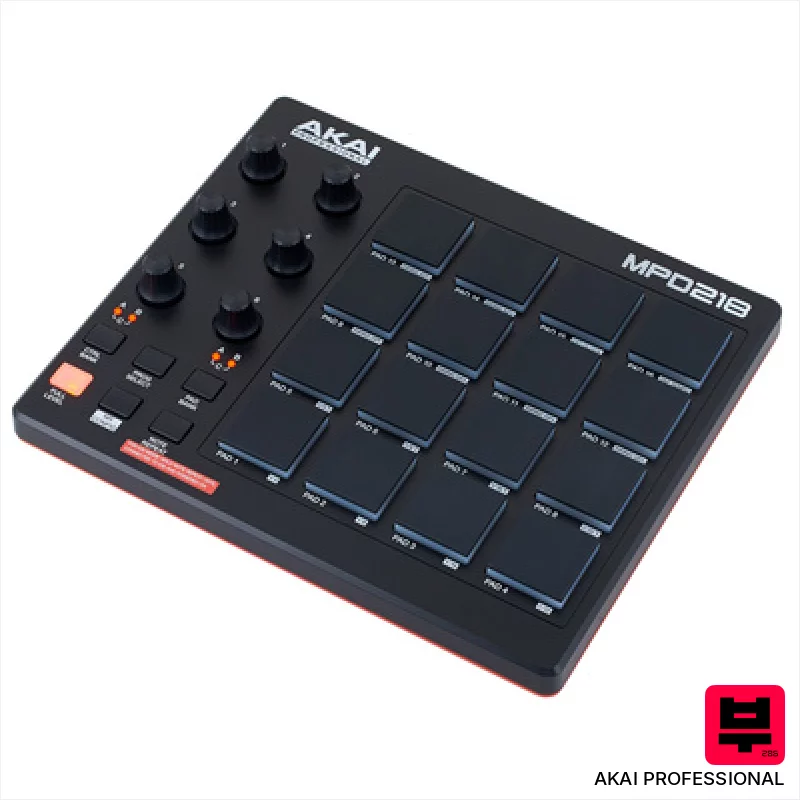
AKAI Professional MPD 218
- • MPC pads offer surprisingly responsive, velocity-sensitive performance.
- • Assignable knobs provide tactile control over software parameters.
- • Compact size makes it ideal for smaller workspaces or mobile setups.
- • Included Ableton Live Lite is a useful entry point for beginners.
- • Plastic construction feels budget-oriented, lacks premium feel.
- • Limited connectivity – USB only restricts flexibility.
- • IOS compatibility requires a separate, additional purchase.
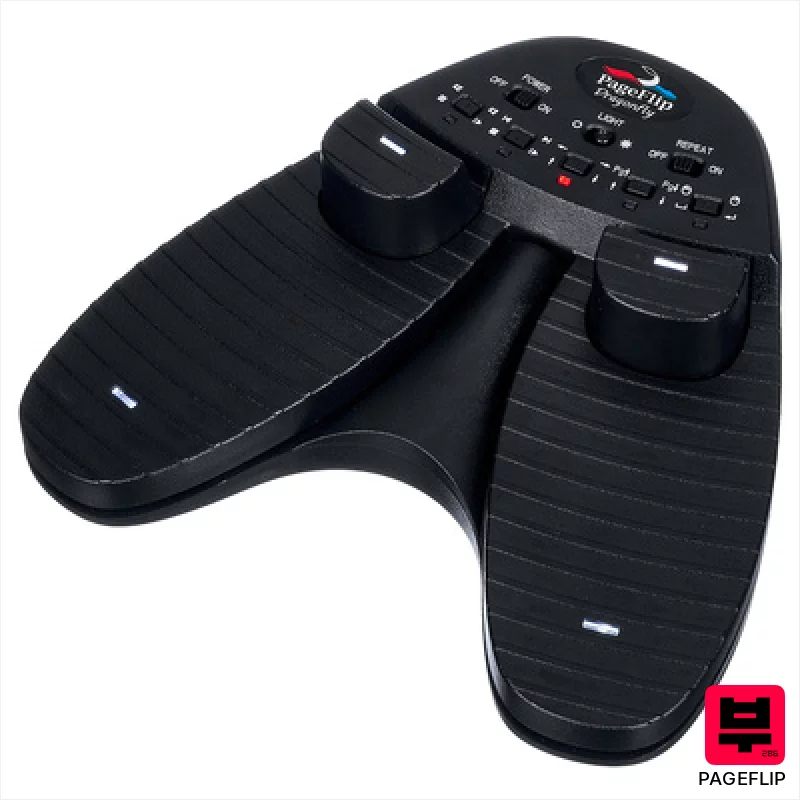
Pageflip Dragonfly
- • Robust construction suggests longevity for demanding stage or studio use
- • Bluetooth LE provides reliable, low-latency wireless operation
- • Programmable pedal modes offer significant customization potential
- • Compact footprint minimizes space requirements on crowded pedalboards
- • Limited compatibility outside of tablet/smartphone/notebook scenarios
- • Editor software dependency restricts ease of use for some users
- • Plastic construction, while durable, lacks the premium feel of metal alternatives

Presonus Atom SQ
- • Responsive pads offer excellent tactile feedback for drumming and sequencing
- • Touch strip is surprisingly versatile for modulation and creative effects
- • Studio One integration is genuinely deep and streamlines workflow
- • Compact size makes it ideal for smaller studio setups and mobile production
- • Limited pad size restricts complex chord voicings and intricate patterns
- • Rotary encoders lack detents, making precise adjustments challenging
- • Build quality feels plasticky, a noticeable cost-saving measure
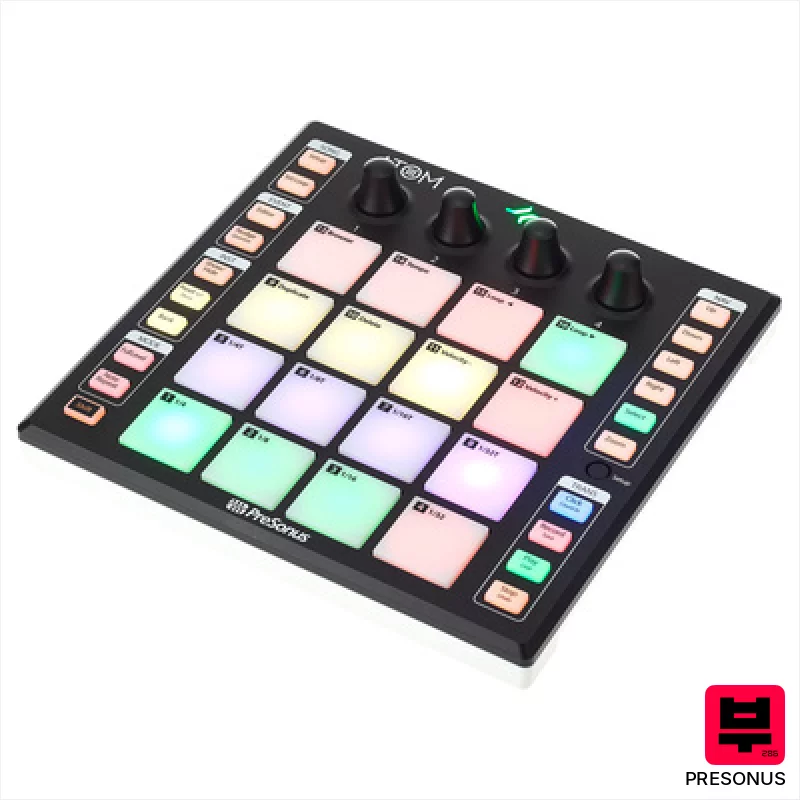
Presonus Atom
- • Responsive RGB pads offer excellent tactile feedback and visual cues
- • Polyphonic aftertouch adds expressive nuance to virtual instruments
- • Freely assignable buttons provide extensive customization options
- • Seamless Studio One integration streamlines workflow for Presonus users
- • Limited pad size restricts complex chord voicings and finger drumming
- • Plastic construction feels somewhat budget-oriented, lacks premium feel
- • Lack of dedicated pitch bend/mod wheel limits performance flexibility
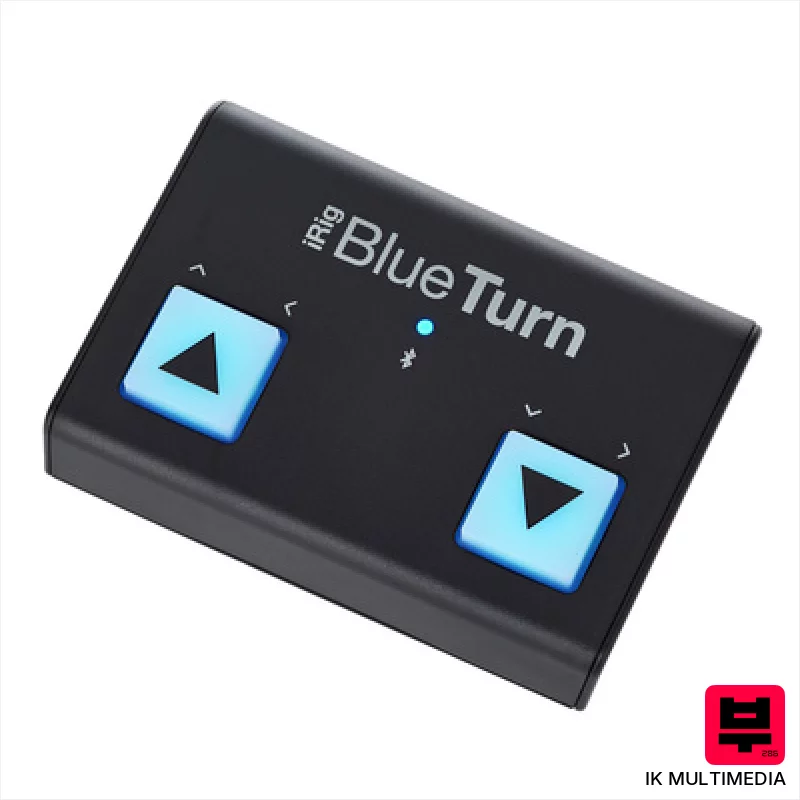
IK Multimedia iRig BlueTurn
- • Bluetooth LE offers reliable, low-latency wireless control
- • Soft-touch footswitches provide a responsive, quiet action
- • Compact size makes it ideal for mobile setups and pedalboards
- • Multiple mode configurations enhance versatility across applications
- • Windows incompatibility significantly limits potential users
- • AAA battery power can be inconvenient for frequent use
- • Plastic housing, while sturdy, lacks premium feel of metal alternatives

Vidami Blue 3 in 1 Video Controller
- • Seamless video looping simplifies learning complex riffs and solos.
- • Customizable speed presets offer precise control over playback speed.
- • DAW mode expands creative workflow, offering flexible track manipulation.
- • Bluetooth connectivity provides wireless freedom and reduces cable clutter.
- • Foot pedal responsiveness may require a learning curve for some users.
- • Limited compatibility with older or less common video platforms.
- • Build quality, while decent, feels somewhat plasticky for the price.
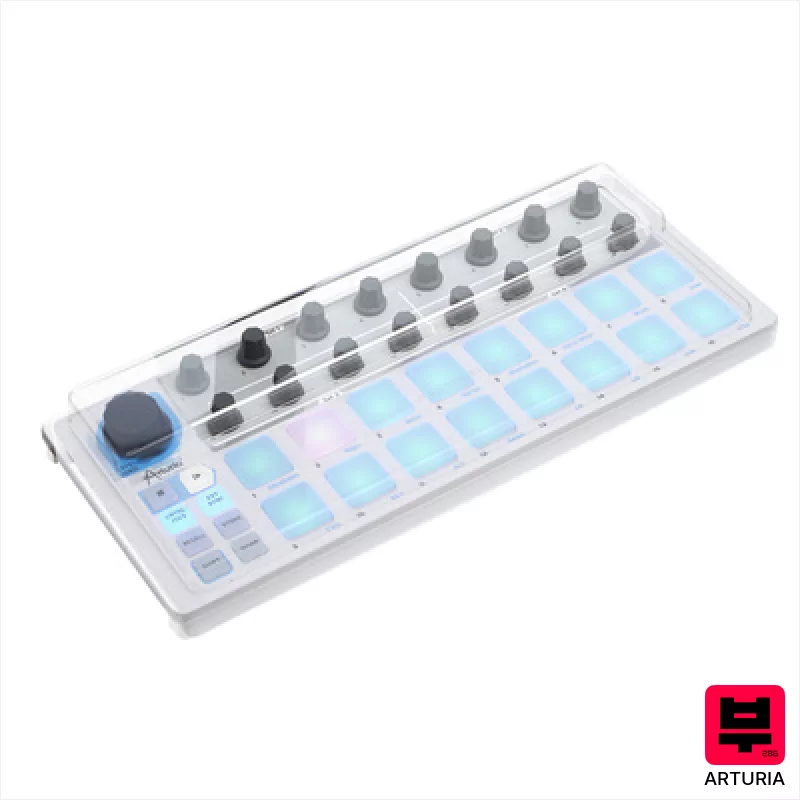
Arturia Beatstep Decksaver Set
- • Decksaver provides excellent physical protection against dust and impact
- • Polycarbonate construction offers robust durability and clarity
- • Custom fit ensures a snug, secure cover for the Beatstep
- • Bundle offers good value, combining protection and controller
- • Decksaver’s polycarbonate can scratch with heavy use and cleaning
- • The Beatstep itself is not included, a common oversight for bundles
- • The Decksaver adds a slight bit of bulk during transport
How to Choose the Best Other Controllers
Tactile Feedback
This isn't just about knobs and faders; it's about the resistance, the clickiness, the overall feel under your fingers. A mushy knob will kill your groove; a satisfying click can inspire a whole new performance.
Mapping Flexibility
Can you easily re-assign controls to match your workflow? Some controllers are locked into rigid setups; others let you customize every parameter with granular detail - crucial for truly unique setups.
Dynamic Range & Sensitivity
Subtle nuances matter. A controller that only responds to full-throttle movements won't cut it for expressive playing. We're looking for responsiveness that allows for delicate swells and powerful accents.
Integration & DAW Compatibility
Seamless integration is key. Does it play nice with your preferred software? Are drivers stable? A controller that constantly throws errors will become more of a hindrance than a help.
Build Quality & Reliability
Gigs are brutal. Studio sessions demand dependability. Cheap plastic and flimsy pots won't last. We're prioritizing controllers built to withstand the rigors of regular use - even if it means paying a bit more upfront.
Buying Guide
Don't fall for the hype. Many 'unique' controllers are just glorified knob boxes with a premium price tag. Pay attention to the build quality - cheap potentiometers will get scratchy fast, and plastic housings crack. Consider your specific workflow - a loop-based electronic musician will need different features than a guitarist building custom sample-triggered instruments. Factor in the learning curve, too - some of these controllers have steep ones.
Our Methodology
We're not looking at spec sheets here. We've spent hours with each of these, plugged them into a variety of DAWs and hardware synths, and put them through the wringer - from bedroom experimentation to band rehearsals and even a few studio sessions. Our focus is always on how they feel and how they translate into a usable workflow, not just what's on the box.

