
Best MIDI Tools for Midi Utility 2026
Okay, so you're not building a massive modular synth rig, but you're wrestling with MIDI data - cleaning it up, remapping controls, sending specific messages to different devices. That's what we call MIDI utility, and it's surprisingly crucial. A lot of folks overlook it, thinking it's just for advanced setups, but a little MIDI cleanup can make a huge difference in your workflow, whether you're gigging with a complex pedalboard or just trying to get your DAW to play nice with your vintage keyboard. Let's look at some tools that'll actually do the job.
Last updated: July 22, 2026 • Next update: July 29, 2026

Crumar Mojo Pedals Model 2018
- • Robust, steel construction ensures lasting durability and stability.
- • Velocity-sensitive keys offer expressive, nuanced MIDI control.
- • Compact 13-key design maximizes space while retaining functionality.
- • Seamless integration with Crumar Mojo and GSi Gemini platforms.
- • The 13-key layout might feel restrictive for complex performances.
- • Limited to Crumar/GSi ecosystem; broader MIDI compatibility is lacking.
- • Weight makes it less portable; requires dedicated space for use.

Lab4Music SiparioX
- • Intuitive color touchscreen simplifies complex MIDI routing tasks.
- • Scenes with instrument icons drastically improve workflow organization.
- • Flexible performance creation allows for intricate layered sounds.
- • Robust build quality suggests durability for studio and stage use.
- • Lack of a dedicated power supply adds to initial investment.
- • Limited USB host functionality restricts compatible controller types.
- • 3.5mm MIDI jacks feel somewhat less robust than standard DIN connectors.

Old Blood Noise Endeavors MTET MIDI To Expression Trans.
- • Four isolated expression outputs unlock nuanced, complex modulation.
- • Solid, compact enclosure feels robust and well-built, typical OBNX quality.
- • Tip-connected slider intelligently adapts to various expression pedal standards.
- • MIDI Thru port allows for signal chaining and expanded MIDI control.
- • Limited to expression control; lacks other MIDI conversion capabilities.
- • Requires a separate, standard 9V DC power supply, adding to the cost and clutter.
- • Four expression outputs might be overkill for simpler setups.
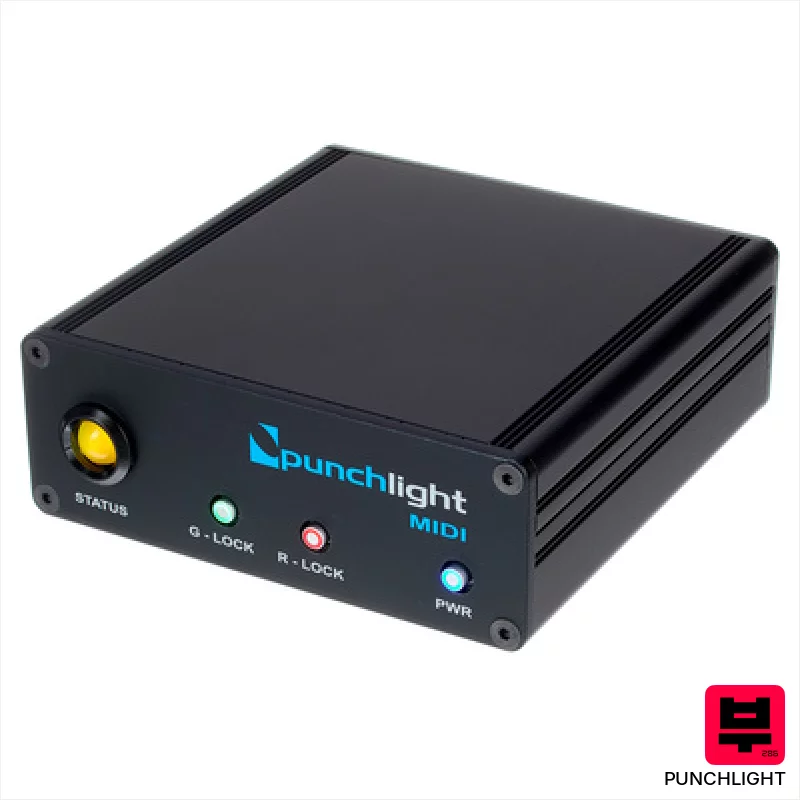
Punchlight MIDI
- • Robust metal enclosure ensures long-term reliability.
- • The hold switch offers convenient manual override capabilities.
- • Compact size (105 x 38 x 104 mm) fits neatly in tight studio spaces.
- • Clear two-color LED provides unambiguous status indication.
- • Requires a separate MIDI interface, adding to overall cost and complexity.
- • Limited functionality beyond Punchlight ecosystem; not a general MIDI utility.
- • The 12V power supply, while included, is an external brick.

Conductive Labs MRCC Remote 7
- • Expands MRCC functionality significantly, adding five crucial MIDI outputs.
- • CAT6A cable included offers robust, reliable Ethernet connection.
- • Dual output options (DIN & TRS) provide flexible routing possibilities.
- • Compact design minimizes rack space or desktop footprint.
- • Lacks SysEx support, limiting advanced MIDI message transmission.
- • Dependent on the MRCC hub; not a standalone MIDI solution.
- • TRS sockets are type A & B, potentially incompatible with some gear.
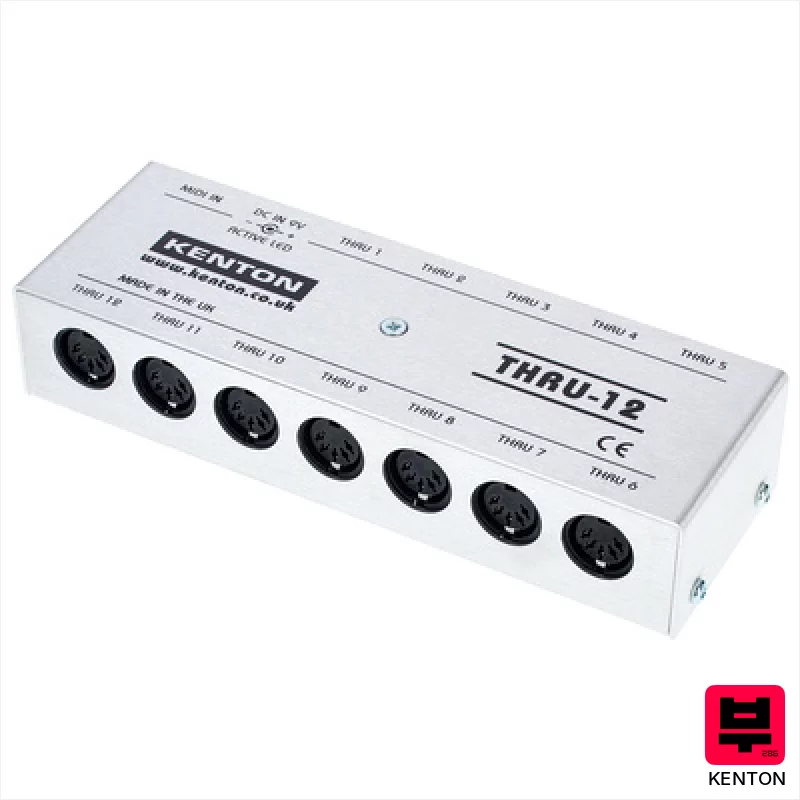
Kenton MIDI Thru 12
- • Rock-solid Kenton build quality; feels incredibly durable.
- • 12 Thru ports offer unparalleled MIDI expansion.
- • Lossless signal ensures pristine MIDI data transmission.
- • Includes a global power supply – very convenient.
- • Size can be a constraint in cramped studio setups.
- • Price point is premium for a simple Thru box.
- • No individual port isolation; potential for ground loops.
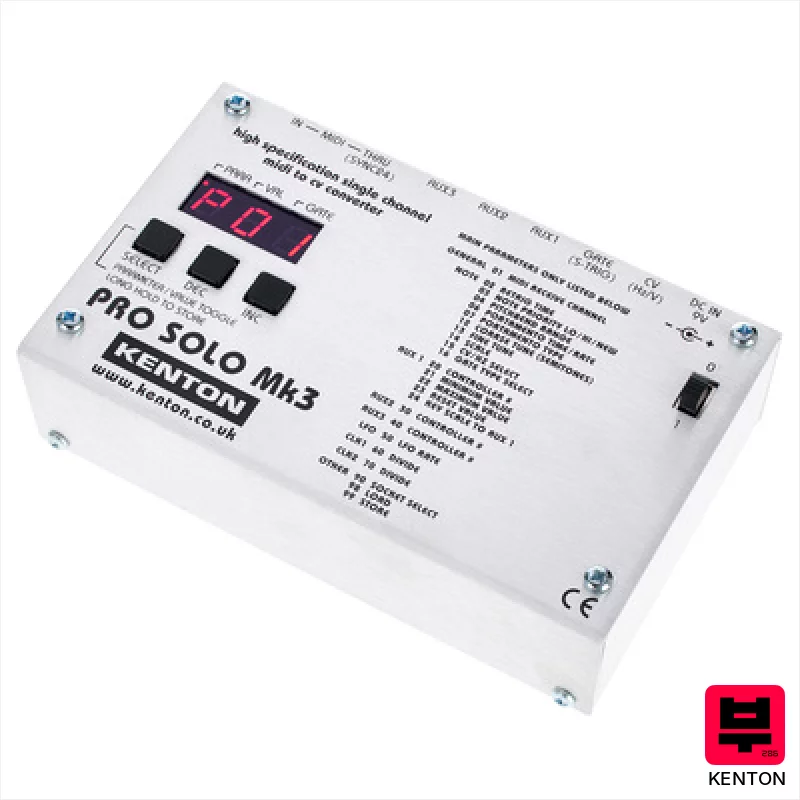
Kenton Pro Solo MkIII
- • Flexible Aux outputs offer unique modulation possibilities.
- • Robust build quality feels immediately durable and reliable.
- • Independent clocking for each Aux channel is a huge workflow boost.
- • Compact size makes it easy to integrate into tight studio spaces.
- • Mini-jack connections feel a little fragile for frequent patching.
- • Single channel limits its use in complex modular setups.
- • Price point might be steep for hobbyists on a tight budget.
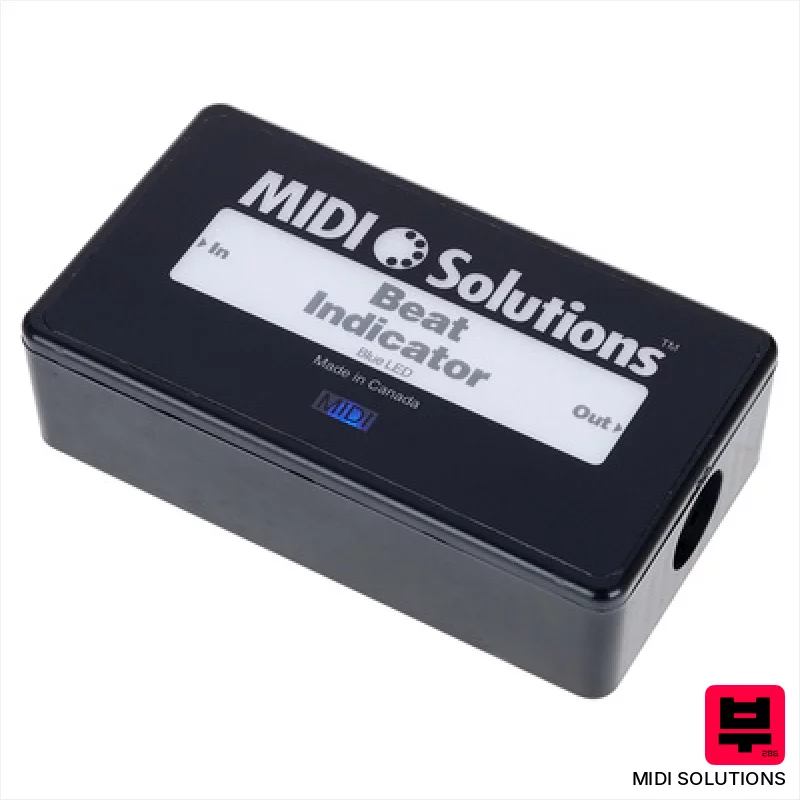
MIDI Solutions Beat Indicator
- • Bright LED provides clear visual beat reference.
- • Programmable delay/advance offers rhythmic flexibility.
- • Compact size makes it easily portable for gigs.
- • MIDI System Exclusive programming is standard for MIDI users.
- • Programming via SysEx can be initially daunting for beginners.
- • Limited to MIDI Clock; no direct audio input processing.
- • Single LED may be insufficient for very bright stage environments.

Dtronics DT-QT
- • Fast switching minimizes timing issues across multiple devices.
- • Buffered outputs maintain signal integrity over longer cable runs.
- • Compact size makes it easy to integrate into tight studio setups.
- • Signal Cleaner can rescue corrupted MIDI data from problematic gear.
- • Plastic housing feels less robust than metal alternatives.
- • Limited to one input; no merging capabilities.
- • USB power only – no external power adapter option.

Kenton Pro CV to MIDI
- • Excellent tracking accuracy, crucial for complex polyphonic sequences and nuanced expression.
- • The 16-bit AD conversion provides clean, noise-free MIDI data, even from dirty CV signals.
- • Aux CV inputs offer flexible modulation routing for MIDI CC control, expanding creative possibilities.
- • Compact size and robust build quality make it ideal for studio or live performance environments.
- • Limited input jack size (3.5mm) may require adapters for some vintage gear.
- • While versatile, the scale options are geared towards subtractive synthesis workflows.
- • The price point, while reasonable, might be a barrier for absolute beginners.
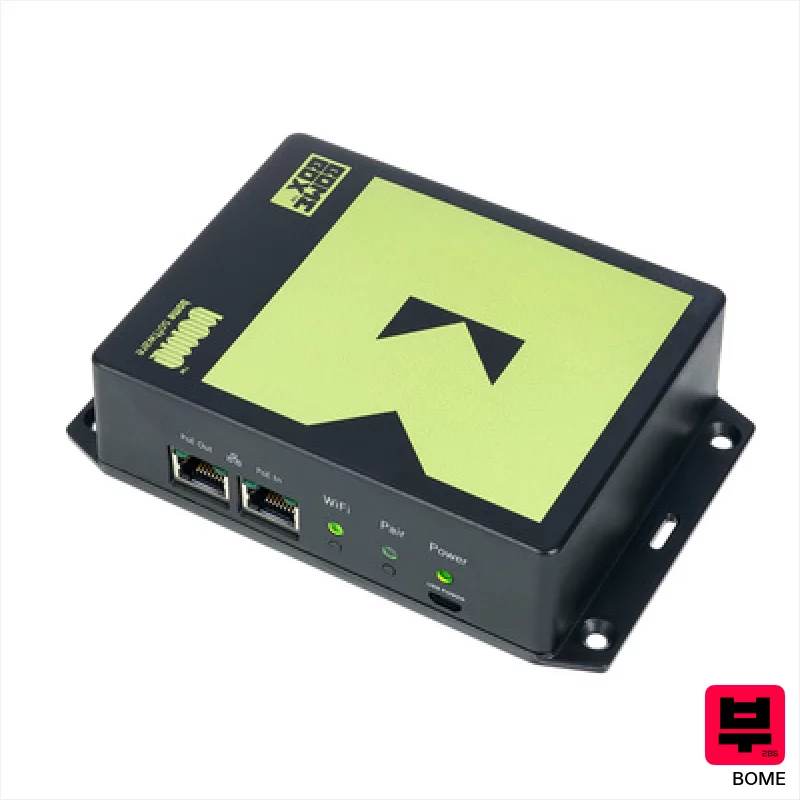
Bome BomeBox with Flange
- • Robust ABS housing offers excellent protection during gigging and studio use
- • Low-latency MIDI routing crucial for tight synchronization with digital audio workstations
- • Integrated MIDI Translator Pro engine unlocks complex MIDI processing capabilities
- • Ethernet switch simplifies network setup for Allen & Heath console users
- • Power supply not included; requires a separate 5V micro-USB power adapter
- • 100 Mbit/s Ethernet speed may be a bottleneck for very large MIDI data streams
- • Configuration, while web-based, can have a steep learning curve for MIDI novices
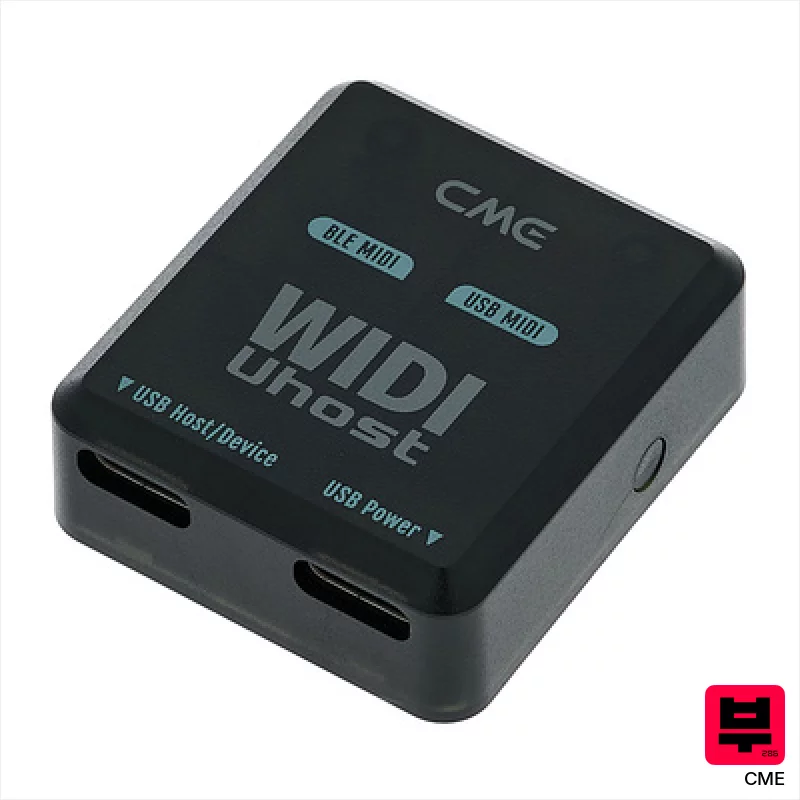
CME WIDI Uhost
- • Extremely compact and lightweight for ultimate portability.
- • Bluetooth 5 offers genuinely low latency for real-time performance.
- • Seamless integration with the WIDI ecosystem expands functionality.
- • Magnetic base provides convenient mounting options on various surfaces.
- • Limited to Bluetooth MIDI; lacks a traditional MIDI DIN port.
- • Reliance on USB-C for power can be restrictive in some setups.
- • Range of 20m is optimistic; walls and interference will reduce it.

SOMA Metaconformer
- • Flexible routing expands synth setups beyond typical limitations.
- • Combiner mode allows complex polyphonic layering from monosynths.
- • Translator function unlocks nuanced, custom MIDI control schemes.
- • Compact size makes it ideal for dense studio environments.
- • Mini-USB power is a bit archaic and easily misplaced.
- • Limited MIDI ports might restrict complex signal chains.
- • TRS connections require adapters for standard MIDI gear.
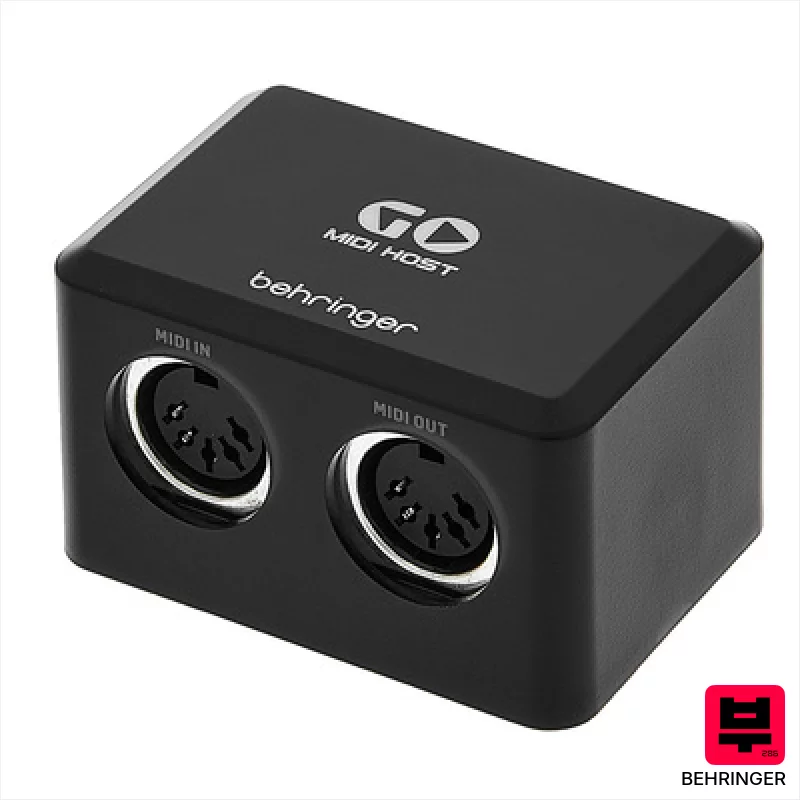
Behringer Go Midi Host
- • Ultra-compact design minimizes desk clutter and portability.
- • USB-C connectivity offers faster data transfer and modern compatibility.
- • Plug-and-play functionality eliminates driver headaches for immediate use.
- • Rock-solid build quality for a budget-friendly MIDI interface.
- • Single MIDI port limits complex setups requiring multiple devices.
- • USB-C power only; lacks a broader power option flexibility.
- • Limited status LED provides minimal diagnostic information.

Miditech MIDI thru 7 V2
- • Reliable MIDI signal distribution for complex setups
- • Solid construction; feels robust despite the budget price
- • Simple, straightforward operation with clear LED indication
- • Compact size minimizes rack space or desktop clutter
- • MIDI buffering isn’t a primary feature; latency could be a factor
- • Plastic housing isn't as premium as all-metal alternatives
- • Limited error reporting; troubleshooting can be difficult
How to Choose the Best MIDI Tools
MIDI Filtering
The ability to selectively block or pass MIDI messages based on channel, note number, velocity, or other criteria. This is vital for eliminating unwanted noise or rogue triggers from older gear or complex setups - like that runaway bass note when your drummer bumps the keyboard.
CC Mapping & Reassignment
A flexible system for remapping continuous controller (CC) messages. It's not enough to just swap a knob; you need to be able to scale, invert, or even combine CCs to achieve nuanced control - imagine mapping a single fader to control multiple parameters on your synth for a really expressive swell.
Real-Time Transformation
The power to alter MIDI data as it's being transmitted. This is huge for live performance - correcting timing errors, adding vibrato, or subtly shifting pitch on the fly. It's the difference between a sloppy performance and something that sounds intentionally nuanced.
Routing Flexibility
Beyond simple A-to-B routing, look for tools that allow for complex splits, merges, and conditional routing. Being able to send different MIDI messages to different devices based on certain conditions is a game-changer for intricate setups.
Latency & Throughput
MIDI data needs to move quickly. Excessive latency can feel sluggish and unresponsive, especially when playing fast passages or controlling real-time effects. A tool that can't handle a high volume of MIDI data will choke under pressure.
Buying Guide
Don't get lured in by a ton of knobs and blinking lights. A lot of these boxes are essentially glorified MIDI routers with a fancy interface. The real value is in the intelligent processing capabilities. Cheaper units often skimp on the processing power, leading to noticeable latency and limited routing options. If you're gigging, reliability is paramount; a unit that crashes mid-song is worse than no utility at all. Spend a little more for something that feels rock-solid and offers the features you actually need.
Our Methodology
We're not looking at spec sheets here. We've put these tools through the wringer: live rehearsals, tracking sessions, and countless hours of tweaking. We're A/B'ing against simple MIDI routing in DAWs and dedicated MIDI interfaces to see if the extra expense actually buys you something tangible - something beyond just a few extra buttons and LEDs. Ultimately, it's about how these tools impact your playing and your mix.

