
Best MIDI Tools for Midi Sync 2026
Okay, so you're chasing tight MIDI sync between your drum machines, synths, and DAW? It's a game-changer for live looping, electronic music production, and even adding precision to acoustic instrument tracks. But just slapping a MIDI cable in won't always cut it - you need the right tools to manage those clocks and ensure everything stays locked. Let's break down the best MIDI tools for nailing that perfect sync.
Last updated: July 22, 2026 • Next update: July 29, 2026

Crumar Mojo Pedals Model 2018
- • Robust, steel construction ensures lasting durability and stability.
- • Velocity-sensitive keys offer expressive, nuanced MIDI control.
- • Compact 13-key design maximizes space while retaining functionality.
- • Seamless integration with Crumar Mojo and GSi Gemini platforms.
- • The 13-key layout might feel restrictive for complex performances.
- • Limited to Crumar/GSi ecosystem; broader MIDI compatibility is lacking.
- • Weight makes it less portable; requires dedicated space for use.

Lab4Music SiparioX
- • Intuitive color touchscreen simplifies complex MIDI routing tasks.
- • Scenes with instrument icons drastically improve workflow organization.
- • Flexible performance creation allows for intricate layered sounds.
- • Robust build quality suggests durability for studio and stage use.
- • Lack of a dedicated power supply adds to initial investment.
- • Limited USB host functionality restricts compatible controller types.
- • 3.5mm MIDI jacks feel somewhat less robust than standard DIN connectors.
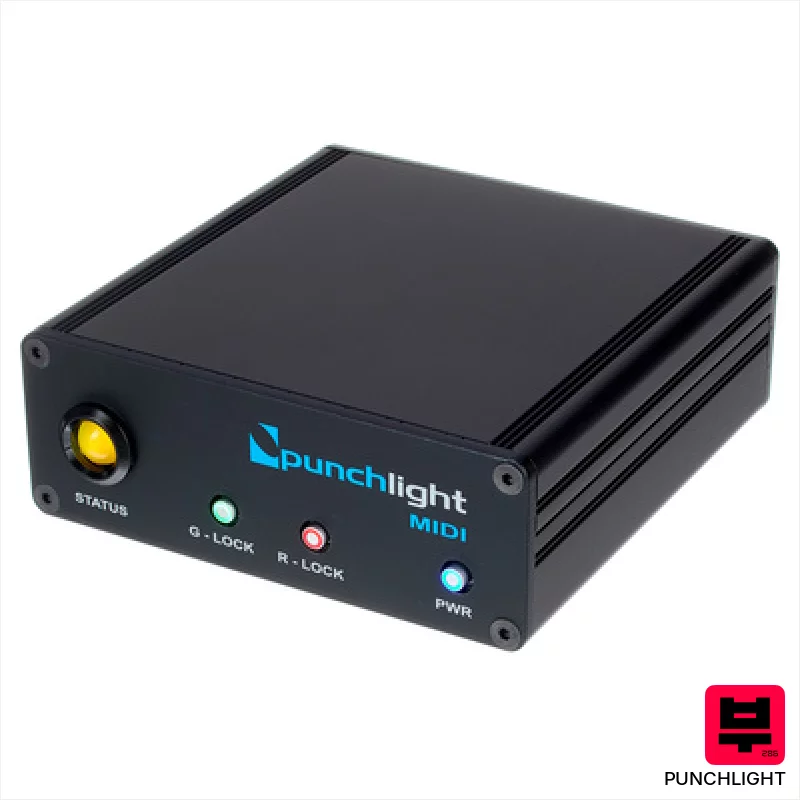
Punchlight MIDI
- • Robust metal enclosure ensures long-term reliability.
- • The hold switch offers convenient manual override capabilities.
- • Compact size (105 x 38 x 104 mm) fits neatly in tight studio spaces.
- • Clear two-color LED provides unambiguous status indication.
- • Requires a separate MIDI interface, adding to overall cost and complexity.
- • Limited functionality beyond Punchlight ecosystem; not a general MIDI utility.
- • The 12V power supply, while included, is an external brick.
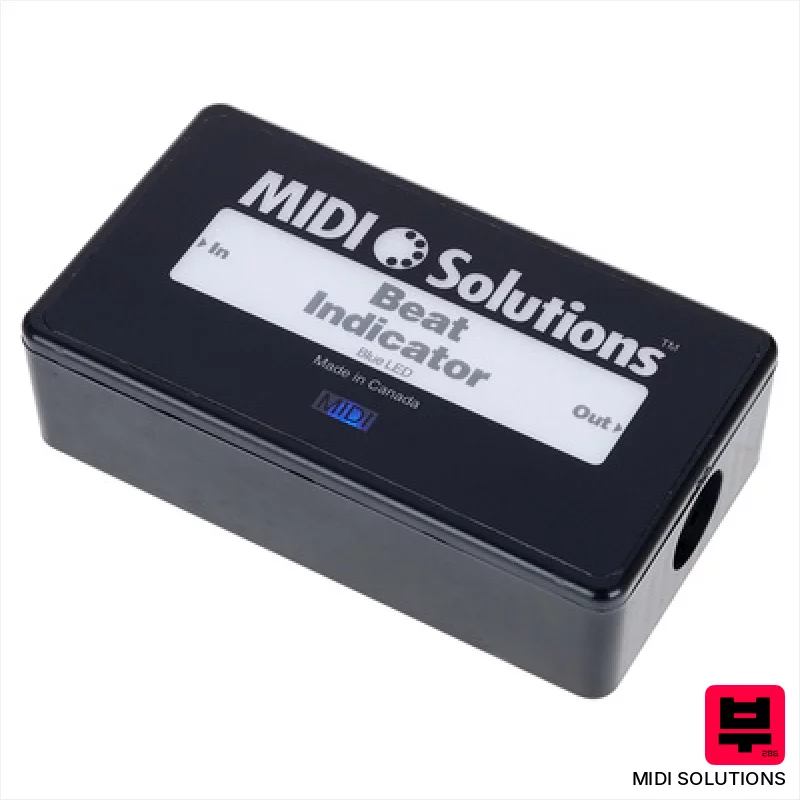
MIDI Solutions Beat Indicator
- • Bright LED provides clear visual beat reference.
- • Programmable delay/advance offers rhythmic flexibility.
- • Compact size makes it easily portable for gigs.
- • MIDI System Exclusive programming is standard for MIDI users.
- • Programming via SysEx can be initially daunting for beginners.
- • Limited to MIDI Clock; no direct audio input processing.
- • Single LED may be insufficient for very bright stage environments.

Kenton Pro CV to MIDI
- • Excellent tracking accuracy, crucial for complex polyphonic sequences and nuanced expression.
- • The 16-bit AD conversion provides clean, noise-free MIDI data, even from dirty CV signals.
- • Aux CV inputs offer flexible modulation routing for MIDI CC control, expanding creative possibilities.
- • Compact size and robust build quality make it ideal for studio or live performance environments.
- • Limited input jack size (3.5mm) may require adapters for some vintage gear.
- • While versatile, the scale options are geared towards subtractive synthesis workflows.
- • The price point, while reasonable, might be a barrier for absolute beginners.

Conductive Labs MRCC Remote 7
- • Expands MRCC functionality significantly, adding five crucial MIDI outputs.
- • CAT6A cable included offers robust, reliable Ethernet connection.
- • Dual output options (DIN & TRS) provide flexible routing possibilities.
- • Compact design minimizes rack space or desktop footprint.
- • Lacks SysEx support, limiting advanced MIDI message transmission.
- • Dependent on the MRCC hub; not a standalone MIDI solution.
- • TRS sockets are type A & B, potentially incompatible with some gear.
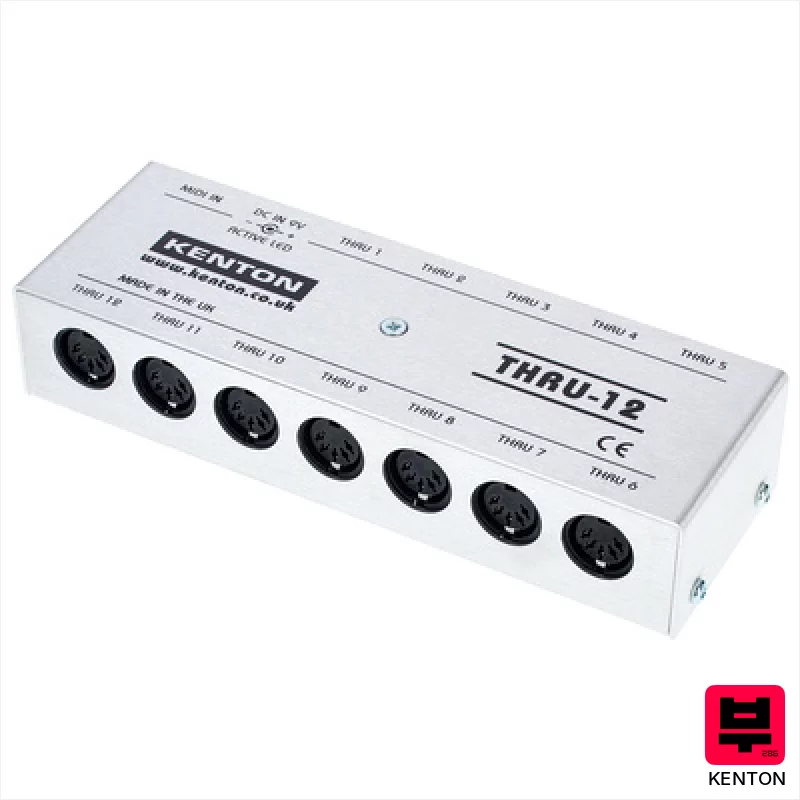
Kenton MIDI Thru 12
- • Rock-solid Kenton build quality; feels incredibly durable.
- • 12 Thru ports offer unparalleled MIDI expansion.
- • Lossless signal ensures pristine MIDI data transmission.
- • Includes a global power supply – very convenient.
- • Size can be a constraint in cramped studio setups.
- • Price point is premium for a simple Thru box.
- • No individual port isolation; potential for ground loops.
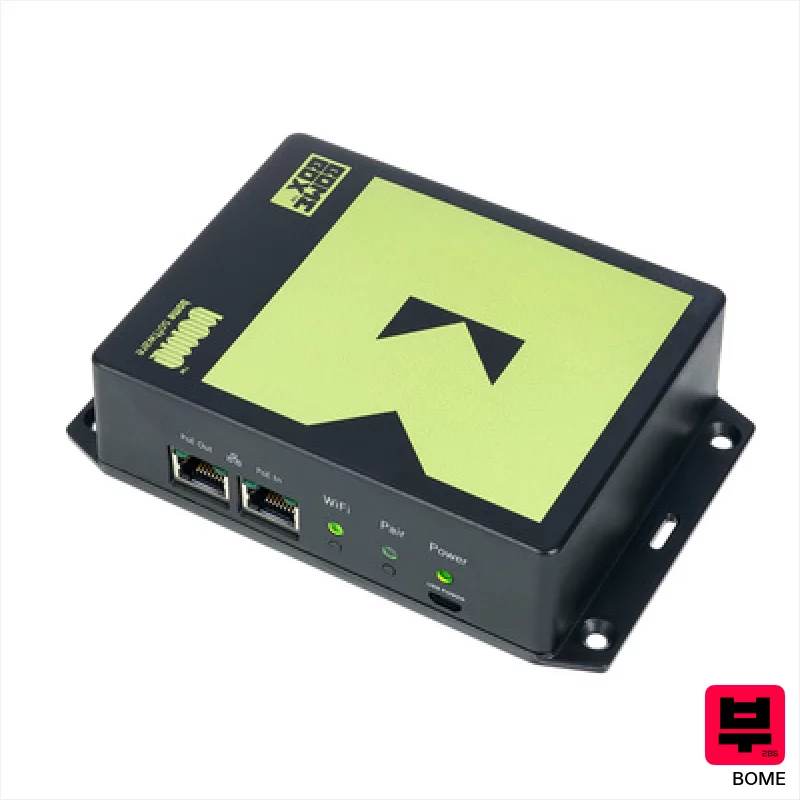
Bome BomeBox with Flange
- • Robust ABS housing offers excellent protection during gigging and studio use
- • Low-latency MIDI routing crucial for tight synchronization with digital audio workstations
- • Integrated MIDI Translator Pro engine unlocks complex MIDI processing capabilities
- • Ethernet switch simplifies network setup for Allen & Heath console users
- • Power supply not included; requires a separate 5V micro-USB power adapter
- • 100 Mbit/s Ethernet speed may be a bottleneck for very large MIDI data streams
- • Configuration, while web-based, can have a steep learning curve for MIDI novices
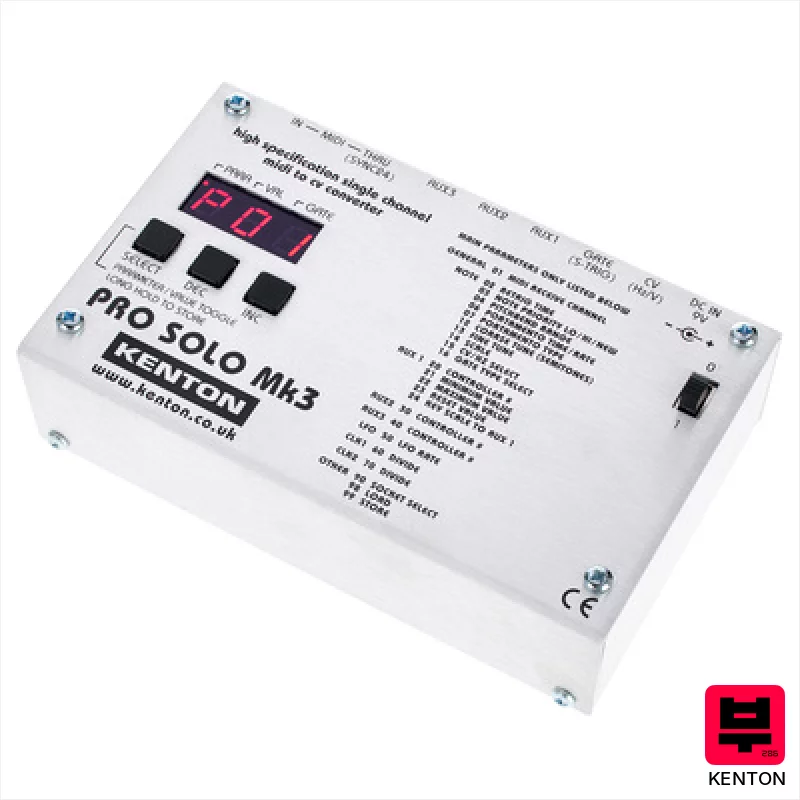
Kenton Pro Solo MkIII
- • Flexible Aux outputs offer unique modulation possibilities.
- • Robust build quality feels immediately durable and reliable.
- • Independent clocking for each Aux channel is a huge workflow boost.
- • Compact size makes it easy to integrate into tight studio spaces.
- • Mini-jack connections feel a little fragile for frequent patching.
- • Single channel limits its use in complex modular setups.
- • Price point might be steep for hobbyists on a tight budget.

Old Blood Noise Endeavors MTET MIDI To Expression Trans.
- • Four isolated expression outputs unlock nuanced, complex modulation.
- • Solid, compact enclosure feels robust and well-built, typical OBNX quality.
- • Tip-connected slider intelligently adapts to various expression pedal standards.
- • MIDI Thru port allows for signal chaining and expanded MIDI control.
- • Limited to expression control; lacks other MIDI conversion capabilities.
- • Requires a separate, standard 9V DC power supply, adding to the cost and clutter.
- • Four expression outputs might be overkill for simpler setups.
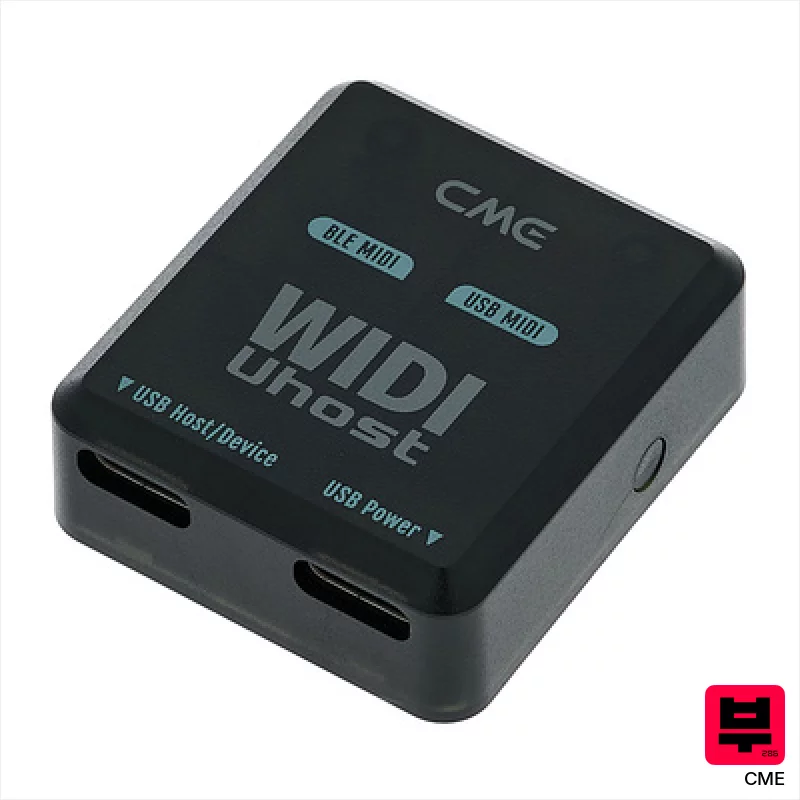
CME WIDI Uhost
- • Extremely compact and lightweight for ultimate portability.
- • Bluetooth 5 offers genuinely low latency for real-time performance.
- • Seamless integration with the WIDI ecosystem expands functionality.
- • Magnetic base provides convenient mounting options on various surfaces.
- • Limited to Bluetooth MIDI; lacks a traditional MIDI DIN port.
- • Reliance on USB-C for power can be restrictive in some setups.
- • Range of 20m is optimistic; walls and interference will reduce it.
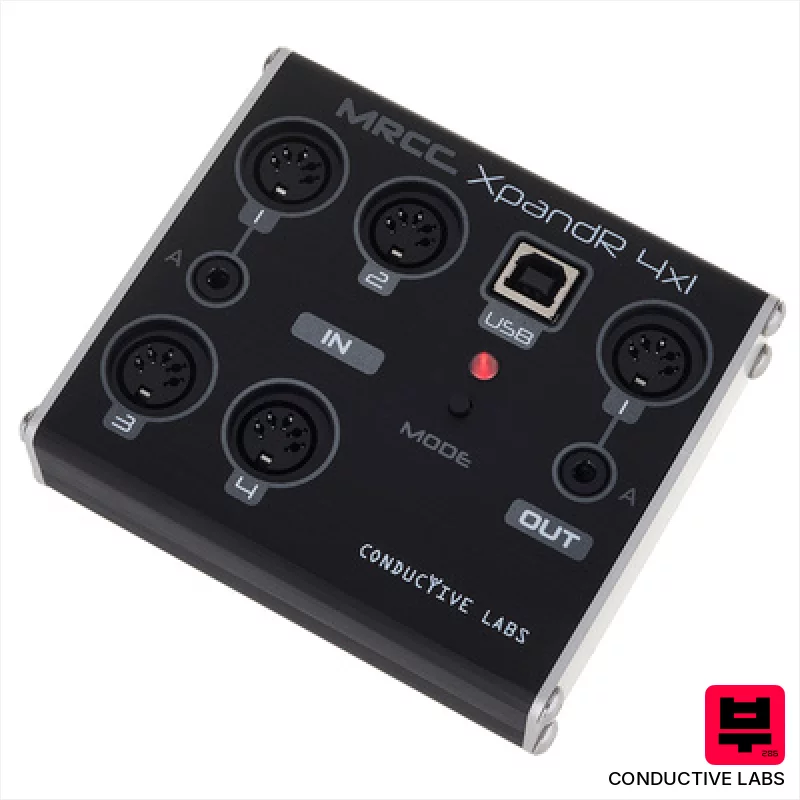
Conductive Labs XpandR 4x1
- • Excellent expander for MRCC, greatly increasing input flexibility
- • Compact size makes it ideal for travel and small studios
- • Stand-alone merger mode provides valuable routing options
- • Class-compliant operation simplifies connectivity to various devices
- • Limited output count might restrict complex routing scenarios
- • Power supply not included; adds to initial investment
- • Plastic enclosure feels less robust than metal alternatives

XVive MD1 Wireless MIDI System
- • Compact design eliminates cable clutter, simplifying studio setups
- • Bluetooth 5's 3ms latency is genuinely usable for live performance
- • Automatic pairing drastically reduces setup time and frustration
- • Modular adapters offer flexibility for different MIDI device configurations
- • Range is limited; walls significantly reduce the 20m advertised distance
- • Powering solely through MIDI-Out might be problematic with some older gear
- • Plastic construction feels a little less premium than competing wireless systems

Miditech MIDI thru 7 V2
- • Reliable MIDI signal distribution for complex setups
- • Solid construction; feels robust despite the budget price
- • Simple, straightforward operation with clear LED indication
- • Compact size minimizes rack space or desktop clutter
- • MIDI buffering isn’t a primary feature; latency could be a factor
- • Plastic housing isn't as premium as all-metal alternatives
- • Limited error reporting; troubleshooting can be difficult

CME WIDI Thru6 BT
- • Compact design maximizes desk space, ideal for crowded studios.
- • Bluetooth MIDI offers flexible, wireless connectivity options.
- • Six outputs allow complex routing to multiple devices.
- • Robust USB-C power ensures stable operation without external power.
- • Limited to MIDI data; no audio signal processing capabilities.
- • Small size might make it feel less substantial in hand.
- • Bluetooth range, while decent, isn't suitable for large venues.
How to Choose the Best MIDI Tools
Clock Stability
This is the big one. A jittery clock is useless. We're looking for units with rock-solid timing, especially when dealing with multiple devices or complex tempo changes. Cheap interfaces often have noticeable drift.
MIDI Thru/Routing Options
Flexibility is key. Can you easily route MIDI signals between devices, create custom MIDI chains, or isolate certain instruments? A limited routing matrix can become a major bottleneck.
Tempo Range/Resolution
Some older units have limited tempo ranges, making them unsuitable for modern electronic music styles. High resolution (24ppqn or better) ensures accurate timing for complex rhythmic patterns.
Latency Performance
Especially important for live performance or monitoring through your DAW. Even a few milliseconds of latency can throw off your feel and make playing feel disconnected.
User Interface/Workflow
A complicated menu system can be a nightmare when you're trying to troubleshoot a sync issue mid-gig. Intuitive controls and clear visual feedback are essential for quick adjustments.
Buying Guide
Don't fall for the trap of thinking more features always equals better. A simple, reliable MIDI sync box is often more valuable than a feature-bloated one you never understand. Cheaper units often compromise on clock stability or routing options - those are the places where you'll feel the difference. Spending a bit more on a reputable brand will save you headaches down the road, especially if you're gigging.
Our Methodology
We're not just looking at spec sheets here. We've spent countless hours A/B testing these units in real-world scenarios - everything from cramped rehearsal spaces to full-blown studio sessions. Our criteria isn't about buzzwords; it's about how reliably a tool keeps things in time, how intuitively it's used under pressure, and whether it actually improves your workflow, not just adds complexity.

