AudioFu Chart · October 2026
Best Studio Monitor Controllers Under $300 2026
The top pick is Heritage Audio Baby RAM Passive Desktop Monitor Controller ($224). Behringer Xenyx CONTROL2USB Studio Monitor Controller gives you the most for the money at $44. Palmer Monicon XL Monitor Controller leads the high end. Ranked by the AudioFu Index from 22 models across 15 brands, prices checked every night.
Last updated: October 19, 2026
Top 10
Full detail for the 10 highest AudioFu Index scores. Every other model is listed below.
-
Heritage Audio Baby RAM Passive Desktop Monitor Controller
Baby RAM BK · Heritage Audio
18 for sale on Reverb2 finishes at Thomann
- Weight1.2 kg
This little controller lets you tweak volume in tiny steps without drawing power. It handles both stereo and mono signals with switchable balanced lines. Great for small studios needing precise level matching between speakers.
Pros
- Precision volume control with tiny step adjustments
- Works without needing an external power supply
- Switchable balanced connections for cleaner signals
Cons
- No active power means limited volume control
- Single analog input type limits source options
72AudioFu
IndexStableno change since Aug 17Aug 17$224 now$224€199 at Thomann · in stockCheck price ↗ -
Mackie Big Knob Studio Monitor Controller / Interface
Big Knob Studio · Mackie
37 for sale on Reverb2 finishes at Thomann
The Big Knob Studio is a surprisingly capable monitor controller and interface, perfect for smaller home studios or project recording setups. It's a solid, well-built hub that simplifies routing and offers a convenient talkback feature – a real time-saver. It's a great value for anyone looking to upgrade their workflow without a huge investment.
Pros
- Steel housing provides robust durability for studio environments
- Flexible routing handles complex setups with ease and precision
- Integrated talkback simplifies communication during recording sessions
Cons
- Limited USB connectivity might frustrate users needing more I/O
- Cue mix functionality isn’t as sophisticated as dedicated mixers
70AudioFu
IndexStableno change since Aug 17Aug 17$246 now$246€219 at Thomann · in stockCheck price ↗ -
Mackie Big Knob Passive Monitor Controller
Big Knob Passive · Mackie
56 for sale on Reverb1 finish at Thomann
The Big Knob Passive is a fantastic, bare-bones solution for anyone needing basic monitor switching. It’s perfect for smaller home studios or project recording environments where you just want clean, reliable switching between a couple of monitor pairs and sources—no frills, just straightforward functionality. The build quality is surprisingly robust for its price point.
Pros
- Solid steel chassis provides excellent durability for studio use
- Passive design eliminates hum and noise often found in powered controllers
- Simple, intuitive layout ideal for quick source switching and level adjustments
Cons
- Passive design requires an external preamp for sufficient gain in some setups
- Limited routing options compared to more complex, active monitor controllers
-
PreSonus MicroStation BT 2.1 Bluetooth Studio Monitor Controller
MicroStation BT · Presonus
15 for sale on Reverb1 finish at Thomann
- Weight0.34 kg
The MicroStation BT is a surprisingly useful little box for anyone needing basic monitor switching and Bluetooth integration. It's perfect for bedroom producers, podcasters, or anyone wanting a clean, simple way to route audio without a ton of fuss. Don't expect a flagship feature set, but for the price, it’s a solid, functional solution.
Pros
- Compact footprint ideal for smaller studios or mobile setups
- Bluetooth connectivity offers convenient wireless source switching
- Subwoofer bypass function provides clean monitoring without bass
Cons
- Limited input options compared to higher-end monitor controllers
- RCA subwoofer output restricts flexibility for some setups
61AudioFu
IndexStableno change since Aug 17Aug 17$136 now$136€121 at Thomann · in stockCheck price ↗ -
Behringer Xenyx CONTROL2USB Studio Monitor Controller
Studio M · Behringer
8 for sale on Reverb1 finish at Thomann
- Weight0.65 kg
The Behringer Studio M is a no-frills monitor controller that gets the job done. It’s perfect for hobbyists, bedroom producers, or anyone needing a basic level-matching solution without breaking the bank. Don't expect high-end features, but for the price, it's hard to argue with its functionality.
Pros
- Solid build for the price point; feels surprisingly robust given the cost.
- Master volume control provides precise level adjustments for monitoring.
- Source and monitor selectors offer flexibility in studio setups.
Cons
- Passive design necessitates a power amplifier, adding to the overall cost.
- Limited input options; lacks dedicated phono or AES/EBU connectivity.
-
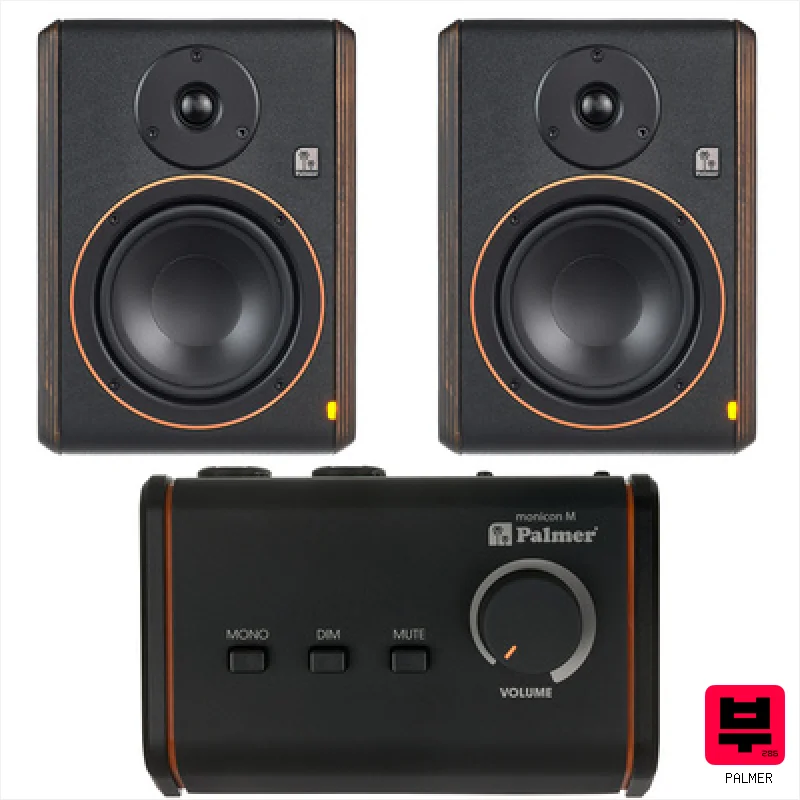
- Weight1.5 kg
The Palmer Monicon XL is a seriously useful little box for any studio, especially smaller home studios or project rooms. It's well-built, gives you a ton of routing flexibility, and the talkback is a genuine convenience. If you need a reliable, feature-rich monitor controller without a premium-priced tag, this is a solid choice.
Pros
- Solid build quality; feels substantial for its size.
- Flexible routing options for diverse studio setups.
- Integrated talkback simplifies communication during tracking.
Cons
- RCA input feels a bit flimsy compared to TRS connections.
- Limited headroom on the talkback mic for loud vocalists.
53AudioFu
Index↓ 1.5%since Aug 17 · lowest so far$303 · Aug 17$298 now$298€265 at Thomann · in stockCheck price ↗ -
- Weight0.1 kg
The Palmer Monicon S G2 is a seriously bare-bones monitor controller – it’s really just a simple signal switcher. It's perfect for budget-conscious engineers or hobbyists needing a no-frills solution for basic monitoring, but don't expect any advanced features. Its small size is a major plus if space is at a premium.
Pros
- Extremely compact size allows for tight studio spaces and portable setups.
- Solid, robust housing provides a degree of protection and feels well-built for the price.
- Simple mono switch is invaluable for quickly checking mix compatibility.
Cons
- Single stereo RCA input severely limits source options and flexibility.
- RCA connections only restrict compatibility with modern digital audio interfaces.
50AudioFu
Index↓ 8.2%since Aug 17 · lowest so far$55 · Aug 17$51 now$51€45 at Thomann · in stockCheck price ↗ -
Behringer Xenyx CONTROL2USB Studio Monitor Controller
Control2USB · Behringer
8 for sale on Reverb1 finish at Thomann
The Control2USB is a clever, affordable all-in-one solution for smaller home studios or project recording. It's a real space-saver, combining a monitor controller, basic audio interface, and talkback functionality into a single unit, making it ideal for singer-songwriters or bedroom producers on a budget.
Pros
- Illuminated volume knob offers precise, tactile control.
- Integrated USB interface simplifies recording and playback routing.
- Multiple monitor outputs allow for flexible studio setups.
Cons
- Plastic construction feels noticeably budget-oriented, lacks premium feel.
- Phono preamp is basic, best suited for casual listening, not critical playback.
48AudioFu
IndexStableno change since Aug 17Aug 17$125 now$125€111 at Thomann · in stockCheck price ↗ -
- Weight1 kg
The Monicon L G2 is a seriously solid entry-level monitor controller. It's a no-frills solution built around clean signal routing and essential features, perfect for home studios or project rooms where accurate monitoring is key without needing a ton of extra bells and whistles.
Pros
- Solid, robust metal housing feels built to last for years of studio use
- Flexible active/passive switching caters to a wide range of monitor setups
- The adjustable headphone output is genuinely useful for critical listening
Cons
- AUX input level adjustment could benefit from finer granularity
- Limited input options; lacks dedicated phono or AES/EBU connectivity
47AudioFu
IndexStableno change since Aug 17Aug 17$213 now$213€189 at Thomann · in stockCheck price ↗ -
- Weight0.5 kg
The Monicon M G2 is a no-frills, reliable monitor controller perfect for smaller studios or bedroom producers. It provides clean signal routing and a useful mono sum function without adding coloration – a great value if you need a simple, robust solution.
Pros
- Solid, compact metal housing provides surprising rigidity and durability.
- Balanced XLR outputs ensure clean signal transfer to your recording interface or power amp.
- Mono summing switch is crucial for accurate translation across playback systems.
Cons
- Passive design requires an external power amplifier; adds to overall system cost.
- Limited input options restrict its use in more complex studio setups.
All 22 studio monitor controllers
Same index, same nightly prices — compact. Colour options of one model share a row. Tap a photo to zoom.
- 11
Fostex PC-1 blackFostex · 2 finishes44Stable$42€37$42€37Check ↗
- 12
Swissonic M-ControlSwissonic · 2 finishes44Stable$44€39$44€39Check ↗
- 13
Omnitronic VC-22Omnitronic43Stable$53€47$53€47Check ↗
- 14
TC Electronic Level Pilot Desktop Stereo Analog Volume ControlLevel Pilot X · tc electronic43Stable$57€51$57€51Check ↗
- 15
Kali Audio MV-BTKali Audio43Stable$109€97$109€97Check ↗
- 16
Monkey Banana ZookeeperMonkey Banana43Stable$141€125$141€125Check ↗
- 17
Behringer MONITOR1 Passive Monitor ControllerMonitor1 · Behringer40Stable$37€33$37€33Check ↗
- 18
Genelec Z9000 APGenelec38Stable$134€119$134€119Check ↗
- 19
the t.mix Volume 1the t.mix35Stable$33€29$33€29Check ↗
- 20
ESI MoCoESI35Stable$48€43$48€43Check ↗
- 21
TC Electronic Level Pilot X Monitor ControllerMonitor Pilot · tc electronic32Stable$100€89$100€89Check ↗
- 22
Radial Engineering Sat-2Radial Engineering25Stable$223€198$223€198Check ↗
Studio Monitor Controllers by the numbers
Measured across all 25 models we track, not a sample.
Median $86 — half of all studio monitor controllers here cost less.
median of 10 models · 0.1 kg–1.2 kg
How to choose the best studio monitor controllers
Source Routing
The number of inputs (stereo pairs, AUX sends) is crucial. More is always better, especially if you're bouncing between nearfields, mids, and subs or need to route in a bass amp for reference. Fewer inputs mean more compromises.
Dim/Pad Functionality
This isn't a luxury; it's essential. Dimming lets you quickly compare mixes at lower levels, while padding prevents speaker damage when things get loud. Precise and consistent dim/pad values are key.
Talkback
A dedicated talkback circuit is a huge time-saver for vocal recording. It's not always a necessity, but it's a serious convenience for any studio environment - even a small bedroom setup.
Latency
This is where budget controllers often fall short. Look for controllers with minimal latency when switching sources - anything noticeable will mess with your critical listening and workflow. It's a subtle but important detail.
Build Quality & Features
Let's be real, you're not getting boutique components. But a sturdy build, decent knob feel, and useful features (like mono switch, L/R verification) can make a huge difference in day-to-day use.
Buying guide
Alright, so you're building a home studio or upgrading your existing setup but don't want to blow your entire budget on a monitor controller? I get it. You need something that'll let you A/B your monitors, handle multiple sources, and maybe even give you a little bit of headroom without turning your checking account into a demo reel. We're focusing on controllers under $300 - it's a sweet spot for bang-for-your-buck, but you gotta know what you're getting into.
At this price point, expect some compromises. You're unlikely to find a controller with every bell and whistle. Don't expect pristine, ultra-precise metering or super-low latency - those are premium features.
Focus on reliable source switching, decent dim/pad functionality, and a build that won't fall apart after a year of gigging or even just regular studio use. Prioritize functionality over fancy aesthetics.
How the AudioFu Index works
Five measured signals and nothing else — no stars from strangers, no “tested by experts” we didn’t do. The weights are fixed and public. We don’t play these instruments; we measure the market around them.
This chart covers 25 studio monitor controllers from the Thomann catalogue. Before you buy, read hands-on reviews and, where you can, play it. Full methodology.
AudioFu earns a commission when you buy through our Thomann links. It never changes the order — the index does.
- Demand40%
How many of this exact model are for sale on Reverb right now — what musicians actually buy and resell.
- Lineup20%
How many finishes Thomann stocks — makers expand the models that sell.
- Price15%
Where the price has moved since we started tracking in August.
- Specs15%
How completely the maker documents it.
- Maker10%
How deep the brand’s range is in this category.
Questions
Can a sub-$300 controller really be any good?
Absolutely. You're not getting the absolute best, but there are solid options that offer great value. Don't expect the same level of transparency as a $1000 unit, but it can still be a significant upgrade over running monitors directly.
What's the deal with latency? How much is too much?
Ideally, you want latency under 10ms when switching sources. Anything above that can become distracting and impact your ability to make accurate mixing decisions. It's not a dealbreaker, but something to be aware of.
Do I really need talkback?
If you're recording vocals or other instruments that require communication, talkback is a huge convenience. It saves you from constantly running back and forth. If you're purely doing instrumental work, it's less essential.
What about metering? Is it accurate?
Budget controllers often have simpler metering than higher-end units. Don't expect super-precise LUFS readings. Focus on getting a general sense of levels and headroom. Use a dedicated metering plugin for critical analysis.
Is it better to spend a little more or save money with a cheaper controller?
It's a balancing act. Spending a little more often gets you better build quality and more features, but don't chase diminishing returns. Prioritize the features you actually need and read reviews carefully.