AudioFu Chart · October 2026
Best Studio Monitor Controllers Under $100 2026
The top pick is Mackie Big Knob Passive Monitor Controller ($78). Behringer Xenyx CONTROL2USB Studio Monitor Controller gives you the most for the money at $44. Ranked by the AudioFu Index from 11 models across 9 brands, prices checked every night.
Last updated: October 19, 2026
Top 10
Full detail for the 10 highest AudioFu Index scores. Every other model is listed below.
-
Mackie Big Knob Passive Monitor Controller
Big Knob Passive · Mackie
56 for sale on Reverb1 finish at Thomann
The Big Knob Passive is a fantastic, bare-bones solution for anyone needing basic monitor switching. It’s perfect for smaller home studios or project recording environments where you just want clean, reliable switching between a couple of monitor pairs and sources—no frills, just straightforward functionality. The build quality is surprisingly robust for its price point.
Pros
- Solid steel chassis provides excellent durability for studio use
- Passive design eliminates hum and noise often found in powered controllers
- Simple, intuitive layout ideal for quick source switching and level adjustments
Cons
- Passive design requires an external preamp for sufficient gain in some setups
- Limited routing options compared to more complex, active monitor controllers
-
Behringer Xenyx CONTROL2USB Studio Monitor Controller
Studio M · Behringer
8 for sale on Reverb1 finish at Thomann
- Weight0.65 kg
The Behringer Studio M is a no-frills monitor controller that gets the job done. It’s perfect for hobbyists, bedroom producers, or anyone needing a basic level-matching solution without breaking the bank. Don't expect high-end features, but for the price, it's hard to argue with its functionality.
Pros
- Solid build for the price point; feels surprisingly robust given the cost.
- Master volume control provides precise level adjustments for monitoring.
- Source and monitor selectors offer flexibility in studio setups.
Cons
- Passive design necessitates a power amplifier, adding to the overall cost.
- Limited input options; lacks dedicated phono or AES/EBU connectivity.
-
- Weight0.1 kg
The Palmer Monicon S G2 is a seriously bare-bones monitor controller – it’s really just a simple signal switcher. It's perfect for budget-conscious engineers or hobbyists needing a no-frills solution for basic monitoring, but don't expect any advanced features. Its small size is a major plus if space is at a premium.
Pros
- Extremely compact size allows for tight studio spaces and portable setups.
- Solid, robust housing provides a degree of protection and feels well-built for the price.
- Simple mono switch is invaluable for quickly checking mix compatibility.
Cons
- Single stereo RCA input severely limits source options and flexibility.
- RCA connections only restrict compatibility with modern digital audio interfaces.
50AudioFu
Index↓ 8.2%since Aug 17 · lowest so far$55 · Aug 17$51 now$51€45 at Thomann · in stockCheck price ↗ -
- Weight0.5 kg
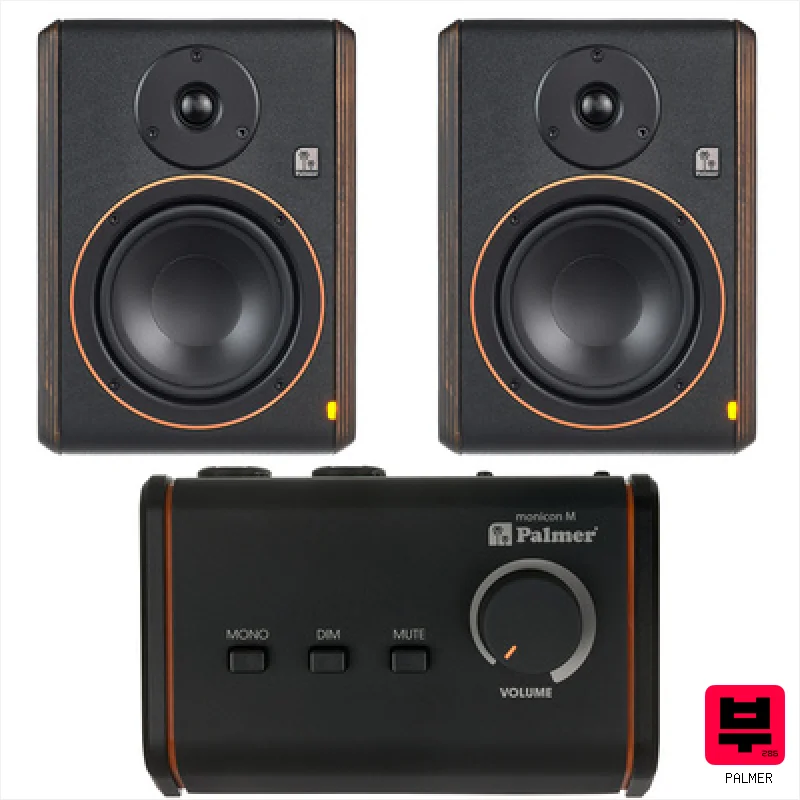
The Monicon M G2 is a no-frills, reliable monitor controller perfect for smaller studios or bedroom producers. It provides clean signal routing and a useful mono sum function without adding coloration – a great value if you need a simple, robust solution.
Pros
- Solid, compact metal housing provides surprising rigidity and durability.
- Balanced XLR outputs ensure clean signal transfer to your recording interface or power amp.
- Mono summing switch is crucial for accurate translation across playback systems.
Cons
- Passive design requires an external power amplifier; adds to overall system cost.
- Limited input options restrict its use in more complex studio setups.
-
The Fostex PC-1 is a no-frills volume controller, perfect for hobbyists or those with a basic powered speaker setup. It’s a great solution when you need a simple, affordable way to manage your monitor levels without the complexity of a full-blown controller – especially handy for bedroom producers and podcasters.
Pros
- Extremely compact footprint minimizes desk clutter, ideal for small spaces
- Solid build quality for its size; feels robust despite the price
- Simple, straightforward design eliminates unnecessary complexity
Cons
- Limited functionality compared to more advanced monitor controllers
- RCA outputs restrict connection options to older gear primarily
-
The Swissonic M-Control is a surprisingly robust little box for basic monitor switching. It's ideal for project studios or anyone needing a no-frills, reliable way to toggle between a few monitors without a complicated feature set. This is a great entry-level solution for a home recording setup or a small broadcast booth.
Pros
- Metal housing offers excellent durability for studio use
- Combination XLR/jack inputs provide versatile connectivity options
- Compact size (162x98x54mm) saves valuable rack space
Cons
- Limited to three input sources restricts larger, complex setups
- Passive design necessitates an external amplifier for operation
-
- Weight0.57 kg
The Omnitronic VC-22 is a surprisingly handy little monitor controller, especially for bedroom producers or anyone needing a basic switching solution with Bluetooth. It’s a bare-bones option – don’t expect miracles – but it does the job simply and affordably. Perfect for hobbyists or those on a super tight budget who need basic monitor switching.
Pros
- Compact desktop footprint minimizes studio space usage effectively.
- Bluetooth connectivity offers convenient streaming for reference tracks.
- Simple, intuitive controls allow quick switching between monitor pairs.
Cons
- 5W power suggests limited headroom; unsuitable for large studio environments.
- Plastic construction feels noticeably budget-oriented and less durable.
-
TC Electronic Level Pilot Desktop Stereo Analog Volume Control
Level Pilot X · tc electronic
5 for sale on Reverb1 finish at Thomann
The Level Pilot X is a surprisingly elegant solution for anyone needing simple, accurate volume control between their audio interface and monitors. It's perfect for smaller studios or home recording setups where you just want clean, precise gain staging without the extra bells and whistles of more expensive controllers. Seriously, for the price, it’s hard to beat the quality and simplicity.
Pros
- Bourn potentiometer delivers exceptionally clean, precise volume adjustments.
- Balanced XLR connections ensure pristine signal transfer and minimal noise.
- Compact size minimizes footprint in crowded studio environments.
Cons
- Single stereo channel limits use in complex multi-monitor setups.
- 1.5m cable length may be restrictive for some studio layouts.
-
Behringer MONITOR1 Passive Monitor Controller
Monitor1 · Behringer
3 for sale on Reverb1 finish at Thomann
The Behringer Monitor1 is a surprisingly capable little monitor controller. It's a great entry point for home studios or anyone needing simple, reliable switching between a few sources without a ton of bells and whistles. Perfect for bedroom producers and smaller recording setups where budget is a major consideration.
Pros
- Solid metal enclosure provides surprising rigidity for the price
- Mono summing is accurate and useful for quick checks
- Flexible input options accommodate various studio gear
Cons
- Passive design requires an external power amplifier, adding to overall cost
- Basic feature set lacks advanced routing or speaker recall
-
The t.mix Volume 1 is a surprisingly capable little volume controller. It's a no-frills solution perfect for smaller studios, bedroom producers, or anyone needing simple, accurate monitor level control without a lot of extra features. It’s a great, affordable option for those who want a clean, basic signal path.
Pros
- Solid metal housing provides surprising durability for its size.
- Excellent signal-to-noise ratio minimizes unwanted noise floor.
- Combo jacks offer flexibility for various studio setups.
Cons
- Passive design necessitates an external power source, adding to the setup.
- Limited to three input sources – might not suit complex routing needs.
All 11 studio monitor controllers
Same index, same nightly prices — compact. Colour options of one model share a row. Tap a photo to zoom.
Studio Monitor Controllers by the numbers
Measured across all 13 models we track, not a sample.
Median $48 — half of all studio monitor controllers here cost less.
How to choose the best studio monitor controllers
Input/Output Options
More isn't always better, but having at least stereo inputs and outputs, plus a dedicated headphone out, is essential. Think about how many monitors you'll realistically use and if you need to route signals to external effects or interfaces.
Speaker A/B Functionality
This is the core of a monitor controller. You need accurate, quick switching between your primary and secondary monitors, and ideally a trim adjustment to level match them. Fuzzy switching messes with your critical listening.
Low Noise Floor
A noisy controller will muddy your mixes and make it harder to hear subtle details. We're looking for clean signal paths, not hiss or hum bleeding into your monitoring chain.
Dim/Pad Functionality
These are crucial for dialing in levels during tracking and mixing. Being able to quickly reduce the volume of your monitors is a lifesaver when you're working late or need to avoid ear fatigue.
Build Quality
At this price point, you're not getting tank-like construction. But a flimsy controller that rattles or feels like it'll fall apart is useless. Solid connectors and a decent chassis are a must.
Buying guide
Alright, so you're building a home studio or upgrading your mobile rig and need a monitor controller, but you're not about to drop a fortune. Let's be real, a $500 monitor controller is overkill when you're just starting out or gigging in smaller venues. This list is for those of us who want control over our monitors without breaking the bank - we're talking under $100, and we're gonna find you something that'll actually help you make better mixes.
Let's be clear: under $100, you're making trade-offs. Don't expect pristine audio or a ton of fancy features like talkback. You'll likely be sacrificing some build quality and potentially dealing with slightly less-than-perfect A/B switching.
Focus on getting something with reliable input/output routing and accurate level matching - those are the features that will actually improve your mixes, not just look cool.
How the AudioFu Index works
Five measured signals and nothing else — no stars from strangers, no “tested by experts” we didn’t do. The weights are fixed and public. We don’t play these instruments; we measure the market around them.
This chart covers 13 studio monitor controllers from the Thomann catalogue. Before you buy, read hands-on reviews and, where you can, play it. Full methodology.
AudioFu earns a commission when you buy through our Thomann links. It never changes the order — the index does.
- Demand40%
How many of this exact model are for sale on Reverb right now — what musicians actually buy and resell.
- Lineup20%
How many finishes Thomann stocks — makers expand the models that sell.
- Price15%
Where the price has moved since we started tracking in August.
- Specs15%
How completely the maker documents it.
- Maker10%
How deep the brand’s range is in this category.
Questions
Will a cheap controller color my sound?
It shouldn't significantly color your sound, but cheaper components can introduce a little more noise or distortion than higher-end units. Keep an eye out for any noticeable hum or artifacts when switching monitors.
Can I use this with my interface?
Absolutely. A monitor controller sits between your interface's outputs and your monitors. It's a simple signal routing device, so it's compatible with most interfaces.
What's the deal with 'trim' adjustments?
Trim allows you to level-match your primary and secondary monitors. This is vital for accurate comparisons - you don't want one set of speakers louder than the other throwing off your perception of the mix.
Do I need a direct monitoring feature?
Direct monitoring, which allows you to hear your input signal without latency, isn't typically found in budget controllers. You'll have to rely on your interface's direct monitoring feature instead.
Is it worth spending a little more for a used, higher-end controller?
Potentially. A used unit from a slightly higher price bracket might offer better build quality and more features than a brand-new budget option. Just be sure to test it thoroughly before buying.