
ZAK Sound BA
Professional music gear - detailed information and where to buy
ZAK Sound
BA
Product Info
* Prices may vary. Check retailer for current pricing and availability.
Product Description
- City sounds transformed into lush pads
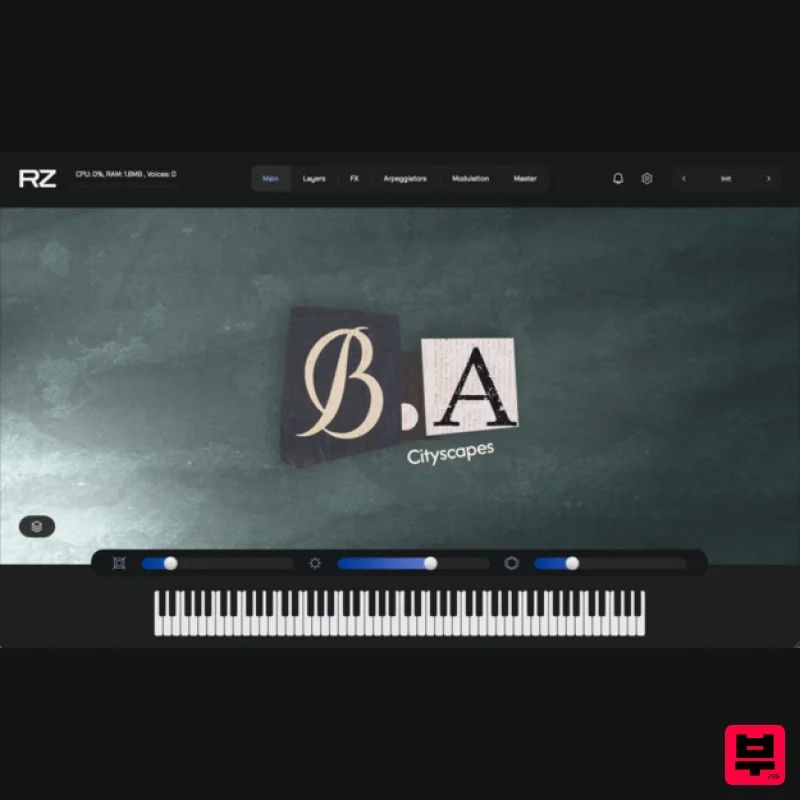
- for evocative and creative compositions. Powered by the Raizes Player. From the heartbeat of the city to the air that surrounds it
- BA transforms the soundscapes of Buenos Aires into a playable musical landscape. Its pads span atmospheric and ethereal textures to deep
- dark
- and mysterious tones—some infused with an urban edge
- others drifting into abstract
- cinematic realms. Recorded across the city—from airports and plazas to streets
- highways
- and shopping centers—BA captures the unique pulse of each location and shapes it into expressive
- playable pads. Every sound is designed to bring the city’s atmosphere into your compositions. Inside you’ll find 67 instruments and 20 wavetables
- paired with 104 carefully crafted presets that explore a wide sonic range: textured soundscapes
- otherworldly tones
- airy atmospheres
- melodic elements
- and delicate plucks. Features Access to the Raizes Player 67 cityscapes 20 wavetables 104 handcrafted presets Lightweight installation – only 85MB Raizes Player (included) Formats: VST3 / AU Windows: 7 or higher (64-bit) macOS: 10.11 or higher Linux: Ubuntu 20.04 or higher Please note: Auralis is used as the example Important: An internet connection is required to activate your license. 1. Go to the ZAK Sound website > create a new account 2. Check your email inbox > open the Zak Sound email titled “Verify your email address” > click click here 3. Click DOWNLOAD in your Plugin Boutique User Account or go to https://zaksound.com/account 4. Enter your License Key found in your Plugin Boutique User Account > Click Redeem 5. Go to your account page > Click Download for Raizes Player 6. Click either macOS or Windows to download the installer > Run the installer to install the player on your system 6. Open Raizes Player in your DAW > Select a sample content folder > click Finish 7. From your account page
- find Auralis > Click either macOS or Windows to download the installer > Unzip the file — inside
- you’ll find a .rz file. This is the installer package for the instrument. 8. Install the Instrument in Raizes > In Raizes Player
- click Browse > click the + icon 9. Load the .rz File > Browse to the location of the .rz file you downloaded. > Select the file > click Next 10. Enter your serial number > click Activate and Install Your plugin is now installed and ready to use. Enjoy!
Additional Information
About the ZAK Sound BA
Discover the distinctive sound and feel of the ZAK Sound BA, a standout choice among Virtual Instruments.
Why Choose the ZAK Sound BA?
- •Authentic ZAK Sound craftsmanship and design
- •Versatile sound suitable for multiple musical genres
- •Professional build quality and reliable performance
- •Part of ZAK Sound's respected Virtual Instruments lineup
Compare & Explore
Browse our complete selection of ZAK Sound instruments or explore other Virtual Instruments options. Use our comparison tools to find the perfect match for your musical style and budget.
Similar Products

ZAK Sound Asteroid
Virtual Instruments

ZAK Sound Lyra
Virtual Instruments

MeldaProduction Electric Keys - Tines
Virtual Instruments

Boom SWAMPS - 3D Surround
Virtual Instruments

Audiomodern Opacity 2: Soundbox Instrument
Virtual Instruments

UJAM BEAUTYFLUTE Pro
Virtual Instruments

MNTRA Instruments Nagual
Virtual Instruments

Safari Audio Cubby
Virtual Instruments

