
VOCALOID VOCALOID6
Professional music gear - detailed information and where to buy
VOCALOID
VOCALOID6
Product Info
* Prices may vary. Check retailer for current pricing and availability.
Product Description
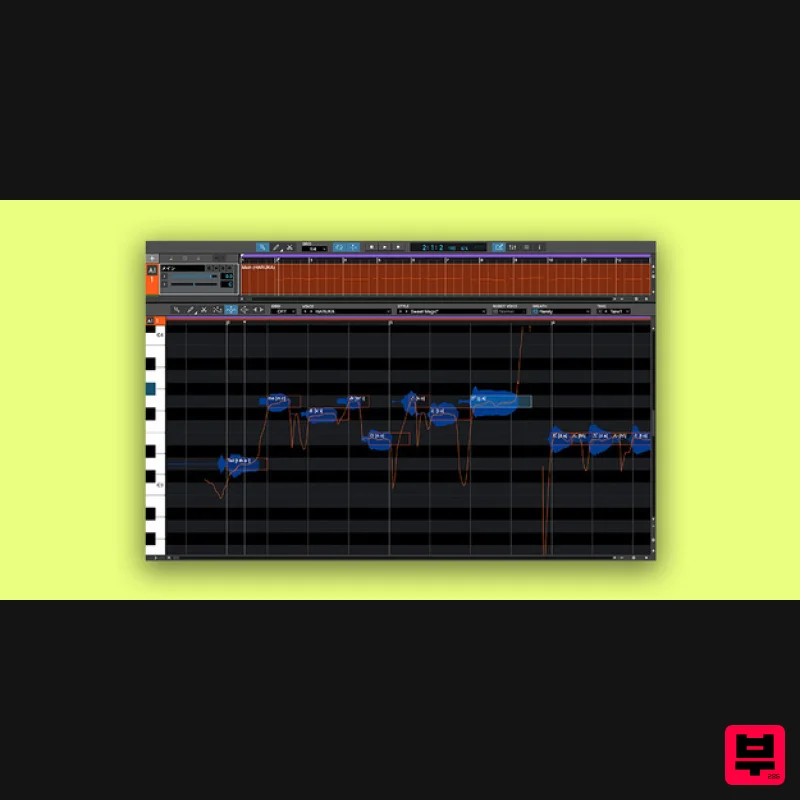
- Achieve the sound of a natural singing voice The latest version of VOCALOID: continued evolution In pursuit of natural-sounding vocals powered by VOCALOID:AI VOCALOID6 uses VOCALOID:AI
- an AI-based technology that makes it possible to generate even more natural-sounding and highly expressive singing voices. Just input the melody and the lyrics
- and this technology transforms your computer into a fabulous vocalist. By using the new editing tools
- you can freely manipulate vocal accents
- vibrato
- rhythmic feel
- and more as the “director” of your own unique way of singing. VOCALOID6 is bundled with a large selection of professional voicebanks so you'll quickly and easily arrive at the perfect vocal sound for your productions. New Features of VOCALOID6 VOCALOID6 offers new features to make vocal track production more convenient. These new features offer a more intuitive and music production workflow. VOCALOID: AI VOCALOID6 features VOCALOID:AI
- an AI-based technology for generating a highly expressive singing voice that’s more natural than ever before. Direction You can use the new editing tools to freely edit the accents
- vibrato
- rhythmic feel
- and more. Doubling This function is essential for producing high-quality vocal tracks. With VOCALOID6
- you can now instantly create harmony parts. Vocalo Changer You can import vocal data to replicate your singing style as-is
- as a VOCALOID voicebank. Multilingual You can now sing lyrics in a mixture of Japanese
- English
- and Chinese with a single voicebank. This gives you the freedom to write lyrics that transcend language barriers. ARA2 support The workflow is improved with DAWs. Locator operations such as play and stop can be performed from the plug-in. Support for MIDI export You can now freely export the MIDI data you’ve input. Other Features In addition to the VOCALOID6 voicebanks
- this product includes the Amy
- Chris
- Kaori and Ken voicebanks from VOCALOID5. From main to chorus vocals and robot vocal styles
- VOCALOID6 includes over 100 style presets that make it easy to adjust the manner of singing and tone of voice. 11 audio effects are included with VOCALOID6 that can be effectively used for vocal production. Now you can create your vocals with just VOCALOID6. Includes over 2
- 000 editable vocal phrases and audio samples that are just right for sketching out your sonic ideas. Just drag and drop to make your computer sing. System Requirements Windows OS (64-bit):Windows 10 Version 22H2 (or later) / Windows 11 Version 22H2 (or later) CPU:Haswell (4th generation) or later Intel Core series or Xeon series Required memory:At least 8 GB Free storage space:At least 25 GB Display size:1366 × 768 or higher Internet access:Required for authentication Compatible audio devices:ASIO
- DirectSound Mac OS (64-bit):macOS 11 (Big Sur) / macOS 12 (Monterey) / macOS 13 (Ventura) / macOS 14 (Sonoma) CPU:Haswell (4th generation) or later Intel Core series or Xeon series Apple Silicon Required memory:At least 8 GB Free storage space:At least 25 GB Display size:1366 × 768 or higher Internet access:Required for authentication Compatible audio devices:CoreAudio VOCALOID6 users can find detailed installation instructions via the links below: How to Install (Win):https://www.vocaloid.com/en/learn/ln6101/ How to Install (Mac):https://www.vocaloid.com/en/learn/ln6102/ Note: Vocalo Changer is used as an example below as the process is identical for VOCALOID6. Mac Installation 1. Download the installer from your Plugin Boutique User Account > Double click the .dmg file to begin installation. 2. Click 'Continue'. 3. Click 'Continue'. 4. Click 'Agree'. 5. Click 'Continue'. 6. Click 'Install'. 7. Click 'Close'. Activation 1. Open your DAW and locate Vocalo Changer. 2. Click 'Authorize now'. 3. Click 'Authorize'. 4. Copy and paste the serial number found in your Plugin Boutique User Account > Click 'Next'. 5. Click 'Authorize'. 6. Click 'OK' > You may need to restart your DAW if Vocalo Changer still appears unauthorized. Your plugin is now activated and ready for use in your DAW! PC 1. Download the installer from your Plugin Boutique User Account > Double click the .exe file to begin installation. 2. Select the language you would like to use > Click 'Next'. 3. Click 'Next'. 4. Agree to the terms and conditions > Click 'Next'. 5. Click 'Install'. 6. Click 'Finish'. Activation 1. Open your DAW and locate Vocalo Changer. 2. Click 'Authorize now'. 3. Click 'Authorize'. 4. Copy and paste the serial number found in your Plugin Boutique User Account > Click 'Next'. 5. Click 'Authorize'. 6. Click 'OK' > You may need to restart your DAW if Vocalo Changer still appears unauthorized. Your plugin is now activated and ready for use in your DAW!
Additional Information
About the VOCALOID VOCALOID6
The VOCALOID VOCALOID6 represents excellent craftsmanship in the Virtual Instruments category.
Why Choose the VOCALOID VOCALOID6?
- •Authentic VOCALOID craftsmanship and design
- •Versatile sound suitable for multiple musical genres
- •Professional build quality and reliable performance
- •Part of VOCALOID's respected Virtual Instruments lineup
Compare & Explore
Browse our complete selection of VOCALOID instruments or explore other Virtual Instruments options. Use our comparison tools to find the perfect match for your musical style and budget.
Similar Products

MeldaProduction Electric Keys - Tines
Virtual Instruments

Audiomodern Opacity 2: Soundbox Instrument
Virtual Instruments

Boom SWAMPS - 3D Surround
Virtual Instruments

UJAM BEAUTYFLUTE Pro
Virtual Instruments

Safari Audio Cubby
Virtual Instruments

MNTRA Instruments Nagual
Virtual Instruments

ZAK Sound Asteroid
Virtual Instruments

ZAK Sound Lyra
Virtual Instruments

