
Ample Sound Ample Percussion Cloudrum
Professional music gear - detailed information and where to buy
Ample Sound
Ample Percussion Cloudrum
Product Info
* Prices may vary. Check retailer for current pricing and availability.
Product Description
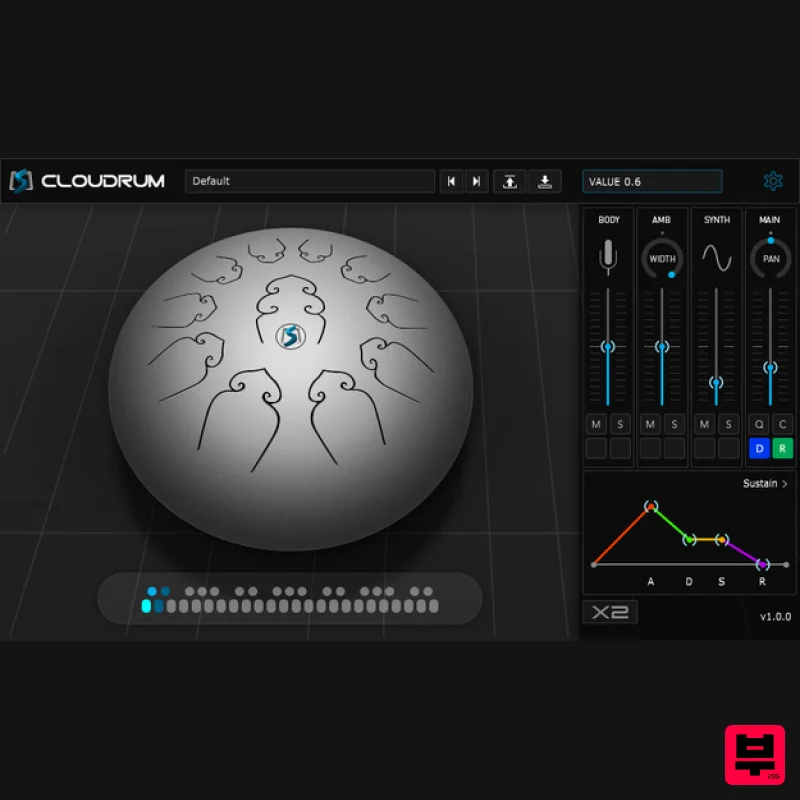
- Cloudrum is a unique and relaxing Steel Tongue Drum with a range of 3 octaves. It produces wonderful tones
- adds colour and a unique moderation to your music
- no matter the genre. Check out Ample Sound's paid software HERE. Features Technology: CPC (Customized Parameters Control) - any controller can be controlled by MIDI CC or Automation. Double - different samples at L & R channel. Each Cycle - Separate sample cycle for each note and velocity layer to improve humanization and sample utilization efficiency. Cycle * 3 Simulation - When toggled on
- sample cycles can reach up to 12 (default is 4)
- which significantly enhances repetitive notes. No more robotic and machine-like sound. Specifications: Size: 760 MB
- 44.1khz DFD(Direct from disk) Two mic positions with stereo and mono modes. Open
- Mute
- Opened Release
- Muted Release 4 articulations System Requirements 1 GB of free hard disk space. Windows Vista or newer
- Pentium 4 or Athlon processor with 2 GB RAM. Mac OS X 10.7 or highe
- Intel-based Mac with 2 GB RAM. AU
- AAX host application and professional sound card recommended. Stand-alone version included. Note: AAX Windows version is not available in the current version. Windows Installation 1. Download the installer from your Plugin Boutique User Account. 2. Double-click the installer file > select 'I accept the agreement' and click 'Next'. 3. Select where to install your plugin > click 'Next'. 4. Select where to install the samples > click 'Next'. 5. Select which components you would like to install > click 'Next'. 6. Check the details and click 'Install'. 7. Read the important information. Click 'Next'. 8. Click 'Finish'. Your software is now ready to use within your DAW! Note: In the event the plugin fails to appear in your DAW
- rescan your plugin selection. Mac Installation 1. Download the installer from your Plugin Boutique User Account. 2. Double-click the .dmg file then double-click the .pkg installer file. 3. Click 'Continue'. 4. Read the software license agreement and click 'Continue'. 5. Click 'Agree'. 6. Select which components to install and click 'Continue'. 7. Click 'Install'. 8. Enter your computer's username and password. 9. Your installation is complete. Click 'Close'. Your software is now ready to use within your DAW! Note: In the event the plugin fails to appear in your DAW
- rescan your plugin selection.
Additional Information
About the Ample Sound Ample Percussion Cloudrum
The Ample Sound Ample Percussion Cloudrum represents excellent craftsmanship in the Virtual Instruments category.
Why Choose the Ample Sound Ample Percussion Cloudrum?
- •Authentic Ample Sound craftsmanship and design
- •Versatile sound suitable for multiple musical genres
- •Professional build quality and reliable performance
- •Part of Ample Sound's respected Virtual Instruments lineup
Compare & Explore
Browse our complete selection of Ample Sound instruments or explore other Virtual Instruments options. Use our comparison tools to find the perfect match for your musical style and budget.
Similar Products

MNTRA Instruments Nagual
Virtual Instruments

ZAK Sound Asteroid
Virtual Instruments

Safari Audio Cubby
Virtual Instruments

MeldaProduction Electric Keys - Tines
Virtual Instruments

UJAM BEAUTYFLUTE Pro
Virtual Instruments

Boom SWAMPS - 3D Surround
Virtual Instruments

Audiomodern Opacity 2: Soundbox Instrument
Virtual Instruments

ZAK Sound Lyra
Virtual Instruments

