
Afroplug Afro Keyz
Professional music gear - detailed information and where to buy
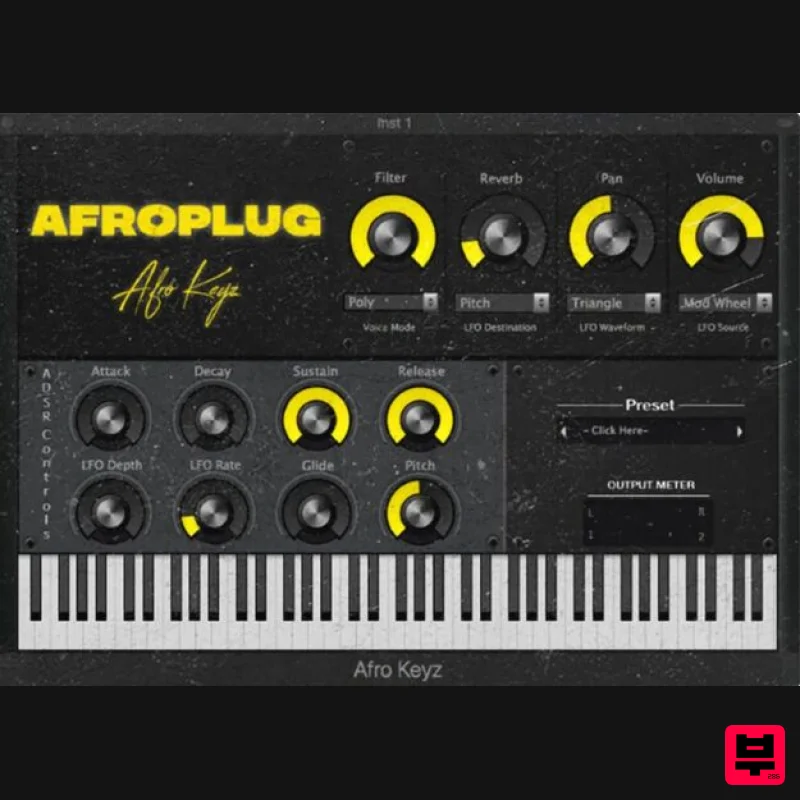
Afroplug
Afro Keyz
Product Info
* Prices may vary. Check retailer for current pricing and availability.
Product Description
- Afrokeyz is a Synth VST (Mac
- Windows) designed for making great African beats: Dancehall
- Reggaeton
- Lo-fi
- Afrobeats and more. Inspired by the best of today’s African diaspora hit songs
- this Synth VST has everything you need to get you inspired and quickly produce high-quality beats. Learn more about Afroplug via their Website or Instagram page. Features 6 Instrument Presets Available for Mac & Windows (32 / 64-bit) Available for all DAWs System Requirements Windows Windows 7 or later VST 32 / 64-bit At least 1 GB of hard drive space macOS macOS 10.11 or later (NOT Big Sur or Catalina compatible) AU / VST 32 / 64-bit At least 1 GB of hard drive space. Please Note: Afroplugin is used as the example. Mac Installation 1. Download the Mac installer from your Plugin Boutique account. 2. Double-click the .mkpg file > Click 'Continue'. (If you receive the message "AfroPlugin.mkpg" cannot be opened because it is from an unidentified developer
- click 'OK' > Go to System Preferences > Security & Privacy > General > Click 'Open Anyway'> Click 'Open'). 3. Read the Software License Agreement > Click 'Continue'. 4. Click Agree. 5. Choose the installation destination > Click 'Continue'. 6. Click 'Install' (enter your password if necessary). 7. Click 'Continue Installation'. 8. Make sure you've saved any work and click 'Restart' to finish the installation. Your software is now installed and ready to use! Windows Installation 1. Download the .zip folder from your Plugin Boutique account and extract the files. 2. Double-click either 32-bit or 64-bit (depending on your system) > You will see the AfroPlugin.instruments folder and AfroPlugin.dll file. 3. Move both the AfroPlugin.dll file and the AfroPlugin.instruments folder to your plug-ins folder (select yes if asked for administrator permission). This is usually located at C: \Program Files\Vstplugins but can vary. 4. Open your DAW & load Afroplugin. If it's not showing
- you may need to restart your PC and/or manually rescan your plugins.
Additional Information
About the Afroplug Afro Keyz
Discover the distinctive sound and feel of the Afroplug Afro Keyz, a standout choice among Virtual Instruments.
Why Choose the Afroplug Afro Keyz?
- •Authentic Afroplug craftsmanship and design
- •Versatile sound suitable for multiple musical genres
- •Professional build quality and reliable performance
- •Part of Afroplug's respected Virtual Instruments lineup
Compare & Explore
Browse our complete selection of Afroplug instruments or explore other Virtual Instruments options. Use our comparison tools to find the perfect match for your musical style and budget.
Similar Products

ZAK Sound Asteroid
Virtual Instruments

ZAK Sound Lyra
Virtual Instruments

UJAM BEAUTYFLUTE Pro
Virtual Instruments

MeldaProduction Electric Keys - Tines
Virtual Instruments

Safari Audio Cubby
Virtual Instruments

Audiomodern Opacity 2: Soundbox Instrument
Virtual Instruments

MNTRA Instruments Nagual
Virtual Instruments

Boom SWAMPS - 3D Surround
Virtual Instruments

