AudioFu Chart · October 2026
Best DJ Controllers Under $300 2026
The top pick is Reloop Buddy 2-Channel DJ Controller ($246). Hercules DJ Control Starlight gives you the most for the money at $80. Ranked by the AudioFu Index from 14 models across 6 brands, prices checked every night.
Last updated: October 22, 2026
Top 10
Full detail for the 10 highest AudioFu Index scores. Every other model is listed below.
-
- Size12.9"
- Weight1.1 kg
The Reloop Buddy is a seriously handy little controller for bedroom DJs and those just starting out. It’s a great entry point to digital DJing, especially if you’re already using djay. The Neural Mix feature is a real bonus for experimenting with remixing and quick edits.
Pros
- Compact design ideal for mobile DJs and smaller setups.
- Neural Mix is surprisingly effective for quick vocal isolation.
- Solid plastic build feels more robust than the price suggests.
Cons
- Limited physical controls restrict advanced mixing techniques.
- Jog wheels lack tension, feeling somewhat imprecise for scratching.
-
- Weight2.1 kg
The DJ-202 is a solid entry point for budding DJs or those wanting a compact, portable setup. Roland’s ACB drum sounds are a real highlight, adding a unique flavor to your mixes, and the large jog wheels feel surprisingly good for scratching. It’s a great option for bedroom producers and mobile gigs where space is at a premium.
Pros
- Roland's ACB drum sounds offer authentic, punchy percussion tones.
- Large jog wheels provide excellent scratching feel and precision.
- Integrated sequencer adds creative sampler manipulation capabilities.
Cons
- Serato DJ Intro is limiting for experienced or expanding DJs.
- Microphone FX are basic and lack professional-grade depth.
69AudioFu
IndexStableno change since Aug 17Aug 17$297 now$297€264 at Thomann · in stockCheck price ↗ -
The Reloop Neon is a clever little add-on for Serato DJs, especially those who love messing with samples and effects. It’s a budget-friendly way to expand your Serato workflow and add some creative flair, but don't expect it to replace a full-fledged controller – it's a focused tool for specific tasks.
Pros
- Velocity-sensitive pads offer precise, expressive sampler control.
- Dedicated SP-6 controls significantly streamline workflow for samplers.
- Compact design makes it exceptionally portable for mobile DJs.
Cons
- Plastic construction feels less robust than higher-end controllers.
- Limited jog wheel functionality restricts scratching and vinyl emulation.
-
- Weight0.9 kg
This controller is great for beginners who want a full studio setup in one box. The pressure-sensitive jog wheels feel real, and the built-in audio interface lets you record directly. However, you are locked into Serato DJ Lite software, which limits your options compared to other brands. It is perfect for practicing at home without needing extra gear.
Pros
- Vinyl feel jog wheels with pressure detection for smooth control.
- Built-in audio interface handles broadcast and recording tasks.
- Stem control lets you create acapella tracks easily.
Cons
- Only supports Serato DJ Lite, limiting other major programs.
- No built-in sound effects or dedicated mixer knobs.
49AudioFu
Index↓ 5.5%since Aug 17 · lowest so far$122 · Aug 17$116 now$116€103 at Thomann · in stockCheck price ↗ -
- Weight0.85 kg
The Hercules Mix Ultra is a neat little package – a genuinely portable controller thanks to the built-in battery. It’s perfect for beginner DJs or those wanting a lightweight, mobile setup for parties or practicing on the go, although serious pros will find its limitations apparent quickly. The jog wheels are surprisingly usable for scratching too.
Pros
- Solid plastic build feels surprisingly robust for the price.
- Integrated battery offers genuine portability for mobile DJing.
- Touch-sensitive jog wheels provide surprisingly responsive scratching.
Cons
- Limited connectivity beyond USB-C and Bluetooth.
- Audio interface quality is adequate, not professional-grade.
-
- Weight3.2 kg
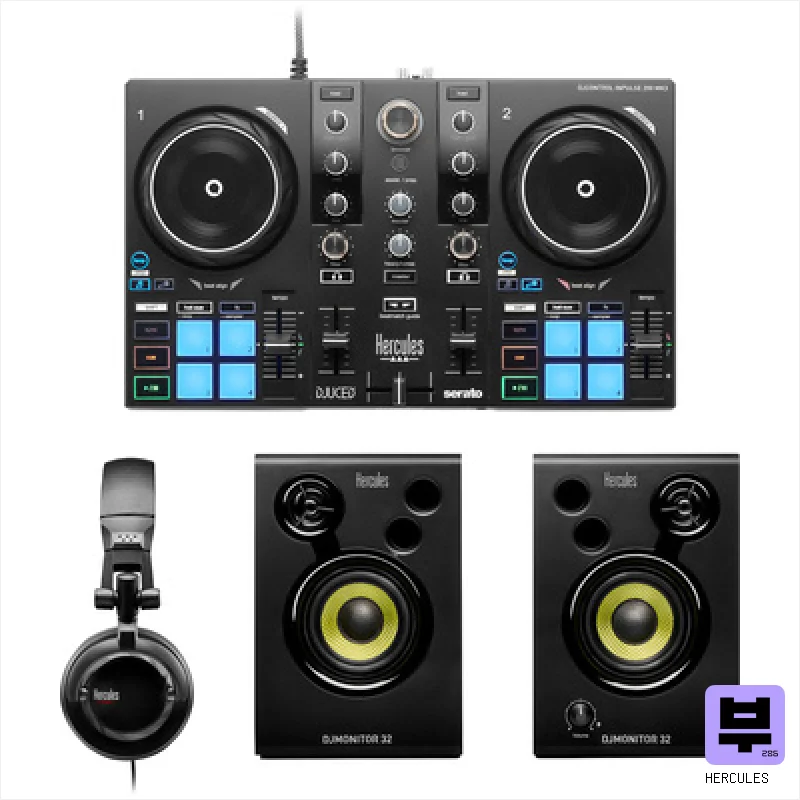
The Inpulse 500 is a surprisingly capable entry-level controller. It's a great starting point for aspiring DJs wanting to learn the fundamentals of mixing and scratching, especially those attracted to Serato’s workflow. While it won’t replace a pro-level setup, it delivers a solid foundation for the price.
Pros
- Solid plastic chassis provides a surprisingly stable feel during mixing.
- Touch-sensitive jog wheels offer decent cueing and scratching capabilities.
- RGB pads are responsive and offer a good range of performance options.
Cons
- The bundled Serato DJ Pro license is limited; full functionality requires a subscription.
- Plastic faders feel a bit budget-oriented and lack long-term durability.
-
- Weight0.5 kg
The Hercules DJ Control Starlight is a neat little entry-level controller. It's perfect for budding DJs or those wanting a compact, affordable setup for bedroom mixing and mobile gigs – the illuminated base is a nice touch for parties. Don't expect professional-grade features, but it's a solid starting point.
Pros
- Solid plastic build feels surprisingly robust for the price.
- Pressure-sensitive jog wheels offer a degree of scratching control.
- Compact size makes it highly portable for mobile DJing.
Cons
- 3.5mm outputs limit connectivity and headphone amplification.
- Limited effects controls restrict creative mixing possibilities.
-
- Weight0.5 kg
The Hercules DJ Control Mix is a neat little package, perfect for absolute beginners or casual mobile DJs. Its portability and wireless connectivity are real strengths, but don't expect professional-grade performance or extensive mixing options – it’s a gateway into the hobby, not a studio workhorse.
Pros
- Compact, backpack-friendly design makes mobile DJing genuinely feasible.
- Bluetooth Low Energy offers convenient wireless connectivity for iOS/Android.
- Touch-sensitive jog wheels provide surprisingly responsive scratching capability.
Cons
- Limited controls necessitate reliance on software for advanced mixing.
- Plastic construction feels budget-oriented; lacks robust road-ready durability.
-
- Weight0.6 kg
This compact controller is great for small gigs or practice sessions because it fits in a bag. It comes with instant stem buttons to isolate vocals and basic fader effects for quick changes. You need to buy the software separately, but it works with the big names like Serato and djay. It is a solid choice if you want to try DJing without spending a fortune.
Pros
- Instant stems let you isolate vocals easily
- Built-in fader effects add quick texture
- Works with multiple major DJ software
Cons
- No dedicated EQ controls mentioned
- Lacks built-in mixer knobs
-
This controller packs a solid built-in sound card and two touch jog wheels for easy scratching. It comes with basic software licenses, but you still need to buy full versions for some features. It is a great budget-friendly choice for beginners who want a complete setup without buying extra gear.
Pros
- Built-in sound card ensures clean audio without external interfaces
- Bluetooth MIDI support lets you connect mobile devices easily
- Touch-sensitive jog wheels make scratching feel natural and responsive
Cons
- Software licenses are required even though they come included
- Only one USB-C connection limits external gear options
36AudioFu
IndexStableno change since Aug 17Aug 17$156 now$156€139 at Thomann · in stockCheck price ↗
All 14 DJ controllers
Same index, same nightly prices — compact. Colour options of one model share a row. Tap a photo to zoom.
- 11
Native Instruments Traktor Z1 MK2Native Instruments34↑ 15.9%$246€219$246€219Check ↗
- 12
Allen & Heath Xone K3Allen & Heath34↓ 1.4%$246€219$246€219Check ↗
- 13
Hercules Kids DJ Party Bundle MK3Hercules29↓ 3.1%$249€222$249€222Check ↗
- 14
Numark Mixtrack Go BundleNumark26Stable$111€99$111€99Check ↗
DJ Controllers by the numbers
Measured across all 14 models we track, not a sample.
Median $162 — half of all DJ controllers here cost less.
median of 11 models · 0.5 kg–2.1 kg
How to choose the best DJ controllers
Build Quality
At this price, you're looking at mostly plastic, but some controllers feel noticeably more solid than others. We're checking for wobble, flimsy knobs, and how well everything holds up to regular use - crucial if you're hauling gear to gigs.
Jog Wheel Responsiveness
A mushy jog wheel is a dealbreaker. You need something with enough resistance and feedback to allow for accurate scratching and beatmatching. A controller with a digital jog wheel will feel different from a weighted one - understand the trade-off.
Fader/Encoder Performance
Faders should be smooth, with minimal scratchiness and consistent throw. Encoders need to be responsive and offer good resolution for precise adjustments. Poor faders will make mixing feel like pulling teeth.
Software Integration
Does it play nicely with your preferred DJ software (Serato, Traktor, Rekordbox)? Some controllers are bundled with software licenses, which can save you money, but also lock you into a specific ecosystem. Compatibility is key.
Connectivity & Routing
Basic USB connectivity is expected, but consider MIDI mapping capabilities if you want to customize controls or integrate with other hardware. Check for headphone outputs, booth outs, and other essential connections for different gig setups.
Buying guide
Alright, so you're diving into the DJ game or need a reliable backup controller and you're not looking to drain your bank account? Finding something decent under $300 can be tricky - a lot of plastic and compromises out there. We've been through the wringer with gear for years, so let's cut through the hype and look at the best DJ controllers you can realistically get without feeling completely ripped off.
Be realistic - a $300 controller isn't going to rival pro-level gear. Expect some compromises, usually in build quality and jog wheel feel. Focus on controllers with solid fader performance, as that's what you'll be interacting with most.
Don't get caught up in extra features you won't use; a reliable core performance is more valuable than flashy bells and whistles.
How the AudioFu Index works
Five measured signals and nothing else — no stars from strangers, no “tested by experts” we didn’t do. The weights are fixed and public. We don’t play these instruments; we measure the market around them.
This chart covers 14 DJ controllers from the Thomann catalogue. Before you buy, read hands-on reviews and, where you can, play it. Full methodology.
AudioFu earns a commission when you buy through our Thomann links. It never changes the order — the index does.
- Demand40%
How many of this exact model are for sale on Reverb right now — what musicians actually buy and resell.
- Lineup20%
How many finishes Thomann stocks — makers expand the models that sell.
- Price15%
Where the price has moved since we started tracking in August.
- Specs15%
How completely the maker documents it.
- Maker10%
How deep the brand’s range is in this category.
Questions
What software is compatible with these controllers?
Most will work with Serato DJ Lite, Traktor DJ, and Rekordbox DJ, often with limited functionality in the free versions. Full versions usually require separate licenses.
Can I scratch on a controller under $300?
You can, but don't expect professional-grade scratch performance. The jog wheels will be less responsive, and the faders might not have the precision of higher-end models. It's doable for basic scratching, though.
Are these controllers good for recording mixes?
Absolutely. As long as your audio interface is decent, you can record clean mixes. Just be mindful of the controller's limitations - it's not going to add any extra 'color' to your recordings.
What's the difference between a digital and weighted jog wheel?
Digital jog wheels simulate vinyl feel using software, often with customizable resistance. Weighted jog wheels have physical weight and inertia, providing a more authentic vinyl feel but often at a higher price point.
Will this controller work with my laptop?
Most likely, yes. But check the system requirements for the controller and your DJ software to ensure compatibility. Older systems might struggle with more demanding software.