
Waves Kaleidoscopes
Professional music gear - detailed information and where to buy
Waves
Kaleidoscopes
Product Info
* Prices may vary. Check retailer for current pricing and availability.
Product Description
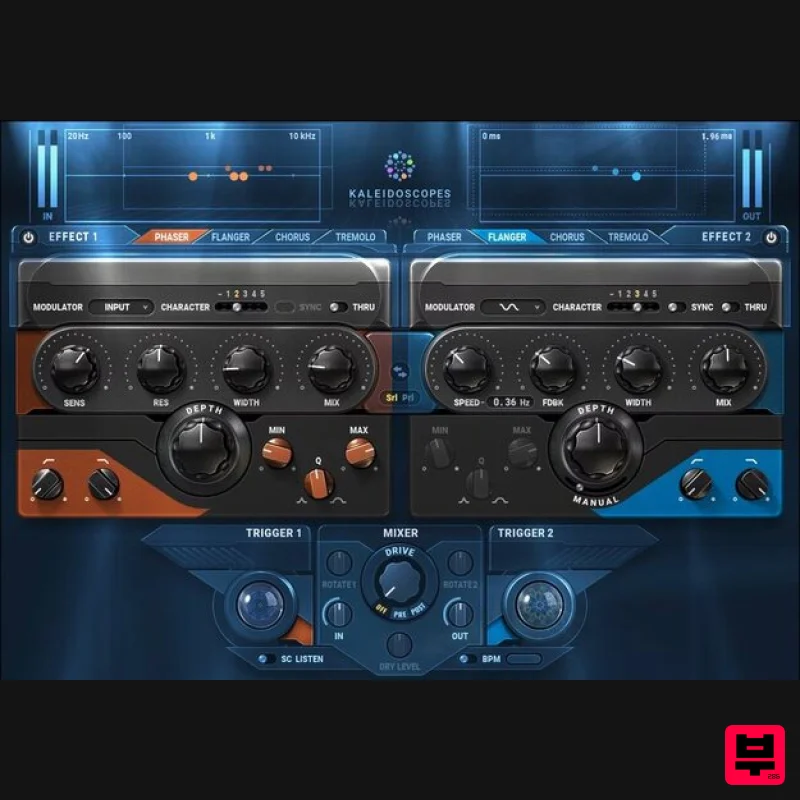
- Kaleidoscopes Give Your Tracks Color and Movement with Creative Modulation Effects Kaleidoscopes combines classic modulation pedals—phaser
- flanger
- tremolo
- and chorus—into a multi-FX playground. Create new production effects by combining the plugin’s two modulation engines. Use dynamic triggering to have the effects react to your live playing in real time. Chop synth rhythms with tremolos. Change mod rates with guitar strums. Trigger sweeps from drums. Creatively combine effects in series or parallel—and add Kaleidoscopes’ ever-changing shapes and colors to your tracks. Features 2 independent modulation engines
- series or parallel Flanger
- phaser
- chorus
- and tremolo effects per mod engine triggering reacts to your playing in real time Select modulation source: input
- sidechain
- diverse waveshapes Extend the effects with 5 analog tonal characters Speed
- Resonance
- Width
- Depth
- Mix per modulation engine System Requirements Mac macOS Monterey 12
- Ventura 13
- Sonoma 14
- Sequoia 15 VST / AU / AAX PC Windows 10+ VST / AAX 1. Head to https: //www.waves.com/create-account 2. Enter your email and choose a password to create an account (if you already have a Waves account
- choose Log in
- enter your details and head to Step 5) > click 'Submit' 3. Open your email inbox > click the activation link in the email from Waves 4. Click 'Log in here' > Log in to your Waves account 5. Click 'Register New Products' 6. Enter the Serial Number found in your Plugin Boutique user account > click 'Submit' 7. Click download in your Plugin Boutique user account or head to https: //www.waves.com/downloads/central > download the Waves Central app for your operating system 8. Install Waves Central > Open Waves Central 9. Click 'Log in' > enter your log in details 10. Click the 'Install Products' tab 11. Tick the blue dot on all products you wish to install or click the top dot to install all products > click 'Install & Activate' 12. Click 'OK' 13. Open your DAW > open the Waves plugin Your Waves plugins are installed and ready to use
- enjoy!
Additional Information
About the Waves Kaleidoscopes
Discover the distinctive sound and feel of the Waves Kaleidoscopes, a standout choice among Multi Effect .
Why Choose the Waves Kaleidoscopes?
- •Authentic Waves craftsmanship and design
- •Versatile sound suitable for multiple musical genres
- •Professional build quality and reliable performance
- •Part of Waves's respected Multi Effect lineup
Compare & Explore
Browse our complete selection of Waves instruments or explore other Multi Effect options. Use our comparison tools to find the perfect match for your musical style and budget.
Similar Products

UVI Whoosh FX
Multi Effect

UVI Click
Multi Effect

Quantum DSP Q-Series Invader
Multi Effect

UVI Xtreme FX 2
Multi Effect

UVI Asteroid
Multi Effect

Sinevibes Cache
Multi Effect

Jonas Eriksson Tape Fiasco
Multi Effect

Jungle Audio DUKE
Multi Effect

