
Waves Greg Wells MixCentric
Professional music gear - detailed information and where to buy
Waves
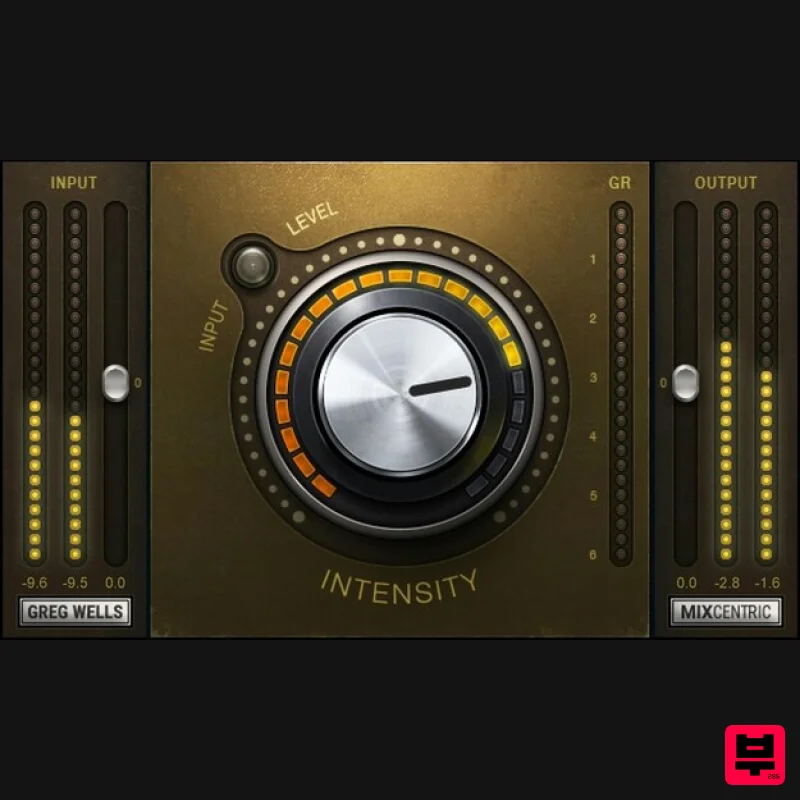
Greg Wells MixCentric
Product Info
* Prices may vary. Check retailer for current pricing and availability.
Product Description
- Greg Wells MixCentric Finalize Your Mixes with One-Knob Magic Grammy®-winner Greg Wells’ sound can be heard on billions of streams by today’s biggest artists: Dua Lipa
- Taylor Swift
- John Legend
- Keith Urban
- Adele
- Katy Perry… the list goes on. Now you can benefit from Greg’s expertise with a plugin that packs his entire mix bus chain into a single knob. Give your mixes that ‘finished’ sound—instantly: With a powerful chain under the hood—EQ to provide a gentle lift in the upper mids
- a bit of extra low end
- compression
- and subtle harmonic distortion—you’ll hear an improvement within seconds of turning the knob. “I’ve put much thought and experimentation into this plugin. It will turn your track into an expertly EQed and compressed mix
- very quickly. There is an enormous amount going on behind the simple knob
- including many different settings that come in and out and change as you move the knob position. It’s a real time saver
- too—I wish I had this plugin 20 years ago!”—Greg Wells Features Give your mix bus a finished pro sound—instantly Glues your mix together and adds final brightness and sheen Combines EQ
- compression and harmonic distortion in one knob Ideal for full mixes
- or on groups such as drum buses Pair with your limiter of choice to create an effective mastering chain Created with Grammy®-winning producer/mixer Greg Wells System Requirements Mac macOS Monterey 12
- Ventura 13
- Sonoma 14
- Sequoia 15 VST / AU / AAX PC Windows 10+ VST / AAX 1. Head to https: //www.waves.com/create-account 2. Enter your email and choose a password to create an account (if you already have a Waves account
- choose Log in
- enter your details and head to Step 5) > click 'Submit' 3. Open your email inbox > click the activation link in the email from Waves 4. Click 'Log in here' > Log in to your Waves account 5. Click 'Register New Products' 6. Enter the Serial Number found in your Plugin Boutique user account > click 'Submit' 7. Click download in your Plugin Boutique user account or head to https: //www.waves.com/downloads/central > download the Waves Central app for your operating system 8. Install Waves Central > Open Waves Central 9. Click 'Log in' > enter your log in details 10. Click the 'Install Products' tab 11. Tick the blue dot on all products you wish to install or click the top dot to install all products > click 'Install & Activate' 12. Click 'OK' 13. Open your DAW > open the Waves plugin Your Waves plugins are installed and ready to use
- enjoy!
Additional Information
About the Waves Greg Wells MixCentric
The Waves Greg Wells MixCentric represents excellent craftsmanship in the Multi Effect category.
Why Choose the Waves Greg Wells MixCentric?
- •Authentic Waves craftsmanship and design
- •Versatile sound suitable for multiple musical genres
- •Professional build quality and reliable performance
- •Part of Waves's respected Multi Effect lineup
Compare & Explore
Browse our complete selection of Waves instruments or explore other Multi Effect options. Use our comparison tools to find the perfect match for your musical style and budget.
Similar Products

Sinevibes Cache
Multi Effect

Quantum DSP Q-Series Invader
Multi Effect

UVI Whoosh FX
Multi Effect

UVI Xtreme FX 2
Multi Effect

Jungle Audio DUKE
Multi Effect

UVI Click
Multi Effect

Jonas Eriksson Tape Fiasco
Multi Effect

UVI Asteroid
Multi Effect

