
Waves Eddie Kramer Bass Channel
Professional music gear - detailed information and where to buy
Waves
Eddie Kramer Bass Channel
Product Info
* Prices may vary. Check retailer for current pricing and availability.
Product Description
- Eddie Kramer Bass Channel Thick
- Fat Bass Tones from the Legendary Producer for Hendrix and Zeppelin When working with guitar-heavy bands like Jimi Hendrix
- The Rolling Stones and Led Zeppelin
- it took Eddie Kramer’s legendary engineering skills to make sure the bass fit like a glove. Eddie Kramer Bass Channel captures his bass production expertise. Eddie’s goal was crystal-clear: fat bass tones with presence that pop on radio mixes
- without being overbearing—and with a choice of a more aggressive
- or more dynamic
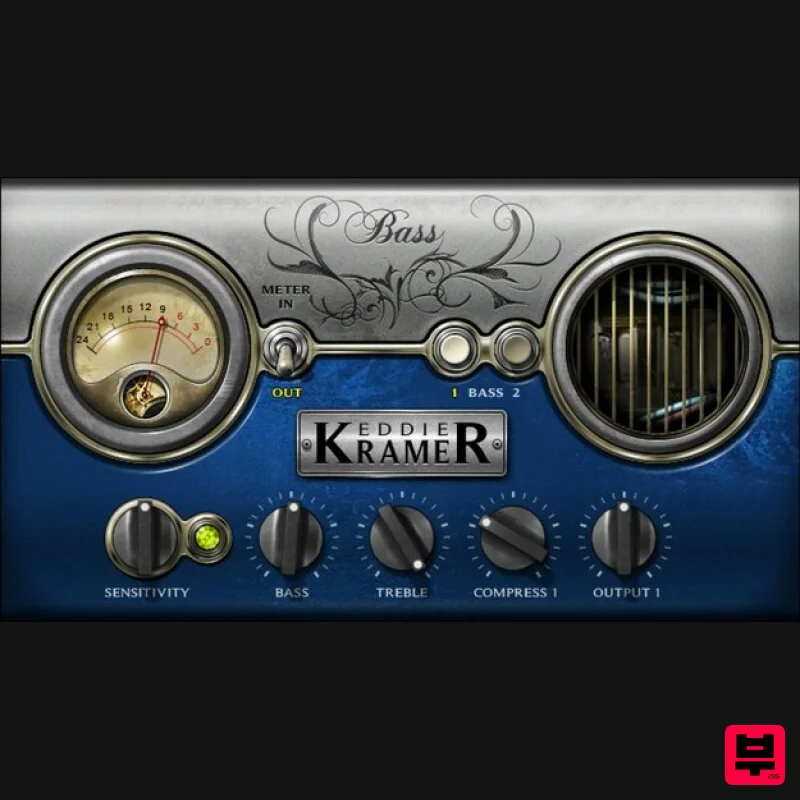
- character. His bass plugin deliver those tones in your mixes. Features Bass 1: Dynamic
- with a less compressed sound that breathes Bass 2: Increases compression for an aggressive
- big sound Sensitivity LED for perfect gain-staging and response Bass and treble controls shape the overall tone Compression dials in in the right amount of dynamics intensity Simple
- fast
- foolproof setup to speed up your workflow System Requirements Mac macOS Monterey 12
- Ventura 13
- Sonoma 14
- Sequoia 15 VST / AU / AAX PC Windows 10+ VST / AAX 1. Head to https: //www.waves.com/create-account 2. Enter your email and choose a password to create an account (if you already have a Waves account
- choose Log in
- enter your details and head to Step 5) > click 'Submit' 3. Open your email inbox > click the activation link in the email from Waves 4. Click 'Log in here' > Log in to your Waves account 5. Click 'Register New Products' 6. Enter the Serial Number found in your Plugin Boutique user account > click 'Submit' 7. Click download in your Plugin Boutique user account or head to https: //www.waves.com/downloads/central > download the Waves Central app for your operating system 8. Install Waves Central > Open Waves Central 9. Click 'Log in' > enter your log in details 10. Click the 'Install Products' tab 11. Tick the blue dot on all products you wish to install or click the top dot to install all products > click 'Install & Activate' 12. Click 'OK' 13. Open your DAW > open the Waves plugin Your Waves plugins are installed and ready to use
- enjoy!
Additional Information
About the Waves Eddie Kramer Bass Channel
Discover the distinctive sound and feel of the Waves Eddie Kramer Bass Channel, a standout choice among Multi Effect .
Why Choose the Waves Eddie Kramer Bass Channel?
- •Authentic Waves craftsmanship and design
- •Versatile sound suitable for multiple musical genres
- •Professional build quality and reliable performance
- •Part of Waves's respected Multi Effect lineup
Compare & Explore
Browse our complete selection of Waves instruments or explore other Multi Effect options. Use our comparison tools to find the perfect match for your musical style and budget.
Similar Products

UVI Click
Multi Effect

Jungle Audio DUKE
Multi Effect

UVI Whoosh FX
Multi Effect

Sinevibes Cache
Multi Effect

UVI Asteroid
Multi Effect

UVI Xtreme FX 2
Multi Effect

Jonas Eriksson Tape Fiasco
Multi Effect

Quantum DSP Q-Series Invader
Multi Effect

