
W. A. Production Hardstyle For Babylon 1
Professional music gear - detailed information and where to buy
W. A. Production
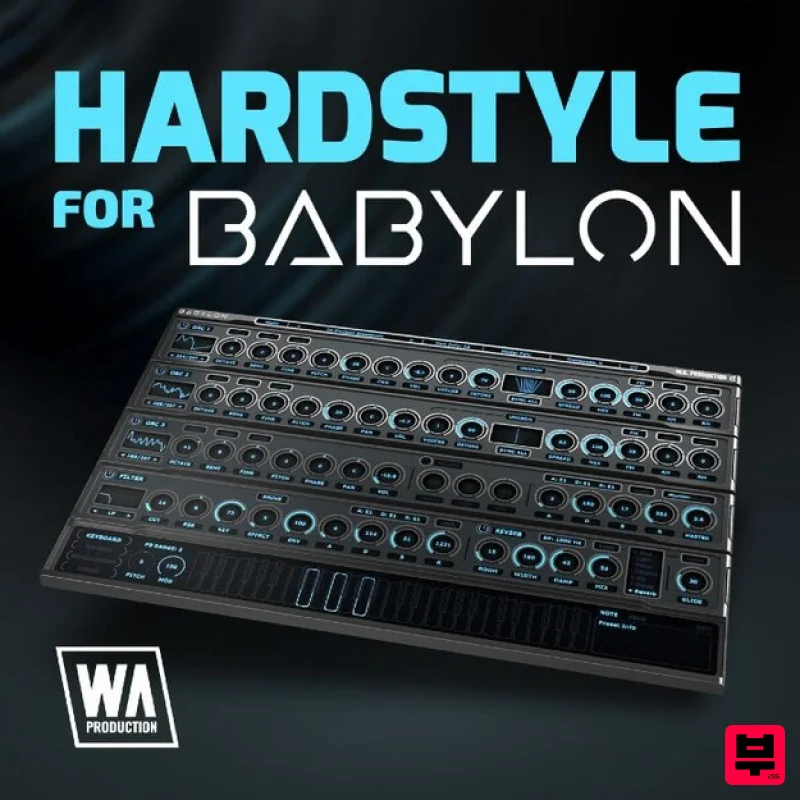
Hardstyle For Babylon 1
Product Info
* Prices may vary. Check retailer for current pricing and availability.
Product Description
- Important Note: This is an expansion for W. A. Production Babylon 1
- and is not compatible with Babylon 2. Hardstyle for Babylon gives you a Psy/Hardstyle Expansion pack of over 100 presets for Babylon. Hardstyle Preset Pack from W. A. Production gives you the gritty
- nasty
- dirty and untamed sounds of hardstyle. Inspired by such artists as Coone
- Sub Zero Project
- Blasterjaxx
- and Headhunterz
- you soon will be able to create tracks with those signature hardstyle sounds. Babylon is W.A Production's one-page wonder software plugin synth. Featuring multiple oscillators
- RM & AM modulation
- 5 poly effects: drive
- distortion
- saturation
- crush and LoFi and 12 different curve types for ADSR and filter programming. Hardstyle for Babylon is loaded with plucks
- arps
- the infamous hardstyle kick in multiple variations
- synth stabs
- chords
- bass for psy
- bass for dub
- metalized synth leads
- old school dark techno leads
- deep bass
- sub-bass
- glitched bass
- arp bass bass and Reese bass. Instrumentation such as keys
- organs
- cymbals
- and strings. Aggressive leads
- light leads
- magical and dreamy pads all the way to suspenseful and mysterious pads. Use these sounds as they are or use them as a starting point. With all of the sounds shaping features of Babylon you can easily adjust almost every single parameter and carve out your own custom presets that can be saved as new. Features 120 Babylon Presets System Requirements W.A Production Babylon Important Note: W.A Production Babylon is required to run the full contents of this software. Mac 1. Download and open the .zip file from within your Plugin Boutique User Account > Open the folder titled 'Babylon Presets' and copy the folder titled 'Hardstyle Expansion'. 2. Open Babylon inside of your DAW. 3. Click 'Menu' > Click 'Open Preset Folder'. 4. Paste the 'Hardstyle Expansion' Folder inside the Preset Folder. 5. Close and then reopen Babylon. Your presets are now ready to be used inside of Babylon! Windows 1. Download and open the .zip file from within your Plugin Boutique User Account > Open the folder titled 'Babylon Presets' and copy the folder titled 'Hardstyle Expansion'. 2. Open Babylon inside of your DAW. 3. Click 'Menu' > Click 'Open Preset Folder'. 4. Paste the 'Hardstyle Expansion' Folder inside the Preset Folder. 5. Close and then reopen Babylon. Your presets are now ready to be used inside of Babylon!
Additional Information
About the W. A. Production Hardstyle For Babylon 1
Experience the quality and tone that makes the W. A. Production Hardstyle For Babylon 1 a popular choice for musicians.
Why Choose the W. A. Production Hardstyle For Babylon 1?
- •Authentic W. A. Production craftsmanship and design
- •Versatile sound suitable for multiple musical genres
- •Professional build quality and reliable performance
- •Part of W. A. Production's respected Synth Presets lineup
Compare & Explore
Browse our complete selection of W. A. Production instruments or explore other Synth Presets options. Use our comparison tools to find the perfect match for your musical style and budget.
Similar Products

W. A. Production Melodic Techno for InstaComposer 3
Synth Presets

Resonance Sound Stranger Serum Synths Vol. 1 for Serum 2
Synth Presets
W. A. Production Progressive House for Babylon 2
Synth Presets

Resonance Sound UK Speed Garage Vol. 1 for Serum 2
Synth Presets

W. A. Production Cinematic Synths for Babylon 2
Synth Presets
W. A. Production Progressive Trance for InstaComposer 3
Synth Presets
Resonance Sound FILTH Vol. 1 for Serum 2
Synth Presets

Resonance Sound Main Stage Techno Vol. 1 for Serum 2
Synth Presets

