
W. A. Production Melodic Techno for InstaComposer 3
Professional music gear - detailed information and where to buy
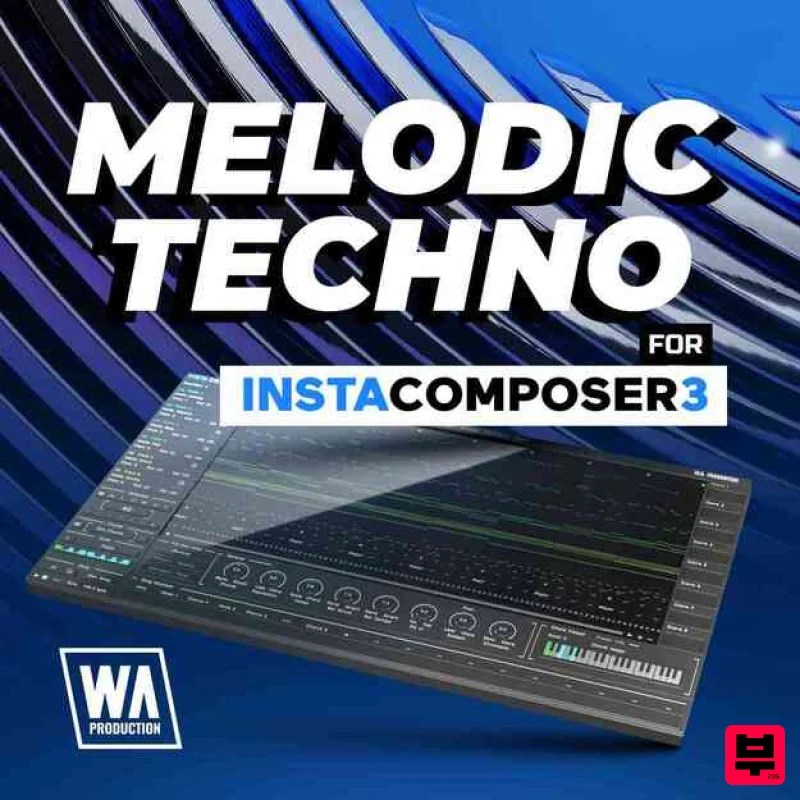
W. A. Production
Melodic Techno for InstaComposer 3
Product Info
* Prices may vary. Check retailer for current pricing and availability.
Product Description
- Melodic Techno for InstaComposer 3 channels the emotional depth
- hypnotic grooves
- and evolving motifs that define today’s most inspiring club records. Crafted for producers who want expressive
- story-driven arrangements
- this expansion focuses on musical movement
- tension
- and release rather than static loops or mechanical progressions. Inside
- you’ll find ideas tailored for rolling low-end
- haunting toplines
- and subtly shifting motifs that keep listeners engaged from the first kick to the final breakdown. Each setting is designed to help shape complete sections—intros
- builds
- drops
- and after-hours moments—while still leaving plenty of room for personal interpretation and sound design. Whether you are building euphoric late-night journeys or darker warehouse workouts
- Melodic Techno for InstaComposer 3 provides a flexible framework that supports your creativity instead of replacing it
- encouraging hands-on tweaking
- re-voicing
- and re-arranging so every track still sounds uniquely yours. Features 40 InstaComposer 3 Presets 100% Royalty-Free W.A. Production InstaComposer 3 is required in order to use this software. Note: Vocals for Imperfect is used as the example. Mac 1. Download and open the .zip file from within your Plugin Boutique User Account > Open the folder titled 'Imperfect-Presets' and copy both of the folders titled 'Audio' and 'VOC1 Vocals'. 2. Go to your home folder and click 'View' from the menu bar > Click 'Show View Options'. 3. Ensure that the box that states 'Show Library Folder' is checked. 4. Go to the following file path - /Users/[Your Username]/Library/Application Support/ImPerfect-Presets > Paste both of the folders in this location. Your presets are now installed and ready to use within ImPerfect. Windows 1. Download and open the .zip file from within your Plugin Boutique User Account > Open the folder titled 'Imperfect-Presets' and copy both of the folders titled 'Audio' and 'VOC1 Vocals'. 2. Go to the following file path - C:\Users\"userfolder"\AppData\Local\ImPerfect-Presets\ > Paste both of the folders in this location. Your presets are now installed and ready to use within ImPerfect.
Additional Information
About the W. A. Production Melodic Techno for InstaComposer 3
The W. A. Production Melodic Techno for InstaComposer 3 represents excellent craftsmanship in the Synth Presets category.
Why Choose the W. A. Production Melodic Techno for InstaComposer 3?
- •Authentic W. A. Production craftsmanship and design
- •Versatile sound suitable for multiple musical genres
- •Professional build quality and reliable performance
- •Part of W. A. Production's respected Synth Presets lineup
Compare & Explore
Browse our complete selection of W. A. Production instruments or explore other Synth Presets options. Use our comparison tools to find the perfect match for your musical style and budget.
Similar Products
W. A. Production Progressive House for Babylon 2
Synth Presets

Resonance Sound UK Speed Garage Vol. 1 for Serum 2
Synth Presets

W. A. Production Cinematic Synths for Babylon 2
Synth Presets

Resonance Sound Stranger Serum Synths Vol. 1 for Serum 2
Synth Presets
Resonance Sound FILTH Vol. 1 for Serum 2
Synth Presets

Resonance Sound Main Stage Techno Vol. 1 for Serum 2
Synth Presets

W. A. Production Afro House for InstaComposer 3
Synth Presets
W. A. Production Progressive Trance for InstaComposer 3
Synth Presets

