
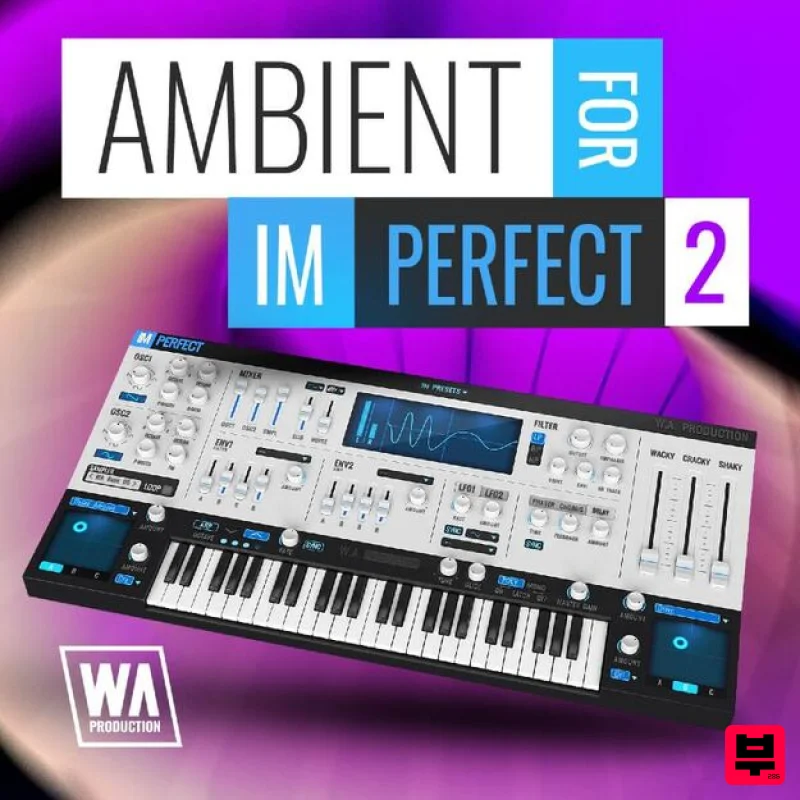
W. A. Production Ambient for ImPerfect 2
Professional music gear - detailed information and where to buy
W. A. Production
Ambient for ImPerfect 2
Product Info
* Prices may vary. Check retailer for current pricing and availability.
Product Description
- Unique ambience awaits inside the latest expansion pack from W. A. Production
- Ambient for ImPerfect 2. Explore a world full of spine chilling
- heart-gripping
- mood-setting atmospheres. Twist
- turn
- modify and mangle any of the 60 presets in this pack to make your own soundscape surroundings come to life. Need a breathtaking intro? Or just need to give your track character and texture? You'll find everything you need for any mood and from multiple instrument types. Ambient for ImPerfect 2allows you to build layers of harmonic tones for chillout
- chillstep
- downtempo
- ambient house
- or create lush and beautiful electronic music for relaxation
- studying
- meditation
- or cinematic productions. Inspired by such artists as Killigrew
- Massive Attack
- Tycho
- Blackmill
- and more. Ambient for ImPerfect 2 unlocks the true potential of the ImPerfect plugin synth. The sound designers at W. A. Production have created an amazing pack of expansions that are professional quality and always 100% Royalty-Free. Perfect your ambient sound with Ambient Expansions for ImPerfect 2 from W. A. Production. Ambient for ImPerfect 2 requires the ImPerfect soft synth. Features 60 ImPerfect Presets System Requirements W.A Production ImPerfect is required in order to use this software. Note: Vocals for Imperfect is used as the example. Mac 1. Download and open the .zip file from within your Plugin Boutique User Account > Open the folder titled 'Imperfect-Presets' and copy both of the folders titled 'Audio' and 'VOC1 Vocals'. 2. Go to your home folder and click 'View' from the menu bar > Click 'Show View Options'. 3. Ensure that the box that states 'Show Library Folder' is checked. 4. Go to the following file path - /Users/[Your Username]/Library/Application Support/ImPerfect-Presets > Paste both of the folders in this location. Your presets are now installed and ready to use within ImPerfect. Windows 1. Download and open the .zip file from within your Plugin Boutique User Account > Open the folder titled 'Imperfect-Presets' and copy both of the folders titled 'Audio' and 'VOC1 Vocals'. 2. Go to the following file path - C:\Users\"userfolder"\AppData\Local\ImPerfect-Presets\ > Paste both of the folders in this location. Your presets are now installed and ready to use within ImPerfect.
Additional Information
About the W. A. Production Ambient for ImPerfect 2
Discover the distinctive sound and feel of the W. A. Production Ambient for ImPerfect 2, a standout choice among Synth Presets.
Why Choose the W. A. Production Ambient for ImPerfect 2?
- •Authentic W. A. Production craftsmanship and design
- •Versatile sound suitable for multiple musical genres
- •Professional build quality and reliable performance
- •Part of W. A. Production's respected Synth Presets lineup
Compare & Explore
Browse our complete selection of W. A. Production instruments or explore other Synth Presets options. Use our comparison tools to find the perfect match for your musical style and budget.
Similar Products

Resonance Sound UK Speed Garage Vol. 1 for Serum 2
Synth Presets

Resonance Sound Main Stage Techno Vol. 1 for Serum 2
Synth Presets
Resonance Sound FILTH Vol. 1 for Serum 2
Synth Presets

W. A. Production Cinematic Synths for Babylon 2
Synth Presets
W. A. Production Melodic Techno for InstaComposer 3
Synth Presets

Resonance Sound Stranger Serum Synths Vol. 1 for Serum 2
Synth Presets
W. A. Production Progressive House for Babylon 2
Synth Presets
W. A. Production Progressive Trance for InstaComposer 3
Synth Presets

