
Resonance Sound AZS Transitions Vol.1 for Diva
Professional music gear - detailed information and where to buy
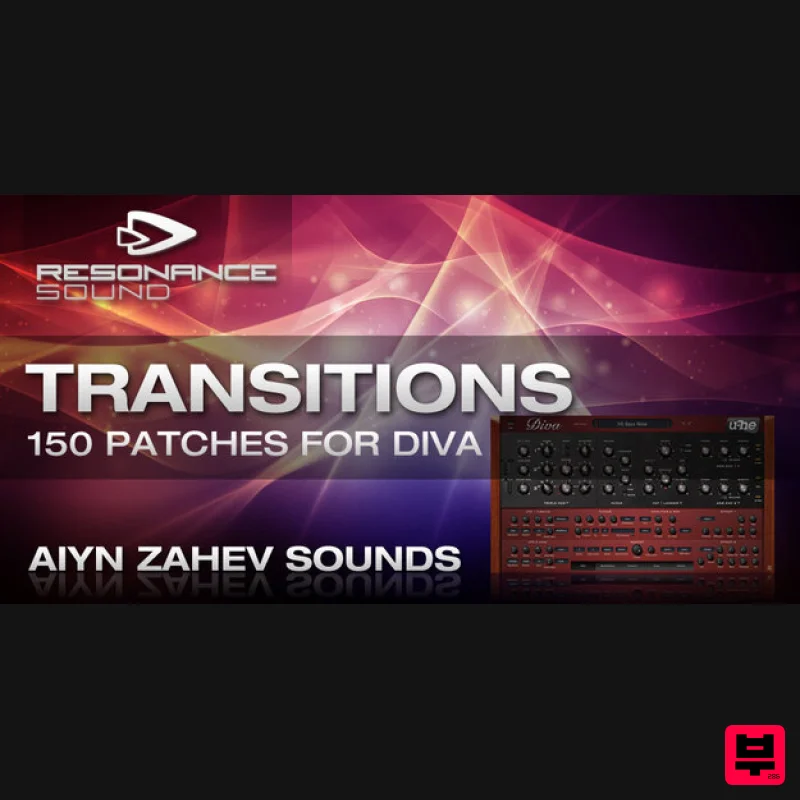
Resonance Sound
AZS Transitions Vol.1 for Diva
Product Info
* Prices may vary. Check retailer for current pricing and availability.
Product Description
Using state of the art modeling technology, DIVA offers an incredible hardwarelike sound, great flexibility and impressive effects. It`s remarkable versatility lends itself greatly to contemporary electronic music and sound design. Transitions goes deep into the many nuances of sound DIVA can produce. With Diva every tweak yields something new, as a result the sounds on this set are varied and interesting. Besides the less than usual sounds there are also many standard trance and house sounds which DIVA produces with exceptional finesse. A recommended addition to any electronic musicians palette. Features 150 Patches Modwheel Allocated 35 Basses 58 Leads 18 Pads 13 Plucks 14 Sequences 12 Texture Patches System Requirements U-He DIVA 1.1 or higher Mac 1. Download the preset pack from within your Plugin Boutique User Account > double-click the .zip file to extract the contents. 2. Locate the extracted folder that contains the .h2p files > Right-click the folder and click 'Copy'. 3. Open your DAW > Launch DIVA > Click the 'PRESETS' tab. 4. Navigate to 'Local' > Right-click the folder > Click 'Open in finder'. 5. The presets folder will be automatically opened > Click 'Edit' from the toolbar > Select 'Paste Item'. 6. Navigate back to DIVA > Right-click 'Local' > Select 'Refresh'. 7. The preset pack is now installed > Select the preset pack folder from the left-hand menu > Select your desired patch. Your presets are now installed and ready to use. Windows 1. Download the preset pack from within your Plugin Boutique User Account > double-click the .zip file to extract the contents. 2. Locate the extracted folder that contains the .h2p files > Right-click the folder and click 'Copy'. 3. Open your DAW > Launch DIVA > Click the 'PRESETS' tab. 4. Navigate to 'Local' > Right-click the folder > Click 'Open in explorer'. 5. The presets folder will be automatically opened > Right-click and select 'Paste'. 6. Navigate back to DIVA > Right-click 'Local' > Select 'Refresh'. 7. The preset pack is now installed > Select the preset pack folder from the left-hand menu > Select your desired patch. Your presets are now installed and ready to use.
Additional Information
About the Resonance Sound AZS Transitions Vol.1 for Diva
Experience the quality and tone that makes the Resonance Sound AZS Transitions Vol.1 for Diva a popular choice for musicians.
Why Choose the Resonance Sound AZS Transitions Vol.1 for Diva?
- •Authentic Resonance Sound craftsmanship and design
- •Versatile sound suitable for multiple musical genres
- •Professional build quality and reliable performance
- •Part of Resonance Sound's respected Synth Presets lineup
Compare & Explore
Browse our complete selection of Resonance Sound instruments or explore other Synth Presets options. Use our comparison tools to find the perfect match for your musical style and budget.
Similar Products
Resonance Sound UK Speed Garage Vol. 1 for Serum 2
Synth Presets
Resonance Sound FILTH Vol. 1 for Serum 2
Synth Presets
W. A. Production Progressive Trance for InstaComposer 3
Synth Presets
W. A. Production Melodic Techno for InstaComposer 3
Synth Presets

W. A. Production Cinematic Synths for Babylon 2
Synth Presets

Resonance Sound Stranger Serum Synths Vol. 1 for Serum 2
Synth Presets

Resonance Sound Main Stage Techno Vol. 1 for Serum 2
Synth Presets
W. A. Production Progressive House for Babylon 2
Synth Presets

