
Polyverse Comet
Professional music gear - detailed information and where to buy
Product Description
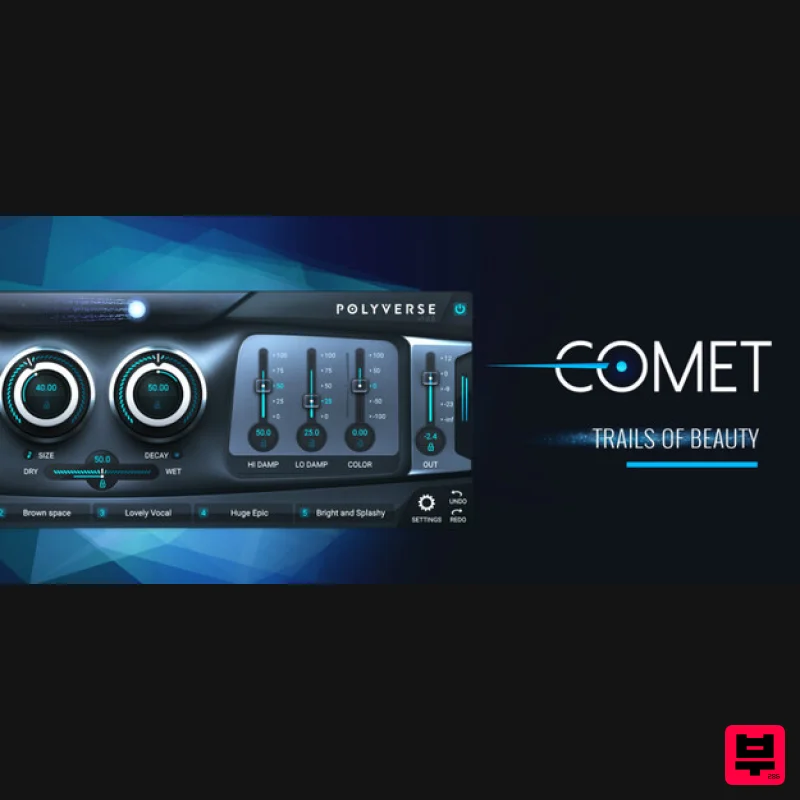
- Reverb In A Class Of Its Own Introducing Comet – a reverb of unparalleled lushness and versatility. Envelop yourself in breathtaking textures of sheer beauty while creating living
- breathing space in real time with Comet’s unique preset morphing capabilities. Experience trails of beauty that are pristine
- dramatic
- and one-of-a-kind. Dynamic
- Fully Automatable Spaces Features An unbelievably and beautiful reverb Five interchangeable preset morphing slots Glide control to morph between parameters Pre Delay & Glide available in milliseconds and rhythmic subdivisions Lockable parameters for consistency between presets Uniquely rich and musical detune algorithm Saturation module from input gain for extra density MIDI and CV control for every parameter Trails Of Beauty Comet is designed to create beautiful trails of sound. It does not aspire to model the physics of a room. Instead
- it captures the essence of a beautiful reverb. Once you hear it
- you’ll fall in love. Enhance your vocals
- melodic instruments and drums alike
- and add a special quality to your musical textures and sound effects. Revolutionary Preset Morphing Comet has 5 preset slots created to take advantage of its advanced morphing capabilities. Using variable gliding controls
- you can transition or “morph” between up to 5 different settings/presets. Reverb: Reimagined While researching and developing various new prototypes
- Comet was stumbled upon by the Polyverse development team. After an initial comparison with other popular and classic reverbs
- it was decided that Comet’s algorithm was so unique and beautiful that we needed to share it with the world. Not only that
- its versatile sound in all iterations inspired a degree of flexibility unheard of in other reverbs. System Requirements Mac OS X 10.9 or later (macOS 11 Big Sur and M1 Apple Silicon compatible) (64-bit only) Intel Core 2 Duo or higher
- 4GB RAM minimum AAX
- VST3
- AU PC Windows 7 SP1 or later (64-bit only) Intel Core 2 Duo / AMD Athlon 64x2 or higher
- 4GB RAM minimum AAX
- VST3 Clint Lagerberg "Comet is showing up on every song I write/demo." Ask.Audio "It’s a great sounding and well-designed reverb processor... the overall sound of the plugin is rich and dense and it’s perfect for many kinds of electronic music. Check it out." Michael Malih "Comet is my new favourite reverb." Note: Gatekeeper is used as the example. Mac Registration 1. Go to https://polyversemusic.com/register/ > Select your purchased product then enter your registration code found in your Plugin Boutique User Account and click 'Submit'. 2. Enter your Personal Info and tick the box that states 'I Agree to Terms' > Click the blue button at the bottom to proceed. Installation 1. You will receive an email from Polyverse containing your installers and license key > Click the Mac Installer link and be sure to download license key file attached to the email. 2. Open the downloaded .dmg file > Open the .pkg file to begin installation. 3. Click 'Continue'. 4. Click 'Continue'. 5. Click 'Agree'. 6. Click 'Install'. 7. Enter your computer Username and Password > Click 'Install Software'. 8. Click 'Close'. Activation 1. Open the installed plugin in your DAW > Click and drag the downloaded license key file from Step 1 of the Installation process onto the plugin window. 2. Click 'Have Fun :]'. Your software is now activated and ready to use. Windows Registration 1. Go to https://polyversemusic.com/register/ > Select your purchased product then enter your registration code found in your Plugin Boutique User Account and click 'Submit'. 2. Enter your Personal Info and tick the box that states 'I Agree to Terms' > Click the blue button at the bottom to proceed. Installation 1. You will receive an email from Polyverse containing your installers and license key > Click the Windows Installer link and be sure to download license key file attached to the email. 2. Double-click the downloaded .zip file to extract the contents and double-click the .exe file to begin installation > Click 'Next'. 3. Click 'Next'. 4. Click 'Next'. 5. Click 'Next'. 6. Click 'Install'. 7. Click 'Finish'. Activation 1. Open the installed plugin in your DAW > Click and drag the downloaded license key file from Step 1 of the Installation process onto the plugin window. 2. Click 'Have Fun :]'. Your software is now activated and ready to use.
Additional Information
About the Polyverse Comet
The Polyverse Comet combines traditional design with modern performance for Reverb enthusiasts.
Why Choose the Polyverse Comet?
- •Authentic Polyverse craftsmanship and design
- •Versatile sound suitable for multiple musical genres
- •Professional build quality and reliable performance
- •Part of Polyverse's respected Reverb lineup
Compare & Explore
Browse our complete selection of Polyverse instruments or explore other Reverb options. Use our comparison tools to find the perfect match for your musical style and budget.
Similar Products

Initial Audio AR1 Reverb
Reverb
$30
Quality Algorithmic Reverb Plugin AR1 is an algorithmic reverb plugin designed to sound great on all types of...

PSP Audioware PSP Nexcellence
Reverb
$30
PSP Nexcellence is a rich-sounding, spring reverb emulation inspired by and modeled after classic “necklace-type”...

DDMF Envelope
Reverb
$30
Envelope is a true stereo reverb plugin featuring 8 different room simulations, all of which can be adjusted for size,...

PSP Audioware PSP EasyVerb
Reverb
$30
PSP EasyVerb is a reverberation effect plug-in (VST, RTAS and AAX for Windows; VST, AudioUnit, RTAS and AAX for Mac OS...

Vegas Audio Fabricverb
Reverb
$30
Get the signature sound of the UK’s most famous nightclub on your digital audio workstation! Our new convolution...

PSP Audioware PSP Pianoverb 2
Reverb
$30
PSP PianoVerb2 is a redesigned and improved creative resonant reverb plug-in based on our famous and beloved freeware...

XHUN Audio ShineVerb
Reverb
$30
Creative Reverb Processor ShineVerb is a creative tool specially designed for reverberation, spatialization and sound...

DDMF MagicVerb
Reverb
$30
MagicVerb is the latest result of the collaboration between MagicDeathEye aka Ian Sefchick and DDMF. This journey was...
Frequently Asked Questions
The Polyverse Comet stands out for its exceptional Polyverse craftsmanship and innovative design.
Yes! With its affordable price point and quality construction, it's perfect for learning reverb.
Browse the similar products section to see how it stacks up against other reverb.

