
LANDR LANDR FX Voice
Professional music gear - detailed information and where to buy
LANDR
LANDR FX Voice
Product Info
* Prices may vary. Check retailer for current pricing and availability.
Product Description
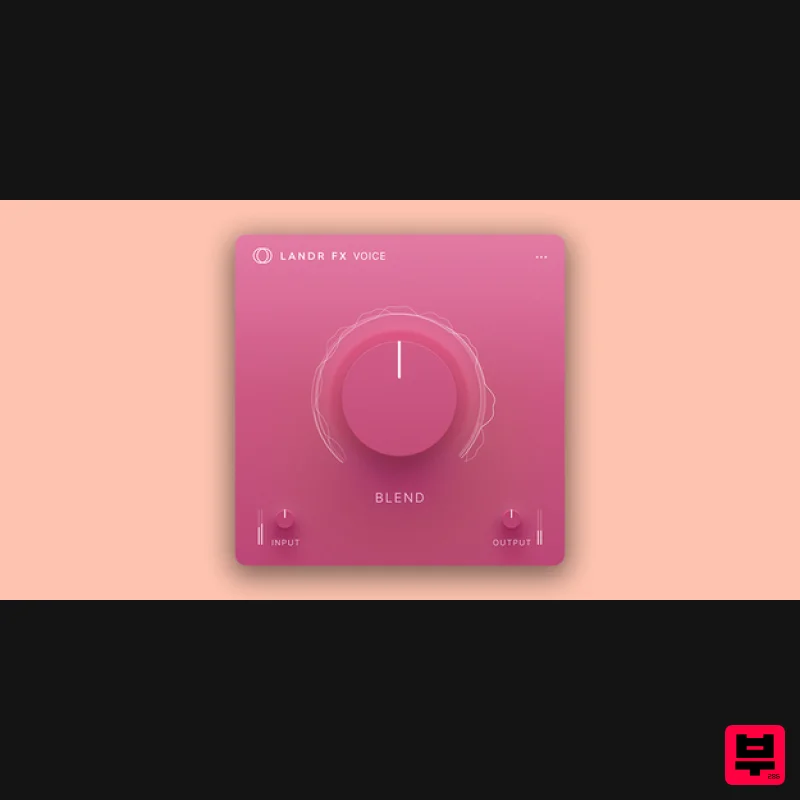
- LANDR FX Voice is a multi-FX plugin designed to be a fast and easy way to add gloss
- richness and corrective effects to your vocals. Powerful audio processing happens in real time
- making it easy to experiment with different vocal effects during the recording process. Voice includes 46 presets split into 7 categories: Vocals
- Reverb
- Delay
- Compression
- Saturation and FX. Vocals: Based on genres and singing styles to add flair and style EQ: Boost presence
- correct muddiness and more. Reverb: Add everything from classic plate and hall to huge verb. Delay: Experiment with clean delays and dirty echoes. Compression: Standard compression to clean up your mix. Saturation: Go from lightly toasted to total distortion. FX: Fun and creative FX to add dimension and intrigue. Powerful real time effect processing Experiment in real time while laying down sick vocals thanks to powerful processing under the hood. LANDR FX lets you monitor while applying presets so you can hear your vocals in context and experiment on the fly. Create or correct Cut down on the clutter with a single plugin to add reverb
- boost presence
- and correct for sibilance and muddiness. Voice makes it super simple with easy-to-understand labels and foolproof blending. Professionally curated presets LANDR FX plugins are preset-based. The professionally curated presets allow for a faster workflow without guesswork or the need for complex audio engineering. LANDR's team of Award-winning audio engineers have designed the presets with the most common applications in mind so producers and artists can spend less time tweaking and more time creating. LANDR FX Functionality Select a preset and dial in your desired intensity. Preset categories range from creative
- to instrument type
- to mix tools and more. Every application is covered depending on the source sound. For more precision
- advanced users can also tweak their input and output levels. Mix and match multiple instances to stack effects and push creative boundaries. Each preset has been carefully tested to ensure quality audio output even when being used in innovative and imaginative ways. LANDR FX Workflow LANDR FX can be used at any stage of the production process. Consider using it for: Mixing — Color
- character & correction. Songwriting — Inspiration & experimentation. Tracking/Monitoring — Processing inputs real time (increase confidence & enhance performance) Conquer Choice Paralysis Stop spending too much time stacking
- tweaking
- and guessing what your music needs. LANDR FX Bass is loaded with professionally designed
- distinct presets that instantly inspire and sound great out of the box. Feel confident in the mix There’s no experience required when using LANDR FX. Just load up the plugin
- choose a preset
- and blend it in. Each LANDR FX plugin is made for a specific sound source
- and contains presets for the most common applications
- but can also be used for risk-free experimentation. Simple
- inviting
- effective LANDR FX helps you get to the right sound fast
- so you can speed up your workflow and finish more music you can be proud of. No more endless tweaking
- guesswork
- or advanced audio engineering skills needed. The single-dial & precision presets make this suite simple
- effective and easy-to-use. System Requirements Specs and requirements apply across all LANDR FX Plugins. Mac – OS X 10.11 or higher Windows 7 or higher Windows – VST3 64b
- AU 64b
- AAX 64b VST3 64b
- AAX 64b Note: LANDR Mastering Plugin is used as an example. Registration 1. Head to THIS LINK
- and fill in your details to create your LANDR account. 2. Click the 'Plugins' tab within your LANDR library. 3. Click 'Use Redeem Code'. 4. Use the code from within your Plugin Boutique User Account to fill in the redeem code field. Click 'Redeem'. 5. Click 'Go to My plugins'. 6. Click 'Install' next to the LANDR Mastering plugin. 7. Click 'Show keys'
- and take note of your license key number. 8. Below this
- you will find your download items. Ensure you select the correct operating system
- and click the Download button. Installation and Activation Windows 1. Launch the downloaded installer file. 2. Check 'I accept the terms in the License Agreement'
- and click 'Install'. 3. Once installation has completed
- click 'Finish'. 4. Launch LANDR Mastering Plugin within your DAW. 5. Enter the License Key number obtained in step 7 of the Registration process to the form. Click 'Activate'. 6. Click 'Get Started'. Your plugin is now activated and ready to use! Mac 1. Launch the downloaded installer file
- and click 'Continue'. 2. Click 'Continue'. 3. Click 'Agree'. 4. Click 'Install'. 5. Once installation has completed
- click 'Close'. 6. Launch LANDR Mastering Plugin within your DAW. 7. Enter the License Key number obtained in step 7 of the Registration process to the form. Click 'Activate'. 8. Click 'Get Started'. Your plugin is now activated and ready to use!
Additional Information
About the LANDR LANDR FX Voice
The LANDR LANDR FX Voice combines traditional design with modern performance for Multi Effect enthusiasts.
Why Choose the LANDR LANDR FX Voice?
- •Authentic LANDR craftsmanship and design
- •Versatile sound suitable for multiple musical genres
- •Professional build quality and reliable performance
- •Part of LANDR's respected Multi Effect lineup
Compare & Explore
Browse our complete selection of LANDR instruments or explore other Multi Effect options. Use our comparison tools to find the perfect match for your musical style and budget.
Similar Products

Sinevibes Cache
Multi Effect

UVI Click
Multi Effect

UVI Asteroid
Multi Effect

Jungle Audio DUKE
Multi Effect

Jonas Eriksson Tape Fiasco
Multi Effect

Quantum DSP Q-Series Invader
Multi Effect

UVI Xtreme FX 2
Multi Effect

UVI Whoosh FX
Multi Effect

