
Iceberg Audio Beatgrader
Professional music gear - detailed information and where to buy
Iceberg Audio
Beatgrader
Product Info
* Prices may vary. Check retailer for current pricing and availability.
Product Description
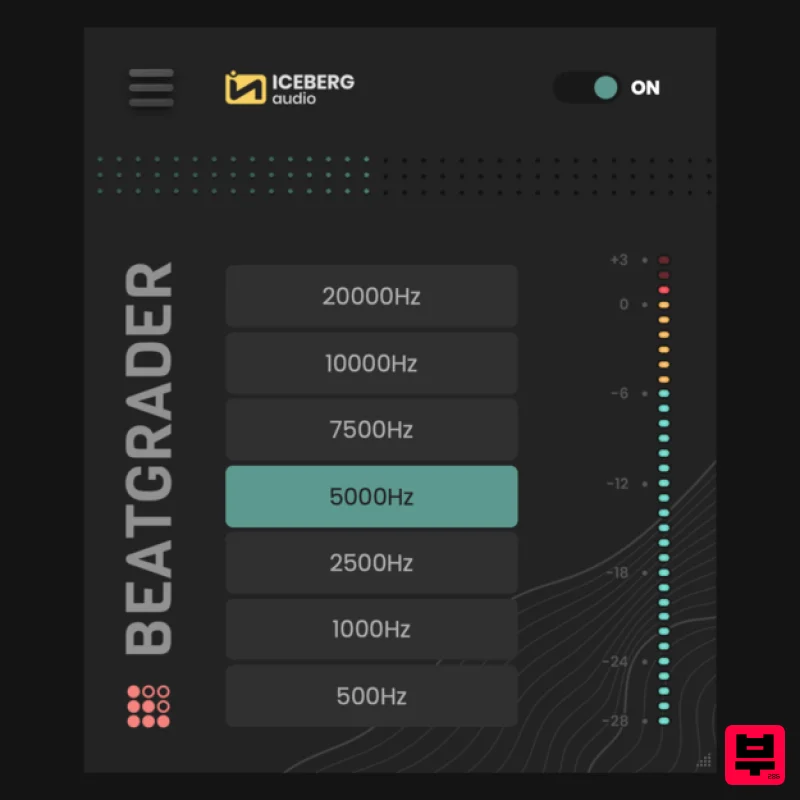
- The quickest route to lo-fi and removing high-end detail from audio. Beatgrader is modelled on the techniques being used by beatmakers to create lo-fi
- underwater and distorted low ends. We've also added saturation to that process which allows you to add more weight. Simply select a resampling frequency button and apply saturation. Select a resample rate to quickly remove high-end detail. Beatgrader's algorithm models off-line resampling techniques to deliver a unique lo-fi
- underwater sound in real-time. Includes a saturation control to add weight. Features Super-Low Latency. Saturation Control Works to 192kHz for VST3 and AU formats. Resizable UI. Intel and M1 Apple Silicon Native Supported. System Requirements DAW Support: Ableton Live
- FL Studio
- Logic
- Cubase
- Studio One and more Compatible with macOS 10.10 and higher and Windows 10 (64-bit only) Available as VST3
- AU and AAX formats Internet connection required for activation One licence/purchase covers all your computers Important Note: VST2 formats are NOT available. Please Note: The Sub is used as an example. Mac 1. Download the installer from within your Plugin Boutique User Account and open the .pkg file > Open the .exe file and click 'Continue'. 2. Click 'Continue'. 3. Click 'Agree'. 4. Click 'Install'. 5. Enter your computer User Name and Password > Click 'Install Software'. 6. Click 'Close'. Activation 1. Open the plugin within your DAW and enter the 19-digit serial number
- found within your Plugin Boutique User Account > Click 'Activate'. Your plugin is now activated and ready to use within your DAW Windows 1. Download the installer from within your Plugin Boutique User Account and double-click the .zip file to extract the contents > Open the .exe file and click 'Next >'. 2. Select the installation location > Click 'Next >'. 3. Click 'Install'. 4. Click 'Finish'. Activation 1. Open the plugin within your DAW and enter the 19-digit serial number
- found within your Plugin Boutique User Account > Click 'Activate'. Your plugin is now activated and ready to use within your DAW
Additional Information
About the Iceberg Audio Beatgrader
Experience the quality and tone that makes the Iceberg Audio Beatgrader a popular choice for musicians.
Why Choose the Iceberg Audio Beatgrader?
- •Authentic Iceberg Audio craftsmanship and design
- •Versatile sound suitable for multiple musical genres
- •Professional build quality and reliable performance
- •Part of Iceberg Audio's respected Multi Effect lineup
Compare & Explore
Browse our complete selection of Iceberg Audio instruments or explore other Multi Effect options. Use our comparison tools to find the perfect match for your musical style and budget.
Similar Products

UVI Whoosh FX
Multi Effect

UVI Click
Multi Effect

UVI Xtreme FX 2
Multi Effect

Quantum DSP Q-Series Invader
Multi Effect

UVI Asteroid
Multi Effect

Sinevibes Cache
Multi Effect

Jungle Audio DUKE
Multi Effect

Jonas Eriksson Tape Fiasco
Multi Effect

