
eaReckon MIDI Polysher
Professional music gear - detailed information and where to buy
eaReckon
MIDI Polysher
Product Info
* Prices may vary. Check retailer for current pricing and availability.
Product Description
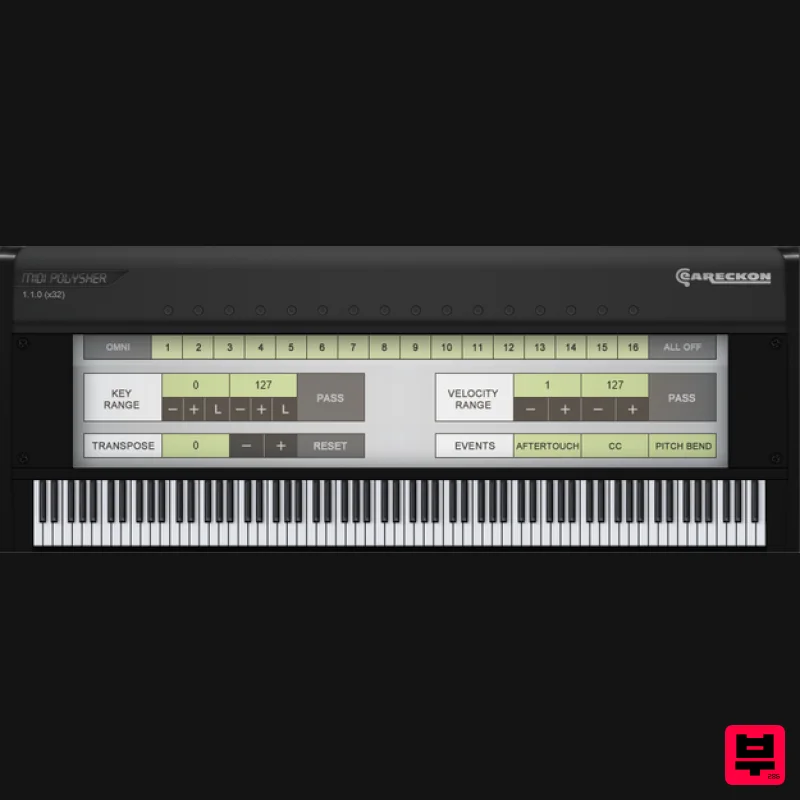
- MIDI Polysher is a free VST plugin primarly designed for eaReckon BloXpander users (but it works with other compatible VST host software). BloXpander is now provided with its own full-featured MIDI filter and therefore
- BloXpander users do not really need this plug-in anymore. However
- musicians have shown interest for this plug-in which can be used in other VST DAWs. This is why MIDI Polysher was rebuilt from scratch and it is now available as 32/64-bit VST plug-in for both Windows and Mac OSX. With multiple instances of MIDI Polysher loaded into your DAW
- you can create "zones" and control several instruments from a same MIDI keyboard (or controller). For example
- you can link the upper keys of your master keyboard to a virtual piano plugin and the lower keys to a virtual bass instrument but there is more to do with it... Features: 32/64-bit VST plug-in for Windows and Mac OSXKey range ("Pass"
- "Exclude"
- "Free"
- "Nearest" modes) Velocity range Global CC filtering Global Aftertouch filtering Global Pitch Bend filtering MIDI channel filtering MIDI (per channel) activity monitor Transpose System Requirements MIDI Polysher is a MIDI only VST plug-in. How easy (or even possible) it is to use it
- highly depends on the host MIDI routing capabilities. PC: Operating System: Windows XP
- Windows Vista
- Windows 7
- Windows 8 or Window 8.1 This is a VST plugin. A compatible VST host software is needed. Mac: Operating System: Max OSX 10.5 minimum This is a VST plugin. A compatible VST host software is needed. Please Note: EAReverb 2 is used as an example. Mac 1. If you do not have an eaReckon account
- navigate to https: //www.eareckon.com/en/login.html?view=registration and sign up > If you do have an eaReckon account
- navigate to https: //www.eareckon.com/en/login.html and log in and proceed to step 3. 2. Navigate to your email inbox > Click the activation link to activate your eaReckon account > Log in. 3. Enter your serial number found within your Plugin Boutique User Account > Click 'Register'. 4. Download the correct installer(s) for your system. 5. Unzip the downloaded installer > Launch the .pkg installer file. 6. Click 'Continue'. 7. Click 'Continue'. 8. Click 'Agree'. 9. Click 'Continue'. 10. Click 'Install'. 11. Enter your system password > Click 'Install Software'. 12. Click 'Close'. 13. Launch your DAW > Insert EAReverb 2 on a new track > Locate your Hardware ID. 14. Navigate back to the eaReckon website and your account page > Enter your Hardware ID > Click 'Register'. 15. Navigate back to your DAW and the plugin > Enter the serial number found within your Plugin Boutique User Account into the 'Serial Number' box > Enter the Authorization Key that was generated in step 14 on the eaReckon website into the 'Authorization Key' box. EAReverb 2 is installed
- activated and ready to use. Windows 1. If you do not have an eaReckon account
- navigate to https: //www.eareckon.com/en/login.html?view=registration and sign up > If you do have an eaReckon account
- navigate to https: //www.eareckon.com/en/login.html and log in and proceed to step 3. 2. Navigate to your email inbox > Click the activation link to activate your eaReckon account > Log in. 3. Enter your serial number found within your Plugin Boutique User Account > Click 'Register'. 4. Download the correct installer(s) for your system. 5. Unzip the downloaded installer > Launch the .exe installer file. 6. Select language > Click 'OK'. 7. Click 'Next'. 8. Accept the EULA > Click 'Install'. 9. Click 'Finish'. 10. Launch your DAW > Insert EAReverb 2 on a new track > Locate your Hardware ID. 11. Navigate back to the eaReckon website and your account page > Enter your Hardware ID > Click 'Register'. 12. Navigate back to your DAW and the plugin > Enter the serial number found within your Plugin Boutique User Account into the 'Serial Number' box > Enter the Authorization Key that was generated in step 11 on the eaReckon website into the 'Authorization Key' box. EAReverb 2 is installed
- activated and ready to use.
Additional Information
About the eaReckon MIDI Polysher
The eaReckon MIDI Polysher represents excellent craftsmanship in the Virtual Patchbay category.
Why Choose the eaReckon MIDI Polysher?
- •Authentic eaReckon craftsmanship and design
- •Versatile sound suitable for multiple musical genres
- •Professional build quality and reliable performance
- •Part of eaReckon's respected Virtual Patchbay lineup
Compare & Explore
Browse our complete selection of eaReckon instruments or explore other Virtual Patchbay options. Use our comparison tools to find the perfect match for your musical style and budget.
Similar Products
Blue Cat Audio Blue Cat's PatchWork
Virtual Patchbay
$104
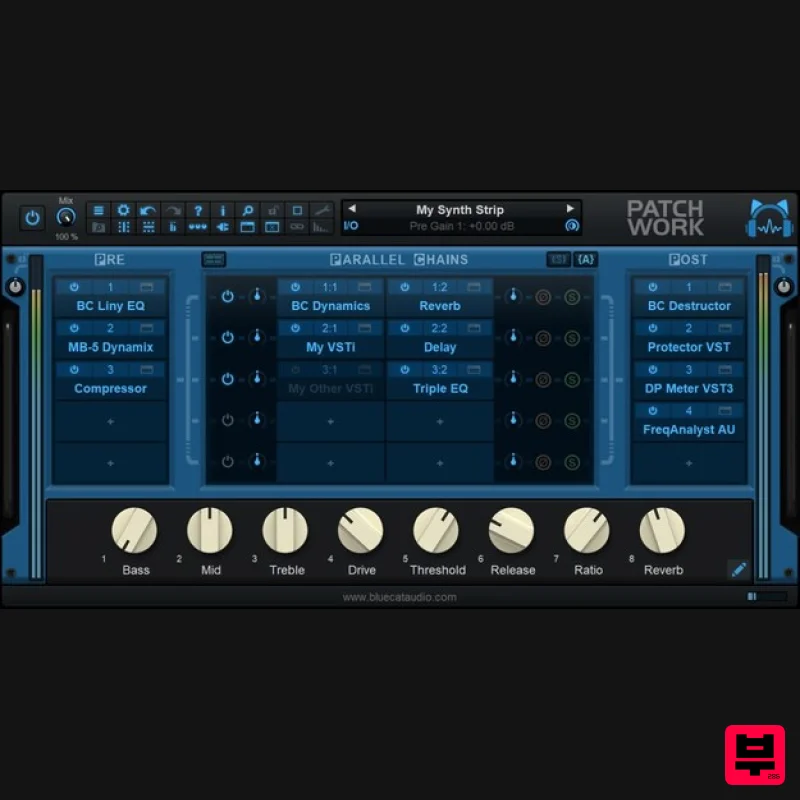
Blue Cat's PatchWork Blue Cat's PatchWork is a universal plug-ins patch bay that can host up to 64 VST, VST3, Audio...
Frequently Asked Questions
The eaReckon MIDI Polysher stands out for its exceptional eaReckon craftsmanship and innovative design.
It's designed for intermediate to advanced players who appreciate professional-quality virtual patchbay.
Browse the similar products section to see how it stacks up against other virtual patchbay.

