
AudioThing Soundscapes Vol.2
Professional music gear - detailed information and where to buy
AudioThing
Soundscapes Vol.2
Product Info
* Prices may vary. Check retailer for current pricing and availability.
Product Description
- Atmospheres and Textures Important Note: This is a software instrument designed for the full version of the NI Kontakt engine
- and is not a physical product! Soundscapes
- textures and ambiences ready to use as Kontakt instruments or WAV loops. These sounds are divided into four categories: binaural
- concrete
- inductor and piezo. As our previous version Soundscapes Vol.1
- the samples were recorded in different places across the world (Las Vegas
- Dublin
- Prague
- Naples
- and Cosenza) using studio or portable equipment. We used different types of microphones
- including handmade piezo and inductor mics
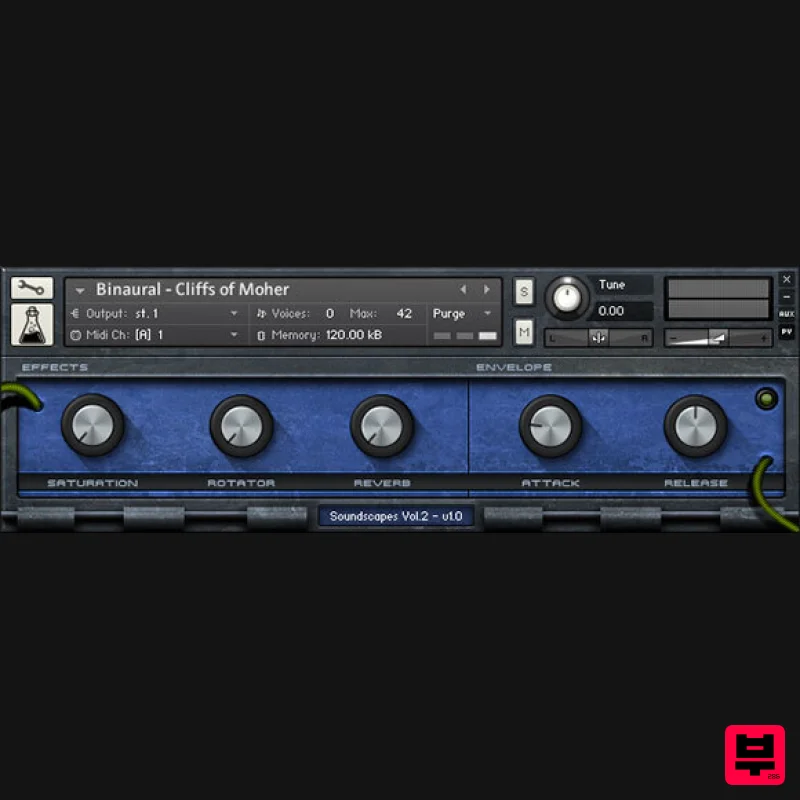
- a large condenser microphone and a binaural microphone set. Everything was then processed and boxed inside a Kontakt instrument with a custom GUI. The pitch bend is assigned to a ±24 pitch transpose for glitch effects. All samples are seamless loops
- so if you don’t have Kontakt you can load them directly into your DAW. Features 35 Kontakt Instruments (.nki) 35 Samples (48kHz / 24Bit) Size: 207 MB Formats: Kontakt and WAV (loops) Sample sets derived from binaural recordings
- inductor and piezo effects
- mixed objects/places System Requirements The full version of Kontakt 4.2.4 or higher is required to run this instrument Important note: The full version of Kontakt 4.2.4 or higher is required to run this software. Note: Tank Drum is used as the example. 1. Download the compressed .zip folder from your User Account and double-click it to reveal the installer file. 2. Extract and save the software folder e.g ‘AudioThing_TankDrum’ to a memorable computer destination of choice
- e.g 'Documents' or on an external hard drive. 3. Launch Kontakt and click the ‘File’ tab that is located at the top left corner of its interface. 4. Navigate to the computer destination where you extracted/saved the software folder to
- and double-click the ‘AudioThing_TankDrum’ > then ‘Instruments’ folder to open the .nki files within Kontakt. Note: Refer to step 2 of the installation process if you are unable to locate the folder. 5. Double-click the individual .nki instruments to load them into Kontakt’s interface. Notes: Kontakt will ask for the new path the first time you run the instrument It is advisable to preserve the internal folder structure
- but you can also place the instruments and samples into separate folders Your AudioThing Kontakt Instrument is now Ready for Use!
Additional Information
About the AudioThing Soundscapes Vol.2
Experience the quality and tone that makes the AudioThing Soundscapes Vol.2 a popular choice for musicians.
Why Choose the AudioThing Soundscapes Vol.2?
- •Authentic AudioThing craftsmanship and design
- •Versatile sound suitable for multiple musical genres
- •Professional build quality and reliable performance
- •Part of AudioThing's respected Kontakt Instrument lineup
Compare & Explore
Browse our complete selection of AudioThing instruments or explore other Kontakt Instrument options. Use our comparison tools to find the perfect match for your musical style and budget.
Similar Products

Audiofier Aerkord
Kontakt Instrument

DoubleBang Software Plugged
Kontakt Instrument

HD Instruments ZoneMatrix
Kontakt Instrument

Rigid Audio Retrocade
Kontakt Instrument

Audiofier Sequi2r EX
Kontakt Instrument

Ecliptiq Audio Hexa Rhythm Designer
Kontakt Instrument

Aria Sounds Hybrichord
Kontakt Instrument

The Beat House LE HITS THE ESSENTIALS
Kontakt Instrument

