
Acon Digital Verberate Basic 2
Professional music gear - detailed information and where to buy
Acon Digital
Verberate Basic 2
Product Info
* Prices may vary. Check retailer for current pricing and availability.
Product Description
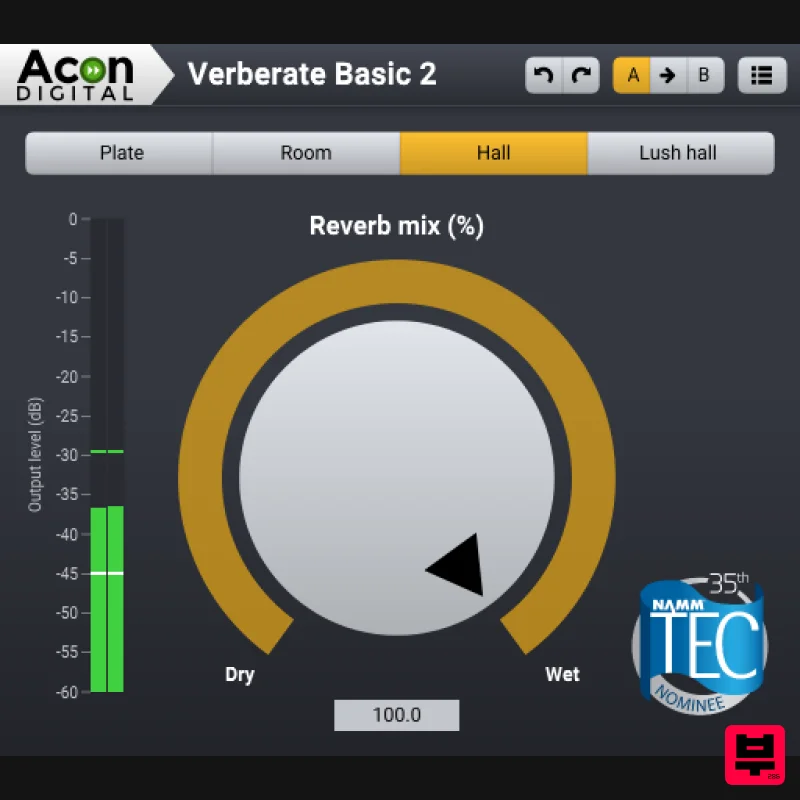
- The Revolutionary Vivid Hall Algorithm for Free The free Verbarate Basic is based on Verberate 2 and offers the same highly praised audio quality. The plug-in offers four high quality presets from Verberate 2 that showcase the quality and versatility of the algorithm: Plate
- a realistic simulation of plate reverb with the typical frequency dispersion and decay properties that give plate reverb the airy touch Room
- a beautiful and warm wooden room that gives a great sense of room without being obtrusive Hall
- a natural and gorgeous-sounding hall Lush Hall
- a colourful out-of-world hall with frequency-modulated tails that sounds amazing on synth pads The intuitive user interface has buttons for each of the four reverb programs along with a mix knob that lets you adjust the dry and reverb signal levels. Features Based on the Vivid Hall that is time-variant and resonance-free Independent early reflections and reverberation tail processors True stereo processing Realistic early reflections that blend into the mix without unpleasant comb filter effects Dense late reverberation tails Able to model frequency dispersion in mechanical plate reverbs Optional swirl effect models the frequency modulated cloud-like reverb tails of vintage digital reverb units Uncluttered user interface System Requirements Windows Windows 10 / 8 / 7 Intel Core i3 or AMD multi-core processor (Intel Core i5 or faster recommended) 1366 x 768 display resolution (1920 x 1080 or higher recommended) 1 GB RAM (4 GB or more recommended) 1 GB free HD space A host application that is compatible with (32 or 64-bit) VST
- VST3 or AAX (Pro Tools 10.3.5 or higher) macOS macOS / OS X 10.9 or later (macOS 11 Big Sur Intel and M1 Mac supported) (64-bit only) 1 GB RAM (4 GB or more recommended) 1 GB free HD space A host application that is compatible with AU
- VST3 or AAX (Pro Tools 10.3.5 or higher) Installation Instructions Note: Verberate is used as the example 1. Download and run the installer from your Plugin Boutique User Account. 2. Select Language for install - Click OK 3. Click Next 4. Click Accept the agreement - Click Next 5. Select Components you want to install - Click Next 6. Select VST Destination Folder - Click Next 7. Review then Click Install - Click Finish
Additional Information
About the Acon Digital Verberate Basic 2
The Acon Digital Verberate Basic 2 combines traditional design with modern performance for Reverb enthusiasts.
Why Choose the Acon Digital Verberate Basic 2?
- •Authentic Acon Digital craftsmanship and design
- •Versatile sound suitable for multiple musical genres
- •Professional build quality and reliable performance
- •Part of Acon Digital's respected Reverb lineup
Compare & Explore
Browse our complete selection of Acon Digital instruments or explore other Reverb options. Use our comparison tools to find the perfect match for your musical style and budget.
Similar Products

PSP Audioware PSP EasyVerb
Reverb

PSP Audioware PSP Nexcellence
Reverb

XHUN Audio ShineVerb
Reverb

DDMF Envelope
Reverb

Vegas Audio Fabricverb
Reverb

Initial Audio AR1 Reverb
Reverb

DDMF MagicVerb
Reverb

PSP Audioware PSP Pianoverb 2
Reverb

