
XLN Audio XO Expansion: Neon Dreams
Professional music gear - detailed information and where to buy
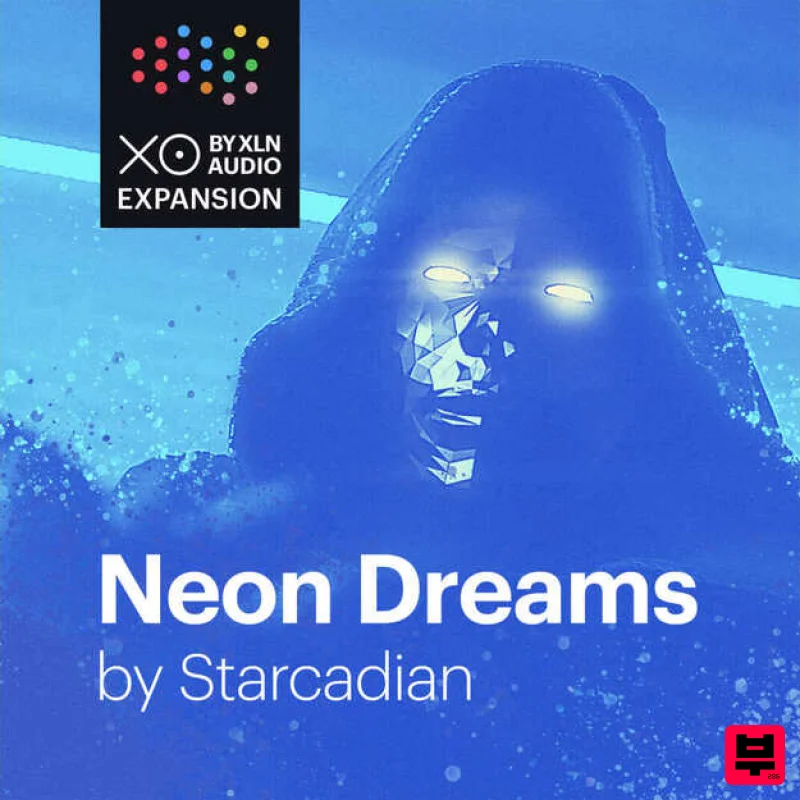
XLN Audio
XO Expansion: Neon Dreams
Product Info
* Prices may vary. Check retailer for current pricing and availability.
Product Description
- Nostalgia-Inducing
- 1980s-Infused Beats & Samples Starcadian often describes his songs as "ear movies." Honestly
- nothing could be more fitting. Hearing his music is like finding long-lost soundtracks to cult 1980s fantasy/science fiction films spawned from our collective memory bank's imagination: lucid dreams of neon and silhouettes against a setting California sun
- coated in 16mm film grain. With this expertly curated XO Expansion you’ll transport your tracks and mixes to a neon-drenched 1980s in seconds with song-inspiring
- fully editable presets fueled by nostalgia-inducing synth arpeggios and hard-hitting kick drums
- punchy gated snares
- and driving beats in the vein of Kavinsky
- Georgio Moroder
- John Carpenter
- Justice
- The Midnight
- Com Truise
- and SebastiAn. So pop on your Wayfarers
- and teleport yourself to a sonic world of top-down Ferarri Testarossas driving into a neon-soaked sunset dowsed in VHS warmth. Starcadian Ever since his debut "Sunset Blood" in 2013
- Starcadian’s patented genre-bending mix of electro
- and 80s movie soundtracks has cemented his position as a trailblazer and pioneer in the modern Synthwave movement. Like fellow artists Kavinsky
- The Midnight
- Com Truise
- SebastiAn
- Electric Youth
- and College
- Starcadian's musical DNA draws inspiration from and pays homage to seminal giants like Georgio Moroder and John Carpenter - yet he has managed to create his unique musical amalgamation that somehow feels both familiarly nostalgic
- yet fresh and invigorated. Over the years
- Starcadian's releases have received rave reviews
- soared to the top of Bandcamp's Electronic Music charts
- and have been widely featured in TV shows
- campaigns
- and commercials. The Neon Dreams XO Expansion is his first collaboration with XLN Audio after using XLN plugins throughout his entire discography. Features Mix-ready
- fully editable loops 96 inspiring presets & 221 curated one-shot samples Your cheat code to 80s soundtrack nostalgia & the modern-day Synthwave sound System Requirements XLN Audio's XO is required in order to use this expansion pack. Please Note: XOpak: Preheated is used as an example. Account Registration (If you have already created an XLN Audio account previously
- please skip this part). 1. Go to the XLN Audio registration page (where you can now register for an account
- and register your product key at the same time). 2. Enter your details
- click 'I have a product key to register' and enter the code found in your Plugin Boutique account (displayed as Serial Number). 3. Click 'I agree to the Terms & Conditions' and then click REGISTER. You have now created an XLN Audio account and registered your product key. Product Registration (If you registered your product earlier when creating an account
- skip this part). 1. Log in to your XLN Audio account. 2. over My Account and select Register Product Key. 3. Enter the product key found in your Plugin Boutique account and click REGISTER PRODUCT KEY. Your product has now been added to your XLN Audio account. Mac XLN Online Installer Installation 1. Download the Mac XLN Online Installer from your Plugin Boutique account and open it. 2. Double-click to install the XLN Online Installer. 3. Click Open (depending on your version of macOS
- you may not encounter this security message). 4. Enter your password and click OK. 5. Click Open to finalise the security prompt. 6. Log in to your XLN Audio account. 7. Enter a name for your Mac and click Register Computer. The XLN Online Installer is now installed. Product Installation 1. Make sure your new product is selected and click 'Click to start - Install: 1'. 2. Your software will now install. 3. Open your DAW and launch XO > click 'Show Presets'. Your XOpak is now ready for use! Windows Online Installer Installation 1. Download the Windows XLN Audio Online Installer from your Plugin Boutique account and open it. 2. Click Yes to allow the application to run. 3. Log into your XLN Audio account. 4. Enter a name for your computer and click Register Computer. The XLN Online Installer is now installed. Product Installation 1. Make sure your new product is selected and click 'Click to start - Install: 1'. 2. Your software will now install. 3. Open your DAW and launch XO > click 'Show Presets'. Your XOpak is now ready for use!
Additional Information
About the XLN Audio XO Expansion: Neon Dreams
The XLN Audio XO Expansion: Neon Dreams represents excellent craftsmanship in the Expansion Packs category.
Why Choose the XLN Audio XO Expansion: Neon Dreams?
- •Authentic XLN Audio craftsmanship and design
- •Versatile sound suitable for multiple musical genres
- •Professional build quality and reliable performance
- •Part of XLN Audio's respected Expansion Packs lineup
Compare & Explore
Browse our complete selection of XLN Audio instruments or explore other Expansion Packs options. Use our comparison tools to find the perfect match for your musical style and budget.
Similar Products

Tracktion Poly-One Expansion Pack (for Attracktive)
Expansion Packs

Tracktion Langweil 150 Expansion Pack (for Attracktive)
Expansion Packs

Tracktion DG-8000 Expansion Pack (for Attracktive)
Expansion Packs

Tracktion Suitcase in a Box Expansion Pack (for Attracktive)
Expansion Packs

Tracktion SA-1000 Expansion Pack (for Attracktive)
Expansion Packs

Tracktion SH-20 Expansion Pack (for Attracktive)
Expansion Packs

Tracktion Stonegrabber D-232 Expansion Pack (for Attracktive)
Expansion Packs

Tracktion Taurinorum Expansion Pack (for Attracktive)
Expansion Packs

