
Wavesfactory Cassette Transport
Professional music gear - detailed information and where to buy
Wavesfactory
Cassette Transport
Product Info
* Prices may vary. Check retailer for current pricing and availability.
Product Description
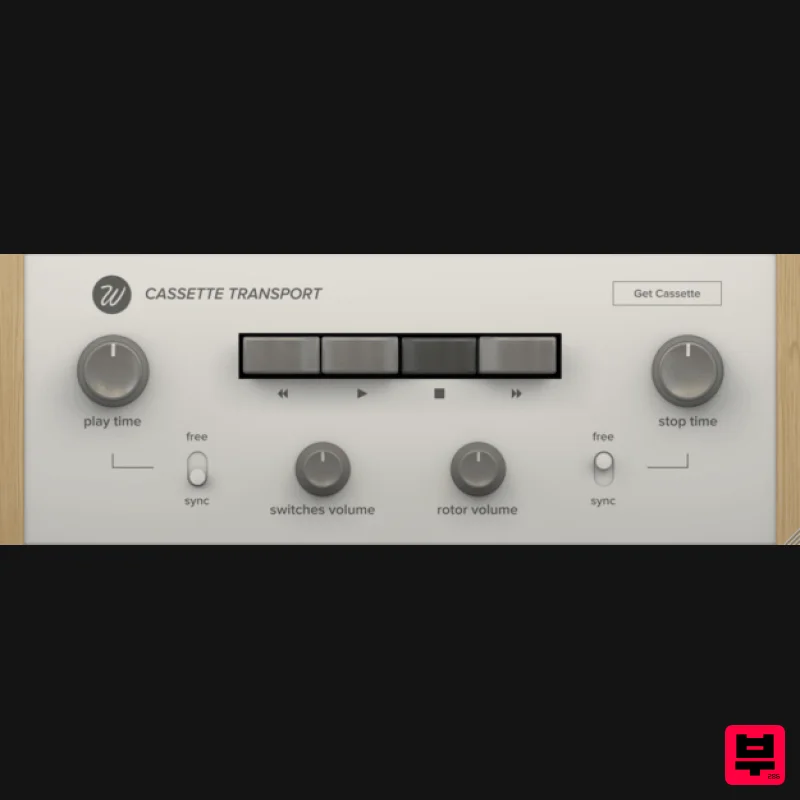
Free Tape Start / Stop Plugin Cassette Transport is a free audio plugin effect that simulates the sound of tape speeding up and slowing down. It also includes noises from the physical buttons and rotor of a real Cassette unit. Perfect for sound design. Play and stop times can be adjusted independently to a maximum of 8 seconds. This plugin is also able to sync the values to the host tempo. A Perfect Team Cassette Transport has been designed to be the perfect companion for Cassette, our vintage tape emulation plugin. Having a transport control was a common request for Wavesfactory, so they decided to make it available for everyone. System Requirements macOS 10.7 Windows 7 64 bit only AAX, AU, VST and VST3 formats Note: Trackspacer is used as the example. Mac Installation 1. Download the archived software folder from your Plugin Boutique account. 2. Unzip the folder and Extract the contents > Open the folder to reveal the Trackspacer.mpkg installer file. 3. Double Click the installer file to begin the installation process > Click Continue. 4. Read the Licence Agreement > Click Continue > Click Agree. 5. Review the installation > Click Continue. 6. The installation has successfully completed > Click Close. Activation 1. Restart your DAW > Locate and open Trackspacer from your DAW's Audio FX selection. Note that you may need to Refresh/Rescan your DAW's Plugin List if the software fails to appear. 2. Enter your Plugin Boutique email address and the serial number, found in your Plugin Boutique User Account > Click 'Authorize'. 3. Your software is now ready for use within your DAW! Windows Installation 1. Download the archived software folder from your Plugin Boutique account. 2. Unzip the folder and Extract the contents > Open the folder to reveal the installer file > Double Click the .exe file to begin the installation process. 3. Click Next to begin the installation process. 4. Read the Licence Agreement > Select 'I Accept the Agreement > Click Next. 5. Select the formats that you wish to Install > Click Next. 6. Select the folder in which to Install the software (32-Bit) into > Click Next. 7. Select the folder in which to Install the software (64-Bit) into > Click Next. 8. Review the installation > Click Install. 9. The installation of your software is now complete > Click Finish. 10. Your software is now ready for use within your DAW!
Additional Information
About the Wavesfactory Cassette Transport
Experience the quality and tone that makes the Wavesfactory Cassette Transport a popular choice for musicians.
Why Choose the Wavesfactory Cassette Transport?
- •Authentic Wavesfactory craftsmanship and design
- •Versatile sound suitable for multiple musical genres
- •Professional build quality and reliable performance
- •Part of Wavesfactory's respected Utility lineup
Compare & Explore
Browse our complete selection of Wavesfactory instruments or explore other Utility options. Use our comparison tools to find the perfect match for your musical style and budget.
Similar Products

Soundspear Luxor
Utility

Tonalic Tonalic Arranger - 30 Day Subscription
Utility

Blue Cat Audio Blue Cat's Connector
Utility

Audible Genius Building Blocks 1
Utility

Audible Genius Building Blocks 2
Utility

Acoustica Spin It Again
Utility

DDMF TheStrip
Utility

Inphonik RX950
Utility

