
Waves PuigChild Compressor
Professional music gear - detailed information and where to buy
Waves
PuigChild Compressor
Product Info
* Prices may vary. Check retailer for current pricing and availability.
Product Description
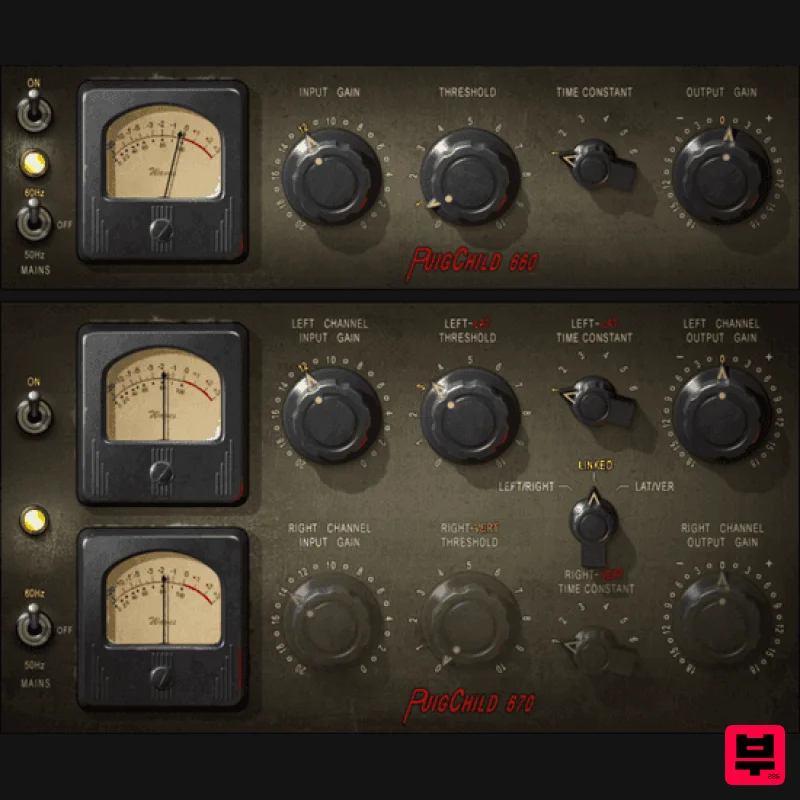
- PuigChild Compressor “The Rolls Royce of Tube Compressors” – Jack Joseph Puig Rare
- expensive and effective
- the Fairchild 660 and 670 were the pinnacle of 1950s compression technology. Their open
- warm sound and fast attack made them ideal for creative transient shaping and for ‘gluing’ mixes via stereo bus compression. PuigChild brings you this classic sound
- modeled to the last sonic detail under the close supervision of Grammy®-winning producer/engineer Jack Joseph Puig
- from his own favorite units. Features warm analog sound with clean
- transparent character Exceptional tonality for vocals and for transient-heavy instruments Perfect as a bus compressor for ‘gluing’ your mixes Classic ‘pumping’ drum sound when used aggressively harshness yet preserves attack & strengthens sustain The warm compression heard on classics from the Beatles onward Multiple compression modes: mono
- dual mono
- stereo
- M/S 6 selectable choices for attack / release times Accurate circuit modeling with total harmonic distortion Add original hum and noise floor (50/60 Hz) for full analog authenticity Low noise modeling thanks to custom transformers with multiple stages per channel Variable-mu tube topology reacts to input load for well-balanced sonics System Requirements Mac macOS Monterey 12
- Ventura 13
- Sonoma 14
- Sequoia 15 VST / AU / AAX PC Windows 10+ VST / AAX 1. Head to https: //www.waves.com/create-account 2. Enter your email and choose a password to create an account (if you already have a Waves account
- choose Log in
- enter your details and head to Step 5) > click 'Submit' 3. Open your email inbox > click the activation link in the email from Waves 4. Click 'Log in here' > Log in to your Waves account 5. Click 'Register New Products' 6. Enter the Serial Number found in your Plugin Boutique user account > click 'Submit' 7. Click download in your Plugin Boutique user account or head to https: //www.waves.com/downloads/central > download the Waves Central app for your operating system 8. Install Waves Central > Open Waves Central 9. Click 'Log in' > enter your log in details 10. Click the 'Install Products' tab 11. Tick the blue dot on all products you wish to install or click the top dot to install all products > click 'Install & Activate' 12. Click 'OK' 13. Open your DAW > open the Waves plugin Your Waves plugins are installed and ready to use
- enjoy!
Additional Information
About the Waves PuigChild Compressor
The Waves PuigChild Compressor combines traditional design with modern performance for Compressor enthusiasts.
Why Choose the Waves PuigChild Compressor?
- •Authentic Waves craftsmanship and design
- •Versatile sound suitable for multiple musical genres
- •Professional build quality and reliable performance
- •Part of Waves's respected Compressor lineup
Compare & Explore
Browse our complete selection of Waves instruments or explore other Compressor options. Use our comparison tools to find the perfect match for your musical style and budget.
Similar Products

Soundspear Supertube
Compressor

W. A. Production BIGGIFIER
Compressor

DDMF LinComp
Compressor

Initial Audio IA-LA1
Compressor

PSP Audioware PSP Vintage Warmer 2
Compressor

DDMF Comprezzore
Compressor

MeldaProduction MEssentialsFXBundle
Compressor

Korneff Audio Pawn Shop Comp
Compressor

