
Waves H-Comp Hybrid Compressor
Professional music gear - detailed information and where to buy
Waves
H-Comp Hybrid Compressor
Product Info
* Prices may vary. Check retailer for current pricing and availability.
Product Description
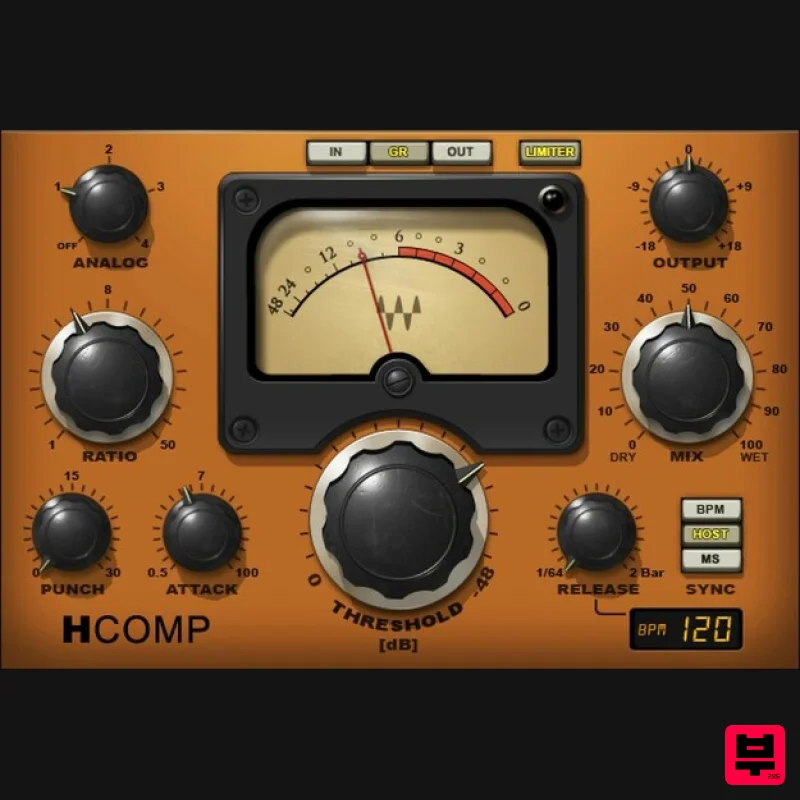
- H-Comp Hybrid Compressor Digital Precision & Versatility. Analog-Modeled Sound. H-Comp combines the performance and precision of modern compressors with the charming
- and enduring
- sound quality of tubes
- transformers
- and transistors. Even better
- unlike the immutable nature of “character” compressors
- you can choose from four distinct analog personalities. Whether warming up today’s tracks with a vintage vibe
- packing percussive power and punch into rhythm tracks and loops
- or sweetening vocals with the nostalgic sheen of tubes
- H-Comp delivers. Features Inspired by the SSL
- and V-series models of classic gear Variable Punch control improves on vintage devices’ fixed punch 4 analog sound characters affect dry and processed sounds Sync release time to the host tempo
- or set manually Peak limiter sets a ceiling to avoid overloading subsequent stages Dry/wet mix control for parallel compression System Requirements Mac macOS Monterey 12
- Ventura 13
- Sonoma 14
- Sequoia 15 VST / AU / AAX PC Windows 10+ VST / AAX 1. Head to https: //www.waves.com/create-account 2. Enter your email and choose a password to create an account (if you already have a Waves account
- choose Log in
- enter your details and head to Step 5) > click 'Submit' 3. Open your email inbox > click the activation link in the email from Waves 4. Click 'Log in here' > Log in to your Waves account 5. Click 'Register New Products' 6. Enter the Serial Number found in your Plugin Boutique user account > click 'Submit' 7. Click download in your Plugin Boutique user account or head to https: //www.waves.com/downloads/central > download the Waves Central app for your operating system 8. Install Waves Central > Open Waves Central 9. Click 'Log in' > enter your log in details 10. Click the 'Install Products' tab 11. Tick the blue dot on all products you wish to install or click the top dot to install all products > click 'Install & Activate' 12. Click 'OK' 13. Open your DAW > open the Waves plugin Your Waves plugins are installed and ready to use
- enjoy!
Additional Information
About the Waves H-Comp Hybrid Compressor
The Waves H-Comp Hybrid Compressor represents excellent craftsmanship in the Compressor category.
Why Choose the Waves H-Comp Hybrid Compressor?
- •Authentic Waves craftsmanship and design
- •Versatile sound suitable for multiple musical genres
- •Professional build quality and reliable performance
- •Part of Waves's respected Compressor lineup
Compare & Explore
Browse our complete selection of Waves instruments or explore other Compressor options. Use our comparison tools to find the perfect match for your musical style and budget.
Similar Products

Initial Audio IA-LA1
Compressor

DDMF Comprezzore
Compressor

Soundspear Supertube
Compressor

W. A. Production BIGGIFIER
Compressor

DDMF LinComp
Compressor

Korneff Audio Pawn Shop Comp
Compressor

MeldaProduction MEssentialsFXBundle
Compressor

PSP Audioware PSP Vintage Warmer 2
Compressor

