
Waves eMo D5 Dynamics
Professional music gear - detailed information and where to buy
Waves
eMo D5 Dynamics
Product Info
* Prices may vary. Check retailer for current pricing and availability.
Product Description
- eMo D5 Dynamics 1 Plugin
- 5 Dynamics Processors
- Endless Solutions Whether for live mixing or for studio work on music
- voiceovers
- or narration
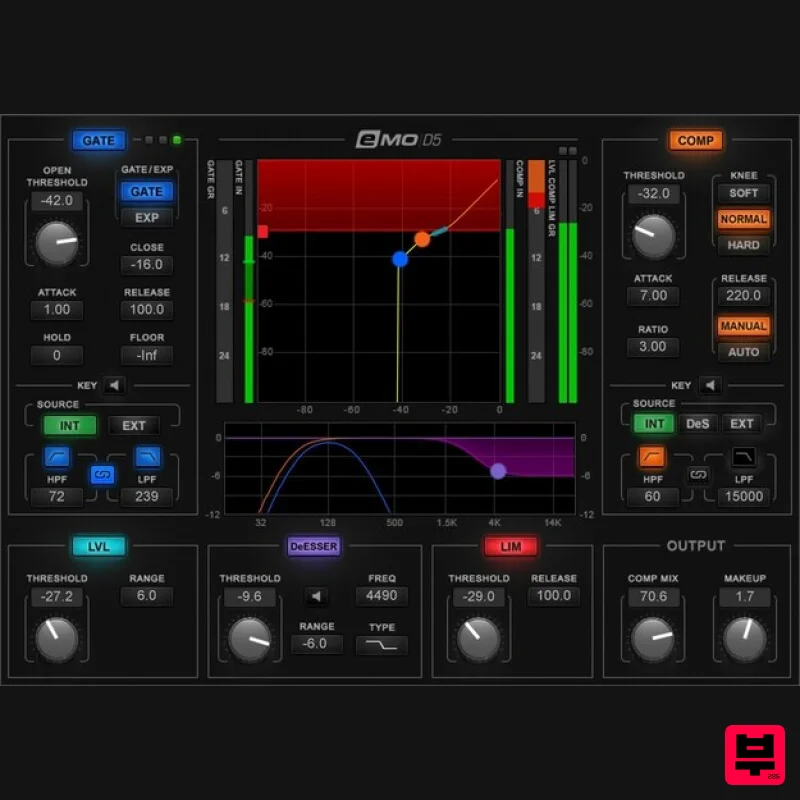
- eMo D5 incorporates 5 essential dynamics processing solutions: Compressor
- Gate/Expander
- Leveler
- Limiter
- and DeEsser. The fast response
- and clean
- transparent sound
- make eMo D5 a superstar on stage or in the studio. This plugin is all about effective
- seamless solutions—and dialing up those solutions fast
- thanks to the single-window
- touchscreen-friendly interface that places every parameter at your fingertips. Features Five dynamics tools in a single plugin: Gate
- Leveler
- DeEsser
- Compressor
- Limiter Use as a separate plugin or as part of the eMotion LV1 live mixer’s channel strip Zero latency with ultra-low CPU consumption Compressor and Expander/Gate include sidechain input and filters Parallel compression can return punch to compressed sounds Exclusive dynamics detection process cuts pumping
- breathing Fast-attack limiter keeps peaks and overloads under control Ultra-effective de-esser
- with 3 filter types and pre/post routings Informative displays change for the selected processor 27 expertly crafted presets for multiple applications Multi-touch compatibility Optimized for live sound mixing System Requirements Mac macOS Monterey 12
- Ventura 13
- Sonoma 14
- Sequoia 15 VST / AU / AAX PC Windows 10+ VST / AAX 1. Head to https: //www.waves.com/create-account 2. Enter your email and choose a password to create an account (if you already have a Waves account
- choose Log in
- enter your details and head to Step 5) > click 'Submit' 3. Open your email inbox > click the activation link in the email from Waves 4. Click 'Log in here' > Log in to your Waves account 5. Click 'Register New Products' 6. Enter the Serial Number found in your Plugin Boutique user account > click 'Submit' 7. Click download in your Plugin Boutique user account or head to https: //www.waves.com/downloads/central > download the Waves Central app for your operating system 8. Install Waves Central > Open Waves Central 9. Click 'Log in' > enter your log in details 10. Click the 'Install Products' tab 11. Tick the blue dot on all products you wish to install or click the top dot to install all products > click 'Install & Activate' 12. Click 'OK' 13. Open your DAW > open the Waves plugin Your Waves plugins are installed and ready to use
- enjoy!
Additional Information
About the Waves eMo D5 Dynamics
The Waves eMo D5 Dynamics combines traditional design with modern performance for Compressor enthusiasts.
Why Choose the Waves eMo D5 Dynamics?
- •Authentic Waves craftsmanship and design
- •Versatile sound suitable for multiple musical genres
- •Professional build quality and reliable performance
- •Part of Waves's respected Compressor lineup
Compare & Explore
Browse our complete selection of Waves instruments or explore other Compressor options. Use our comparison tools to find the perfect match for your musical style and budget.
Similar Products

Initial Audio IA-LA1
Compressor

PSP Audioware PSP Vintage Warmer 2
Compressor

W. A. Production BIGGIFIER
Compressor

DDMF LinComp
Compressor

DDMF Comprezzore
Compressor

Soundspear Supertube
Compressor

Korneff Audio Pawn Shop Comp
Compressor

MeldaProduction MEssentialsFXBundle
Compressor

