
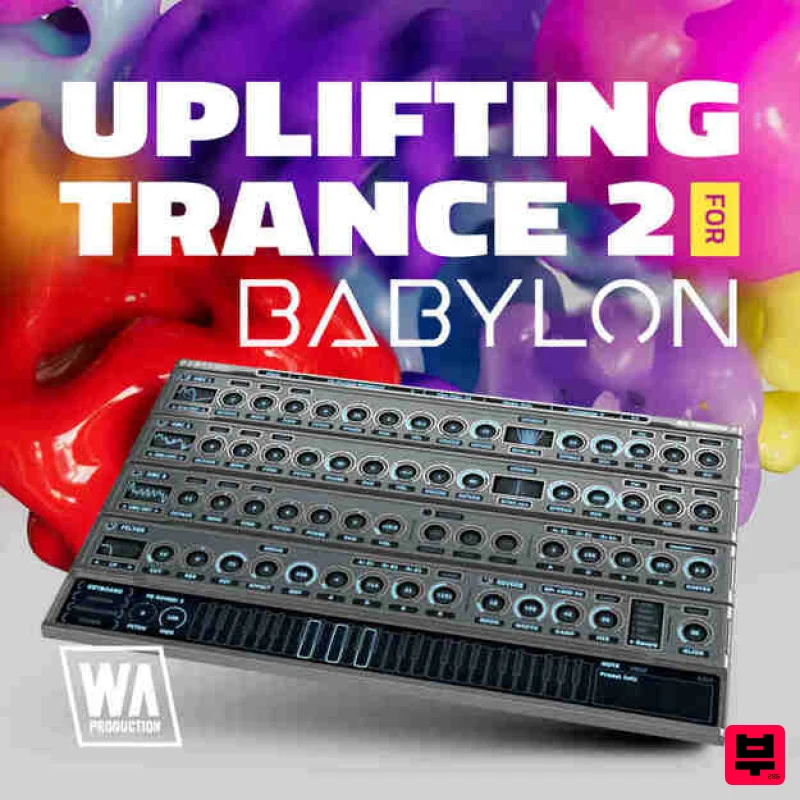
W. A. Production Uplifting Trance 2 for Babylon 1
Professional music gear - detailed information and where to buy
W. A. Production
Uplifting Trance 2 for Babylon 1
Product Info
* Prices may vary. Check retailer for current pricing and availability.
Product Description
- Important Note: This is an expansion for W. A. Production Babylon 1
- and is not compatible with Babylon 2. Introducing Uplifting Trance 2 for Babylon
- an inspiring collection of presets designed to elevate your trance productions to new heights. This expansion pack embodies the uplifting essence of trance music with meticulously crafted elements that will ignite your creativity and transport your listeners on a euphoric journey. With soaring synths
- pulsating basses
- and mesmerizing leads
- Uplifting Trance 2 offers a diverse selection of sounds that capture the energetic spirit of the genre. Each element is carefully designed to infuse your tracks with an uplifting and euphoric atmosphere. Compatible with Babylon
- our powerful synthesizer
- this expansion seamlessly integrates with the plugin
- enabling you to explore and shape these uplifting sounds to suit your musical vision. Uplifting Trance 2 for Babylon equips you with essential tools to create captivating trance tracks that evoke powerful emotions and take your music to new heights. Get ready to embark on a journey of uplifting euphoria with Uplifting Trance 2 for Babylon. Features 40 Bass Presets 10 Keys Presets 40 Lead Presets 20 Pad Presets 30 Pluck Presets 100% Royalty-Free System Requirements W.A Production Babylon Important note: The full version of W.A Production Babylon is required to use this expansion pack. Note: Hardstyle Expansion is used as an example. Mac 1. Download and open the .zip file from within your Plugin Boutique account > Open the folder titled 'Babylon Presets' and copy the folder titled 'Hardstyle Expansion'. 2. Open Babylon inside of your DAW. 3. Click 'Menu' > Click 'Open Preset Folder'. 4. Paste the 'Hardstyle Expansion' Folder inside the Presets folder. 5. Close and then reopen Babylon. Your presets are now ready to be used inside of Babylon! Windows 1. Download and open the .zip file from within your Plugin Boutique account > Open the folder titled 'Babylon Presets' and copy the folder titled 'Hardstyle Expansion'. 2. Open Babylon inside of your DAW. 3. Click 'Menu' > Click 'Open Preset Folder'. 4. Paste the 'Hardstyle Expansion' Folder inside the Preset Folder. 5. Close and then reopen Babylon. Your presets are now ready to be used inside of Babylon!
Additional Information
About the W. A. Production Uplifting Trance 2 for Babylon 1
The W. A. Production Uplifting Trance 2 for Babylon 1 combines traditional design with modern performance for Synth Presets enthusiasts.
Why Choose the W. A. Production Uplifting Trance 2 for Babylon 1?
- •Authentic W. A. Production craftsmanship and design
- •Versatile sound suitable for multiple musical genres
- •Professional build quality and reliable performance
- •Part of W. A. Production's respected Synth Presets lineup
Compare & Explore
Browse our complete selection of W. A. Production instruments or explore other Synth Presets options. Use our comparison tools to find the perfect match for your musical style and budget.
Similar Products

Resonance Sound Main Stage Techno Vol. 1 for Serum 2
Synth Presets
W. A. Production Progressive House for Babylon 2
Synth Presets
Resonance Sound FILTH Vol. 1 for Serum 2
Synth Presets

Resonance Sound Stranger Serum Synths Vol. 1 for Serum 2
Synth Presets

W. A. Production Melodic Techno for InstaComposer 3
Synth Presets
W. A. Production Progressive Trance for InstaComposer 3
Synth Presets

W. A. Production Cinematic Synths for Babylon 2
Synth Presets

Resonance Sound UK Speed Garage Vol. 1 for Serum 2
Synth Presets

