
W. A. Production The King 2
Professional music gear - detailed information and where to buy
W. A. Production
The King 2
Product Info
* Prices may vary. Check retailer for current pricing and availability.
Product Description
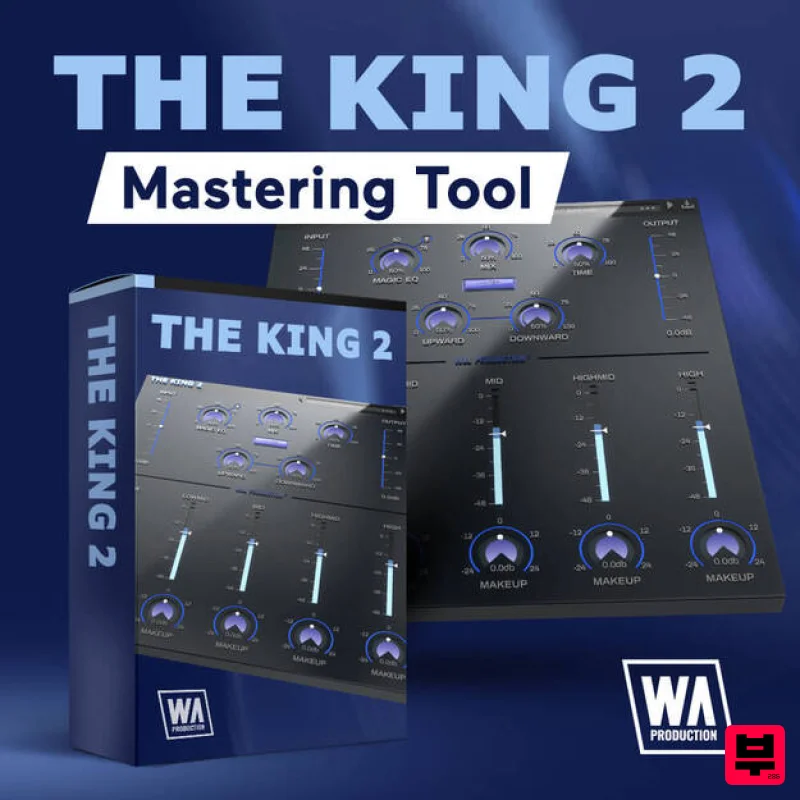
- Dynamically Enhanced Multi-Band Compression Plug-In designed for Mastering 5 Band Compressor W.A Production went above and beyond and rather than give you the standard 3 band EQ
- they put 5 EQ controls at your fingertips. Now you have more control to master your mix. You can customize: Low Low Mid Mid Mid High High You are also able to adjust the amount of Threshold of each individual band as well as the Makeup gain of each individual band. This will give you an amazingly clear and professional sound that will please the ears of not only the producer but the listener. The Mix Knob
- as a Multi-use Tool You can use the Mix knob to toggle between hearing how much of the effect is being used and compare it to the dry mix. You can also use the Mix Knob as a parallel compressor by adding 30% of the effected sound to the mix. Built-in Limiter No need to use a third party limiter. Not only do W.A Production know what it's like to have a slew of different effects open consuming your CPU or you rack space
- but they know the better the organization
- the more productive you can be. With a simple flick of a switch the limiter keeps the master track
- individual audio file or MIDI instrument from exceeding the 0dB mark. The 0dB mark
- also referred to as "Unity Gain"
- is the maximum peak anything in a song. Anything above that will result in the dreaded "clipping". Upward and Downward Compression These effects are two separate knobs on the interface of The King 2. Adjusting either the Upward or Downward Compression knob will increase or decrease either compression. Both knobs default at 100 and are capable of dropping to 0 or being increased to 200. Time Knob Allows producers to adjust the attack and release time of the Upward and Downward Compression. W.A Production love how both of these compression options compliment the mix of the Multi-Band elements. Magic EQ The King 2s Magic EQ is an amazing development that allows you to add EQ to anything being affected whether it be a master rack
- individual audio file and or MIDI instrument. The Magic EQ has 3 different shapes/ curves that are designed mainly for cleaning. The 1st option is designed to clean up the muddy frequencies to give the affected element a cleaner sound. The 2nd and 3rd option on the Magic EQ is primarily meant for the master tracks of a project. Designed to focus on cleaning up a wide variety of elements at one time. This means cleaning up the muddy frequencies and amplifying what it has polished clean. This will make your bright tones shine and sound crisper. Input / Output Gain A major factor in compression plug-ins is an Input Gain and an Output Gain option. These two options are extremely important based on what you are using The King 2 on. Say you have a MIDI Instrument and you need to judge how much of the instrument gains into The King 2
- you would adjust the Input Gain knob
- and to judge how much The King 2’s effects push out into the mix. These features are important to understand and use
- because they can bring the clarity of the effect and really show how amazing The King 2 is. W.A Production really hope producers abuse this feature to really get that intense sound that The King 2 provides! Features 5 Band Threshold knobs 5 Band Make-Up Gain knobs Input/ Output Gain Upward Compression Knob
- Downward Compression Knob Release Time knob Overall Plug-In Mix knob Magic EQ with 3 different Shapes/ Curves and a built-in Limiter Resizable user interface System Requirements Windows 8 or higher (32 / 64-bit) macOS 10.13 and later (64-bit only) Please Note: Pro Tools 11 or higher is required for the AAX format of this plugin. Important Note for Mac Apple Silicon users: Before purchasing
- please review the current compatibility status of this plugin on your system here. DJ Tonka "The King makes your instruments stand out and shine! It just takes a few seconds to get fantastic results. One my favourite plug-ins already!" Austin Leeds "The King Plugin is just fantastic. I love how many options it gives you in just 1 plug in. It has everything you need to make your tracks sounds awesome!" DJ Bl3nd "This plugin is AMAZING! My Favourite mastering plugin as of now!" Registration and Activation Video <iframe frameborder="0" height="315" src="https: //www.youtube.com/embed/YJHtWvm8z0Y" width="560"></iframe> Please Note: CHORDS is used as an example. Registration 1. Click the Download button in your Plugin Boutique account or go to https://www.waproduction.com/users/login 2. Click 'Create New Account' (if you already have a W.A Production account
- enter your details
- log in and skip to step 5). 3. Enter your details > Choose your marketing preferences > Click 'Finish Registration'. 4. Your account has been registered > Click 'Register Plugin'. 5. On the license registration page
- enter the license key from your Plugin Boutique account (which will be referred to as 'serial number' on our site) > Click 'Add'. 6. Your product will now be displayed in your W.A Production account > Scroll down to My Orders and click 'View Order'. 7. Click 'Download Files'. 8. Click 'Download'. Mac Installation 1. Once the download is complete
- extract and open the ZIP folder you just downloaded > Open the Mac folder > Double-click the CHORDS .pkg installer file. 2. Click 'Continue'. 3. Read the Software License Agreement > Click 'Continue'. 4. Click 'Agree'. 5. Click 'Install'. 6. Click 'Close'. 7. Open CHORDS in your DAW. 8. Click the information icon in the bottom left-hand corner > Enter the serial number you were given in your W.A Production account > Click 'Authorize'. Your software is now ready to use in your DAW! Windows Installation 1. Once the download is complete
- extract and open the ZIP folder you just downloaded > Open the PC folder > Double-click the CHORDS PC installer file. 2. Click 'Next'. 3. Click 'Next'. 4. Select which plugin formats you would like to install > Click 'Next' > Click 'Install'. 5. Click 'Finish'. 6. Open CHORDS in your DAW. 7. Click the information icon in the bottom left-hand corner > Enter the serial number you were given in your W.A Production account > Click 'Authorize'. Your software is now activated and ready to use in your DAW!
Additional Information
About the W. A. Production The King 2
Experience the quality and tone that makes the W. A. Production The King 2 a popular choice for musicians.
Why Choose the W. A. Production The King 2?
- •Authentic W. A. Production craftsmanship and design
- •Versatile sound suitable for multiple musical genres
- •Professional build quality and reliable performance
- •Part of W. A. Production's respected Compressor lineup
Compare & Explore
Browse our complete selection of W. A. Production instruments or explore other Compressor options. Use our comparison tools to find the perfect match for your musical style and budget.
Similar Products

Soundspear Supertube
Compressor

DDMF LinComp
Compressor

MeldaProduction MEssentialsFXBundle
Compressor

W. A. Production BIGGIFIER
Compressor

Korneff Audio Pawn Shop Comp
Compressor

Initial Audio IA-LA1
Compressor

DDMF Comprezzore
Compressor

PSP Audioware PSP Vintage Warmer 2
Compressor

