
W. A. Production Make Me Scream
Professional music gear - detailed information and where to buy
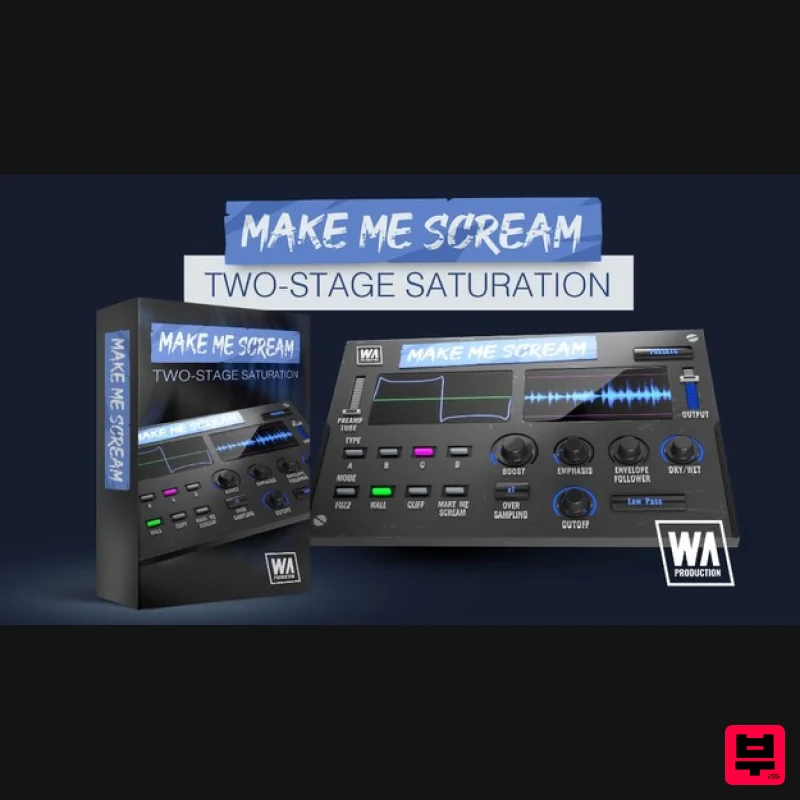
W. A. Production
Make Me Scream
Product Info
* Prices may vary. Check retailer for current pricing and availability.
Product Description
- Two-Stage Saturation In a world with so many options for distortion and saturation
- where do you turn when you want an effect that really slams? W.A. Production have the solution to your saturation search
- with Make Me Scream. It’s a crazy sounding name for a crazy sounding plugin that contains a 2-stage effect
- with 4 different distortion types and 4 alternate timbre modes. The musicality of your audio is maintained with a signal follower that shapes the distortion envelope in line with the transients of your track. To get the most from distortion it’s a good idea to feed the module a slightly saturated signal in the first place
- so W.A. Production have added an adjustable preamp tube at the beginning of the signal chain. This 2-stage effect results in a far more dramatic sounds then regular distortion
- as the initial tube processing gives the distortion a juicy overdriven signal to latch on to. Of course
- W.A. Production also included loads of presets to get your overdrive odyssey off to a flying start. These include settings for vocals
- drums
- bass
- full mixes and even some guitar amp simulations. Use them as jumping-off points to tweak the audio to your taste. 4 Distortion Types With a range of different distortion types
- Make Me Scream can handle tasks from subtle saturation and excitement to batter-the-door-down distortion. The 4 modes are; Analog tube saturation
- Soft clipping saturation
- Regular distortion & Folded sinus distortion. Each of these 4 types of processing will produce a different character and it’s easy to see which mode you’re currently using with the handy interface graphics. 4 Timbre Modes Depending on which distortion type and mode you use
- you’ll hear the audio mangled in different ways. The 4 mode buttons allow access to different styles of processing
- with each affecting the signal frequencies in their own way. These modes are named; Fuzz
- Wall
- Cliff and Make Me Scream (of course). Fuzz is a balanced mode
- Wall creates a more muted tone that concentrates on bass
- Cliff emphasises the mid-range frequencies and Make Me Scream mode brings out the higher frequencies. Preamp Tube & Boost Prior to the signal entering the distortion module
- you can add analog tube saturation with the Preamp Tube slider. Then feed the signal level into the distortion unit as carefully or as recklessly as you like by using the Boost dial. This increases the gain on the incoming signal by up to +40db. Filtering
- Emphasis & Envelope Follower The filter controls allow you to shape your distortion far more musically than more vanilla distortion plugins. Set the filter to High
- Low or Bandpass modes and then set the Filter Cutoff to your taste. For example
- you might only want to emphasise the highest frequencies on a whole track
- or maybe just the lowest frequencies for a snarling bassline. The Emphasis dial sets the level of frequency boost
- for a more pronounced effect around the cutoff frequency that you’ve chosen. The Envelope Follower dial makes the plugin react to the transients of the signal
- creating a rhythmic and musical auto-wah feel. Oversampling
- Output & Ratio Set the amount of internal oversampling from the default x1 up to x16
- allowing users with enough CPU power to limit the unwanted non-harmonic artefacts in the processed audio. Use the Output slider to compensate for any gain boost or reduction caused by the distortion unit
- allowing for very accurate comparisons when A/Bing. Use the Dry / Wet ratio control to dial in as much (or as little) of the distortion as you need. Use a conservative ratio for subtle top-end sparkle or push the dial further to bust your bass bins. Visual Feedback The live visual meter to the top right of the interface shows exactly what’s happening to the signal as it’s being processed in real-time. This allows for accurate monitoring each time you decide to make a change to the parameters. The boundary lines at the top and bottom of the meter show when you’re pushing the output signal beyond 0db
- so it’s easy to tell the difference between the characterful distortion of Make Me Scream and the digital peaking of the plugin being driven beyond its limit. Presets With many included presets
- it’s easy to find the perfect starting point for your own journey into distortion and saturation. Tailored to specific instruments
- genres and effects
- these factory options can be used on many types of audio. The presets include everything from subtle saturation to completely strangled and squashed processing. W. A. Production are real-life producers making creative plugins to help you achieve studio quality processing quickly and easily. Enjoy! Features 2-stage Screaming Distortion & Saturation 4 Distortion types & 4 Timbre modes Additional tube preamp module Musical-sounding transient follower Frequency filtering Visual feedback Responsive & CPU friendly Factory presets Full PDF Manual & Tutorial video System Requirements Mac macOS 10.13 and later VST
- VST3
- AAX Windows Windows 8 or later (32/64 bit) VST
- VST3
- AAX Please Note: AAX format requires Pro Tools 11 or higher. Important Note for Mac Apple Silicon users: Before purchasing
- please review the current compatibility status of this plugin on your system here. Manene "I've really enjoyed Make Me Scream so far! I love the visual feedback you get via the waveform and the plugin's elegant and straightforward aesthetic. Make Me Scream gives you a ton of tools to fine-tune the sound of your distortion -- I definitely will be using it in my productions moving forward!" The Sample Cast "This has got to be one of the sickest scream units out there." Registration and Activation Video <iframe frameborder="0" height="315" src="https: //www.youtube.com/embed/YJHtWvm8z0Y" width="560"></iframe> Please Note: CHORDS is used as an example. Registration 1. Click the Download button in your Plugin Boutique account or go to https://www.waproduction.com/users/login 2. Click 'Create New Account' (if you already have a W.A Production account
- enter your details
- log in and skip to step 5). 3. Enter your details > Choose your marketing preferences > Click 'Finish Registration'. 4. Your account has been registered > Click 'Register Plugin'. 5. On the license registration page
- enter the license key from your Plugin Boutique account (which will be referred to as 'serial number' on our site) > Click 'Add'. 6. Your product will now be displayed in your W.A Production account > Scroll down to My Orders and click 'View Order'. 7. Click 'Download Files'. 8. Click 'Download'. Mac Installation 1. Once the download is complete
- extract and open the ZIP folder you just downloaded > Open the Mac folder > Double-click the CHORDS .pkg installer file. 2. Click 'Continue'. 3. Read the Software License Agreement > Click 'Continue'. 4. Click 'Agree'. 5. Click 'Install'. 6. Click 'Close'. 7. Open CHORDS in your DAW. 8. Click the information icon in the bottom left-hand corner > Enter the serial number you were given in your W.A Production account > Click 'Authorize'. Your software is now ready to use in your DAW! Windows Installation 1. Once the download is complete
- extract and open the ZIP folder you just downloaded > Open the PC folder > Double-click the CHORDS PC installer file. 2. Click 'Next'. 3. Click 'Next'. 4. Select which plugin formats you would like to install > Click 'Next' > Click 'Install'. 5. Click 'Finish'. 6. Open CHORDS in your DAW. 7. Click the information icon in the bottom left-hand corner > Enter the serial number you were given in your W.A Production account > Click 'Authorize'. Your software is now activated and ready to use in your DAW!
Additional Information
About the W. A. Production Make Me Scream
Experience the quality and tone that makes the W. A. Production Make Me Scream a popular choice for musicians.
Why Choose the W. A. Production Make Me Scream?
- •Authentic W. A. Production craftsmanship and design
- •Versatile sound suitable for multiple musical genres
- •Professional build quality and reliable performance
- •Part of W. A. Production's respected Saturation lineup
Compare & Explore
Browse our complete selection of W. A. Production instruments or explore other Saturation options. Use our comparison tools to find the perfect match for your musical style and budget.
Similar Products
SIMPLE Plugins SIMPLE Saturator
Saturation
Platone Studio Swiss Saturator
Saturation
TBProAudio GSat+
Saturation
UnplugRed Red Bass
Saturation
Gooey Audio Sizzle
Saturation
Audified MultiDrive PRO
Saturation
Soundspear Aloha
Saturation
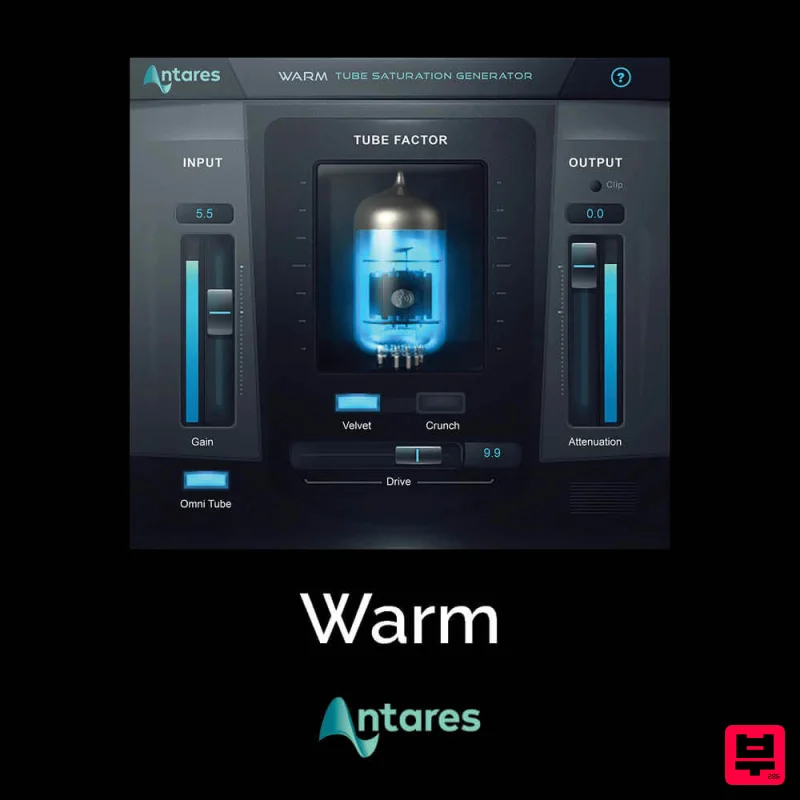
Antares Warm
Saturation

