
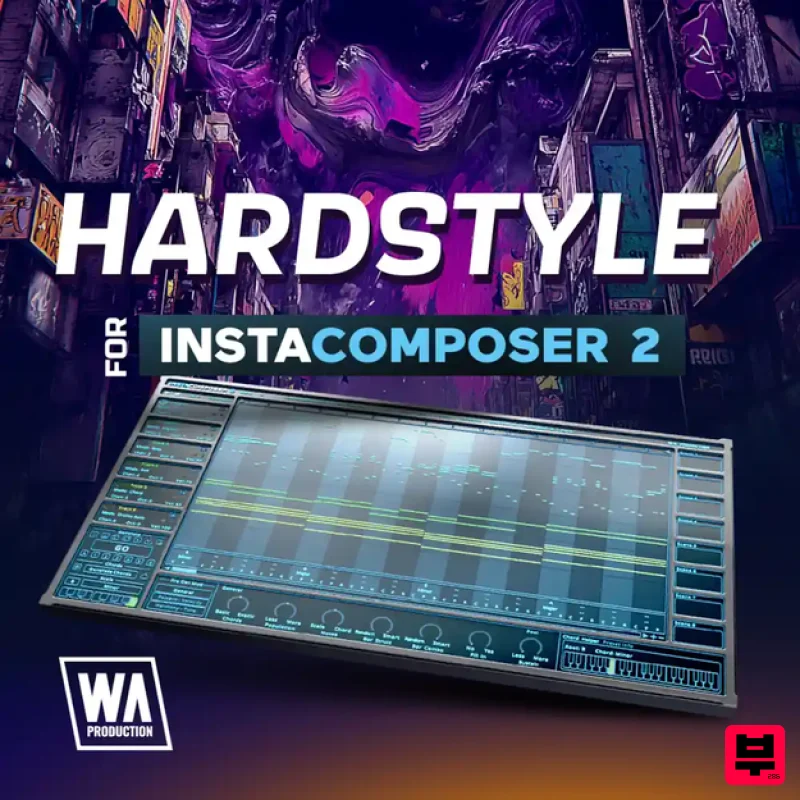
W. A. Production Hardstyle for InstaComposer 2
Professional music gear - detailed information and where to buy
W. A. Production
Hardstyle for InstaComposer 2
Product Info
* Prices may vary. Check retailer for current pricing and availability.
Product Description
- Hardstyle Melodies for InstaComposer 2 is your gateway to capturing the euphoric energy and dramatic tension that define Hardstyle. Inspired by artists like Headhunterz
- Brennan Heart
- and Sub Zero Project
- this expansion provides 40 expertly designed presets that guide your creativity toward the genre’s signature melodic intensity. Each preset is built to help you shape melodies and progressions that reflect the essence of Hardstyle — from uplifting harmonic movements and energetic themes to darker sequences that build power and drive. With these tools
- you can quickly spark ideas and develop unique motifs that serve as the foundation for your next track. Step into the world of Hardstyle Melodies for InstaComposer 2 and unlock authentic inspiration for your productions. Whether you’re crafting euphoric leads
- building tension for a drop
- or writing atmospheric intros
- these presets give you the flexibility to turn your ideas into memorable Hardstyle anthems. Features 40 InstaComposer 2 Presets 100% Royalty-Free W.A. Production InstaComposer 2 is required in order to use this software. Note: Vocals for Imperfect is used as the example. Mac 1. Download and open the .zip file from within your Plugin Boutique User Account > Open the folder titled 'Imperfect-Presets' and copy both of the folders titled 'Audio' and 'VOC1 Vocals'. 2. Go to your home folder and click 'View' from the menu bar > Click 'Show View Options'. 3. Ensure that the box that states 'Show Library Folder' is checked. 4. Go to the following file path - /Users/[Your Username]/Library/Application Support/ImPerfect-Presets > Paste both of the folders in this location. Your presets are now installed and ready to use within ImPerfect. Windows 1. Download and open the .zip file from within your Plugin Boutique User Account > Open the folder titled 'Imperfect-Presets' and copy both of the folders titled 'Audio' and 'VOC1 Vocals'. 2. Go to the following file path - C:\Users\"userfolder"\AppData\Local\ImPerfect-Presets\ > Paste both of the folders in this location. Your presets are now installed and ready to use within ImPerfect.
Additional Information
About the W. A. Production Hardstyle for InstaComposer 2
Discover the distinctive sound and feel of the W. A. Production Hardstyle for InstaComposer 2, a standout choice among Synth Presets.
Why Choose the W. A. Production Hardstyle for InstaComposer 2?
- •Authentic W. A. Production craftsmanship and design
- •Versatile sound suitable for multiple musical genres
- •Professional build quality and reliable performance
- •Part of W. A. Production's respected Synth Presets lineup
Compare & Explore
Browse our complete selection of W. A. Production instruments or explore other Synth Presets options. Use our comparison tools to find the perfect match for your musical style and budget.
Similar Products
W. A. Production Progressive Trance for InstaComposer 3
Synth Presets

W. A. Production Cinematic Synths for Babylon 2
Synth Presets
W. A. Production Melodic Techno for InstaComposer 3
Synth Presets

Resonance Sound Main Stage Techno Vol. 1 for Serum 2
Synth Presets

Resonance Sound UK Speed Garage Vol. 1 for Serum 2
Synth Presets
W. A. Production Progressive House for Babylon 2
Synth Presets

Resonance Sound Stranger Serum Synths Vol. 1 for Serum 2
Synth Presets
Resonance Sound FILTH Vol. 1 for Serum 2
Synth Presets

