
W. A. Production Disco for InstaChord 2
Professional music gear - detailed information and where to buy
W. A. Production
Disco for InstaChord 2
Product Info
* Prices may vary. Check retailer for current pricing and availability.
Product Description
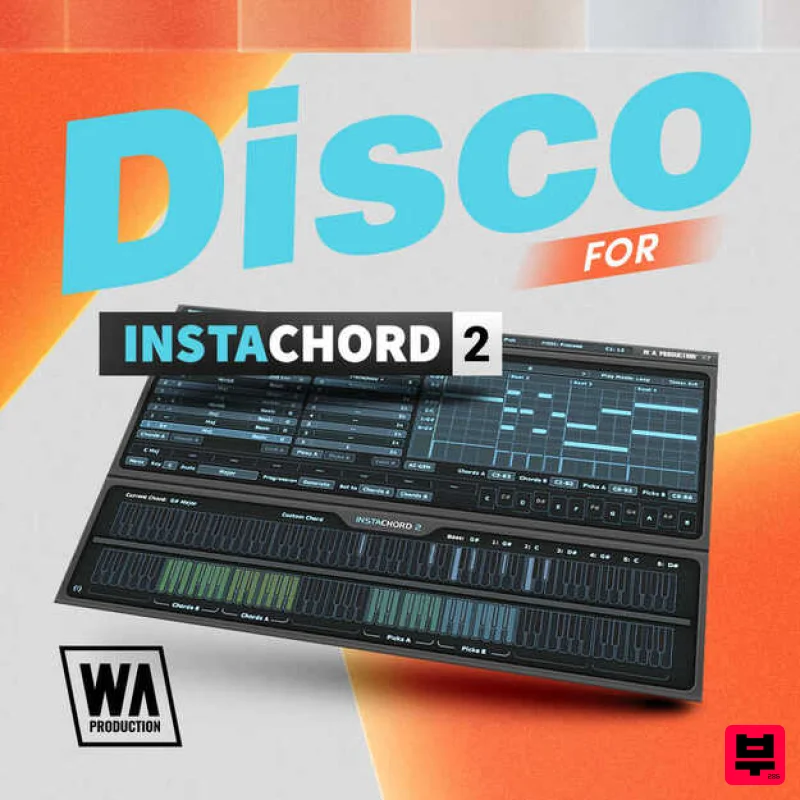
- Disco for InstaChord 2 captures the infectious energy and rhythmic groove of the disco era
- bringing it into the modern production landscape. With 40 presets designed to reflect the classic sounds that fueled dance floors from New York to Studio 54
- these settings guide InstaChord 2 in generating MIDI patterns that embody the soulful chords and funky progressions synonymous with the genre. Each preset in Disco for InstaChord 2 is meticulously crafted to produce chord sequences that resonate with the vibrant and lively spirit of disco music. Drawing inspiration from legends like Chic
- Donna Summer
- and the Bee Gees
- this collection provides producers with the tools to create music that combines nostalgic flair with contemporary appeal. Dive into Disco for InstaChord 2 and bring back the golden age of dance music with a modern twist. Whether you’re aiming to recreate authentic disco vibes or inject your tracks with a touch of retro fun
- these presets provide the perfect starting point for your creative explorations. Get ready to light up the dance floor with the timeless sounds of disco! Features 40 InstaChord 2 Presets 100% Royalty Free System Requirements A copy of W.A Production InstaChord 2 is required to run this software. Note: Jazz & Blues for InstaChord is used as the example. Mac Installation 1. Download the .zip folder from within your Plugin Boutique User Account > Double-click it to extract the contents. 2. Open the latest version of InstaChord in your DAW > Click 'MENU'. 3. Select 'Open Preset Folder' from the drop-down menu. 4. Double-click the 'Presets' folder. 5. Copy the WA_Jazz_Blues_For_InstaChord folder from the downloaded .zip file > Paste it into the 'Presets' folder. Your presets are now installed and ready to use. Windows Installation 1. Download the .zip folder from within your Plugin Boutique User Account > Double-click it to extract the contents. 2. Open the latest version of InstaChord in your DAW > Click 'MENU'. 3. Select 'Open Preset Folder' from the drop-down menu. 4. Double-click the 'Presets' folder. 5. Copy the WA_Jazz_Blues_For_InstaChord folder from the downloaded .zip file > Paste it into the 'Presets' folder. Your presets are now installed and ready to use.
Additional Information
About the W. A. Production Disco for InstaChord 2
The W. A. Production Disco for InstaChord 2 combines traditional design with modern performance for Expansion Packs enthusiasts.
Why Choose the W. A. Production Disco for InstaChord 2?
- •Authentic W. A. Production craftsmanship and design
- •Versatile sound suitable for multiple musical genres
- •Professional build quality and reliable performance
- •Part of W. A. Production's respected Expansion Packs lineup
Compare & Explore
Browse our complete selection of W. A. Production instruments or explore other Expansion Packs options. Use our comparison tools to find the perfect match for your musical style and budget.
Similar Products

Tracktion Stonegrabber D-232 Expansion Pack (for Attracktive)
Expansion Packs

Tracktion SA-1000 Expansion Pack (for Attracktive)
Expansion Packs

Tracktion Poly-One Expansion Pack (for Attracktive)
Expansion Packs

Tracktion SH-20 Expansion Pack (for Attracktive)
Expansion Packs

Tracktion Suitcase in a Box Expansion Pack (for Attracktive)
Expansion Packs

Tracktion DG-8000 Expansion Pack (for Attracktive)
Expansion Packs

Tracktion Taurinorum Expansion Pack (for Attracktive)
Expansion Packs

Tracktion Langweil 150 Expansion Pack (for Attracktive)
Expansion Packs

