
Steinberg Verve
Professional music gear - detailed information and where to buy
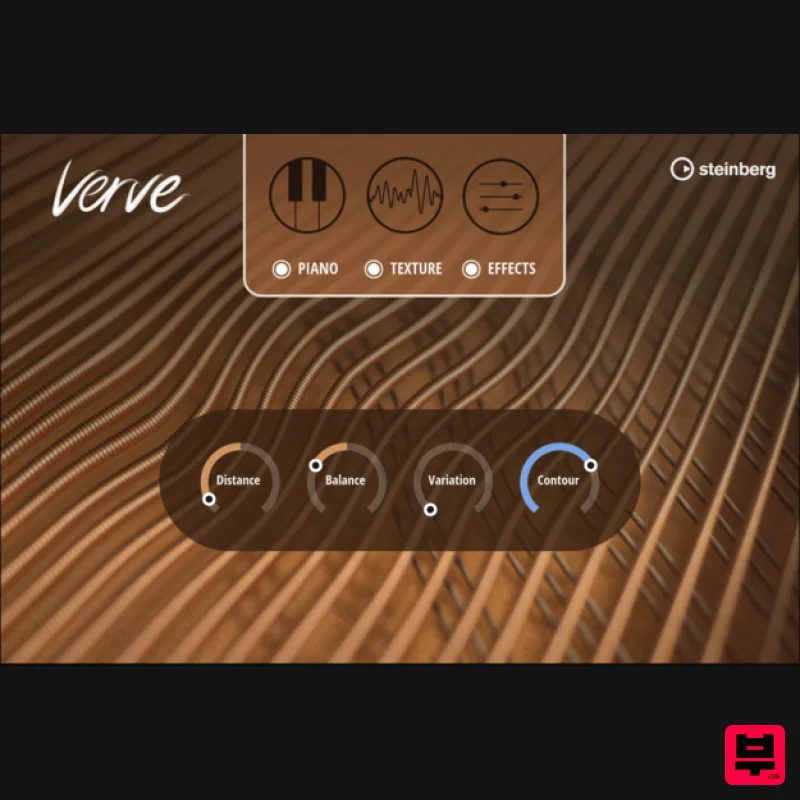
Steinberg
Verve
Product Info
* Prices may vary. Check retailer for current pricing and availability.
Product Description
- A sonic masterpiece Felt piano tones — beautiful and warm
- dreamy and melancholic
- detailed and pure. With Verve you can tell a new story with every key you press. Recorded using a unique
- precision robot at the Yamaha Studios in Los Angeles
- Verve was created with one purpose in mind
- to be a sonic masterpiece. Give it a completely new feel by layering with additional textures and creating previously unheard sounds. Verve is not just a piano; it is emotions and stories. Features A felt piano with multiple cinematic textures Textures: symphonic strings
- analog synths
- field recordings
- dry ice
- glass and more A masterpiece of engineering
- recorded with a precision one-finger robot Perfect for intimate scores
- warm timbres
- and soft nuances <iframe allow="autoplay" frameborder="no" height="450" src="https://w.soundcloud.com/player/?url=https%3A//api.soundcloud.com/playlists/1399858081&color=%2300bfff&auto_play=false&hide_related=false&show_comments=false&show_user=false&show_reposts=false&show_teaser=false" width="100%"></iframe> System Requirements 8.3 GB free HD space Internet connection required for activation
- download
- account setup and personal / product registration. Additional software is required for the installation. PC Operating System: Windows 10 (64-bit)
- Windows 11 (64-bit) Version 21H2 or higher Plugin Formats: VST3
- AAX Mac Operating System: macOS Big Sur
- Monterey
- Ventura
- Sonoma
- Sequoia Apple Silicon Compatibility: Rosetta 2 App
- Native App Plugin Formats: VST3
- AAX Activation 1. Go to https: //www.steinberg.net/go/ or click 'Download' in your Plugin Boutique User Account. 2. Download the relevant installer > Complete the installation of the Steinberg Download Assistant. 3. Click 'Sign in'. 4. Click 'Create an account' > if you already have a Steinberg account
- login and skip to step 5. Enter the requested details > Click 'Next'. 6. Enter the verification code found in your email from Steinberg > Click 'Next'. 7. Click 'Open Steinberg Web Launcher'. 8. Click 'Enter your Download Access Code'. 9. Enter the serial number found in your Plugin Boutique User Account. 10. Download/Install the relevant products. Your software is now installed and ready to be used!
Additional Information
About the Steinberg Verve
Experience the quality and tone that makes the Steinberg Verve a popular choice for musicians.
Why Choose the Steinberg Verve?
- •Authentic Steinberg craftsmanship and design
- •Versatile sound suitable for multiple musical genres
- •Professional build quality and reliable performance
- •Part of Steinberg's respected Virtual Instruments lineup
Compare & Explore
Browse our complete selection of Steinberg instruments or explore other Virtual Instruments options. Use our comparison tools to find the perfect match for your musical style and budget.
Similar Products

ZAK Sound Asteroid
Virtual Instruments

Safari Audio Cubby
Virtual Instruments

Boom SWAMPS - 3D Surround
Virtual Instruments

UJAM BEAUTYFLUTE Pro
Virtual Instruments

MeldaProduction Electric Keys - Tines
Virtual Instruments

MNTRA Instruments Nagual
Virtual Instruments

ZAK Sound Lyra
Virtual Instruments

Audiomodern Opacity 2: Soundbox Instrument
Virtual Instruments

