
Soundiron Solo Duduk
Professional music gear - detailed information and where to buy
Soundiron
Solo Duduk
Product Info
* Prices may vary. Check retailer for current pricing and availability.
Product Description
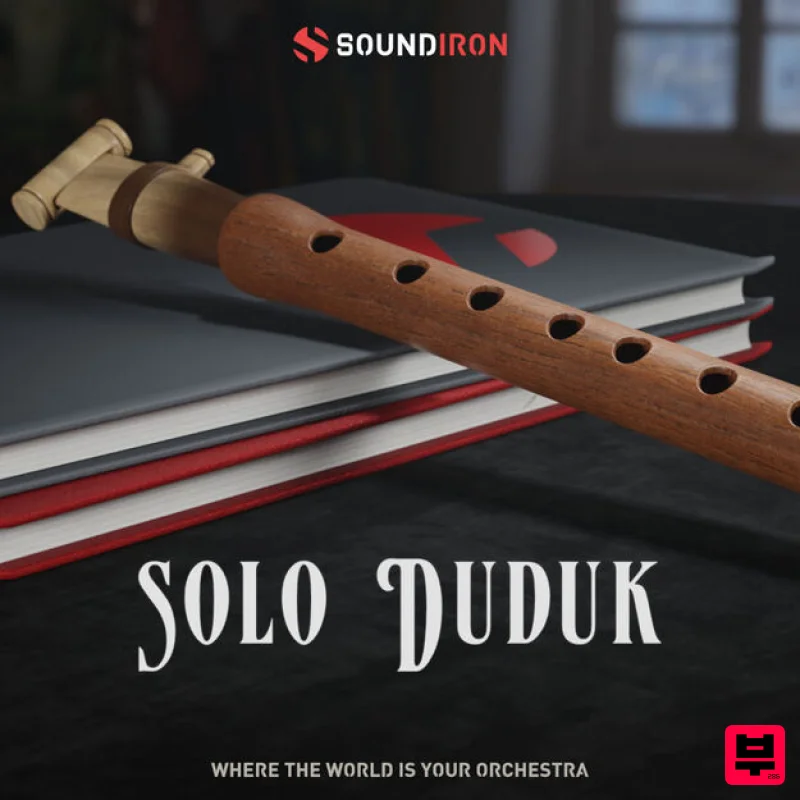
- An Armenian Solo Duduk & Phrases library built for Kontakt Solo Duduk is an ancient double reed wind instrument made from aged apricot wood. This wood is traditionally chosen for its soft pleasant feel and rich
- warm resonance
- perfect for creating mournful timbres and expressive dynamics that subtly mimic a wailing voice. Indigenous to Armenia
- the duduk is among the very oldest double reed woodwinds
- with earliest instruments made entirely out of bone or cane. This library was sampled in outstanding detail by Soundiron contributor John Valasis and Konstantinos Sakkas. It is commonly played in pairs: while the first player performs the melody
- the second holds a steady drone called dum. The sound is similar to an English horn
- with a large unflattened reed and long cylindrical body. Unlike other double-reed woodwinds
- the reed is quite wide
- helping to give the duduk its robust
- haunting sound. In recent years
- the duduk has gained popularity beyond its traditional roots
- largely due to its use in film scores and modern music. Its evocative tone has captured the imagination of composers and audiences worldwide in movie soundtracks like Gladiator
- The Last Temptation of Christ
- Avatar
- Blood Diamond
- Dune
- Hotel Rwanda
- and many more. Soundiron's Solo Duduk was recorded in a large hall with three microphone positions: Close
- and Far. The Soundiron team sampled clean and vibrato sustains
- true legato
- staccato
- expressions
- effects and phrases to give you all the tools you need to craft an authentic performance. With over 2
- 500 samples and 19 key-switchable articulations
- Solo Duduk is perfect for any project that requires a soulful and emotional sound. Features Deeply sampled solo duduk with 3 microphone positions: Close
- Far True Legato
- Clean & Vibrato Sustains
- Staccato
- Phrases
- Expressions
- Effects 24 Powerful Kontakt .nki instrument presets 24 bit / 48 kHz uncompressed PCM wav samples 20 Custom Sound-Designed FX and Ambient presets 2
- 545 stereo samples 4.2 GB Installed Flexible and intuitive multi-layer user interface controls
- with LFO
- filter
- glide
- and arpeggiator Full FX rack with convolution reverb with custom rooms
- halls
- chambers & FX environments System Requirements Windows 7 or higher Mac OSX 10.12 or higher Dual core CPU
- 2GB system RAM
- SATA or SSD hard drive recommended for this library Important Note: The full retail version of Native Instruments Kontakt version 6.2.2+ is required to use .nki instrument presets included in this library. The free Kontakt "Player" and "Add Library" import process do not support this standard open-format Kontakt library. Note: Sonespheres 1 - Distance is used as the example. Mac Installation 1. Download the installer from within your Plugin Boutique User Account > double-click the .zip file to extract the contents. 2. Double-click the .dmg file to begin the installation. 3. Enter your serial number
- found within your Plugin Boutique User Account > Click 'Verify'. 4. Click 'Okay'. 5. Read the Software Licensing Agreement > Click 'I Agree'. 6. Enter your name and email address > Click 'Confirm'. 7. Choose the download and install locations > Click 'Install'. 8. The installation is complete > Click 'Exit'. 9. Open Kontakt and click on the 'Files' tab. 10. Navigate to the location you chose to install your product in step 7 > Select the 'Instruments' folder. 11. Click and drag the .nki file into the main empty window in Kontakt. Your software is now ready to use in standalone or in your DAW! Windows Installation 1. Download the installer from within your Plugin Boutique User Account > Double-click the .exe file to begin the installation. 2. Enter your serial number
- found within your Plugin Boutique User Account > Click 'Verify'. 3. Click 'Okay'. 4. Read the Software Licensing Agreement > Click 'I Agree'. 5. Enter your name and email address > Click 'Confirm'. 6. Choose the download and install locations > Click 'Install'. 7. The installation is complete > Click 'Exit'. 8. Open Kontakt and click on the 'Files' tab. 9. Navigate to the location you chose to install your product in step 7 > Select the 'Instruments' folder. 10. Click and drag the .nki file into the main empty window in Kontakt. Your software is now ready to use in standalone or in your DAW!
Additional Information
About the Soundiron Solo Duduk
Experience the quality and tone that makes the Soundiron Solo Duduk a popular choice for musicians.
Why Choose the Soundiron Solo Duduk?
- •Authentic Soundiron craftsmanship and design
- •Versatile sound suitable for multiple musical genres
- •Professional build quality and reliable performance
- •Part of Soundiron's respected Kontakt Instrument lineup
Compare & Explore
Browse our complete selection of Soundiron instruments or explore other Kontakt Instrument options. Use our comparison tools to find the perfect match for your musical style and budget.
Similar Products

Rigid Audio Retrocade
Kontakt Instrument

Aria Sounds Hybrichord
Kontakt Instrument

Ecliptiq Audio Hexa Rhythm Designer
Kontakt Instrument

HD Instruments ZoneMatrix
Kontakt Instrument

The Beat House LE HITS THE ESSENTIALS
Kontakt Instrument

DoubleBang Software Plugged
Kontakt Instrument

Audiofier Aerkord
Kontakt Instrument

Audiofier Sequi2r EX
Kontakt Instrument

