
Soundiron Hyperion Strings Micro
Professional music gear - detailed information and where to buy
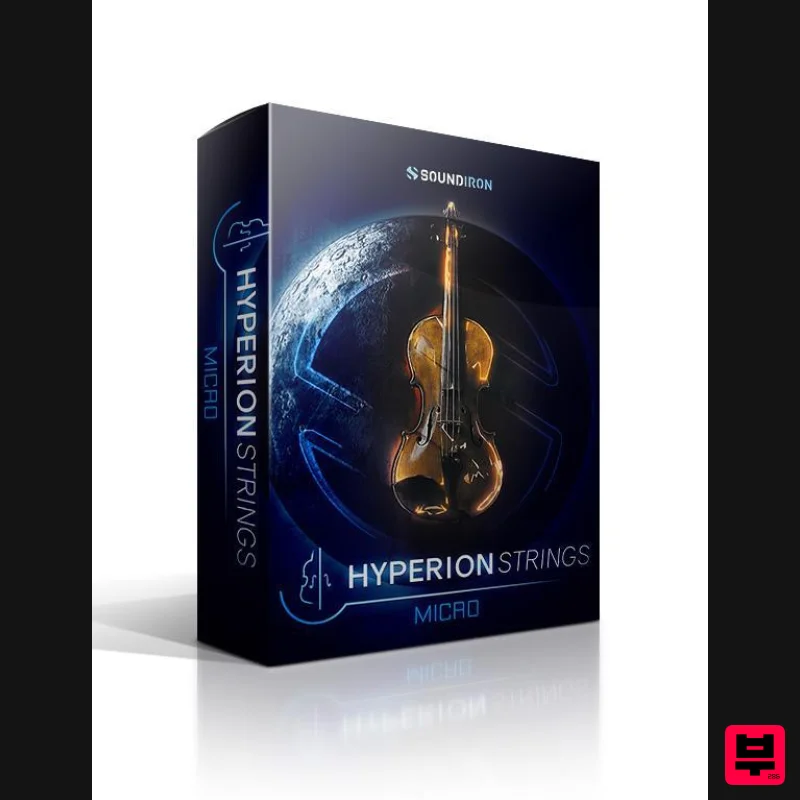
Soundiron
Hyperion Strings Micro
Product Info
* Prices may vary. Check retailer for current pricing and availability.
Product Description
- Hyperion Strings Micro is our introductory orchestral string library for Native Instruments’ free Kontakt Player
- Komplete Kontrol and S-Series Keyboards. This library is the perfect starter pack for songwriters and musicians just getting into orchestral writing
- as well as seasoned composers wanting new colours in their orchestral palette. No matter what your creative needs are
- you’ll discover the powerful toolset and outstanding audio quality that you’re looking for in this convenient and extraordinarily flexible virtual instrument library. This library has a forward and robust sound unlike any other. We recorded our string ensemble sections up close on a dry sound-stage — the historic Studio A at Fantasy Studios in Berkeley
- CA — and then equipped the interface with plenty of spatialization
- environment simulation and positioning controls and options to let you dial in the sound and character you need. It’s perfect for any musical style from rock
- pop and EDM
- to fully orchestral compositions. The interface is detailed
- configurable and feature-rich to allow total customization. However
- for all of the bells and whistles we’ve designed into Hyperion Micro
- we’ve carefully refined every feature to be intuitive and naturally simple to use
- with virtually no learning curve. Contents Hyperion Strings Micro includes a combined full ensemble preset
- as well as 4 main section
- presets for our 8 Violins
- 6 Violas
- 5 Cellos and 4 Double Basses. For this Micro Edition
- we’ve included the most essential core articulations for each section: multi-dynamic sustains both with and without natural vibrato
- staccatos
- spiccatos and pizzicatos
- as well as two basic dynamic expressions: long crescendos and decrescendos. The multi-dynamic sustain
- staccato
- spiccato and pizzicato articulations allow crossfading across dynamic layers
- from piano to forte with the Swell control. In addition to dynamic layering
- you can also choose rich
- natural vibrato or clean non-vibrato sustain types or seamlessly blend between them with the sustain blend control. You can also instantly switch the staccatos
- spiccatos and pizzicatos to velocity sensitivity mode and control dynamics directly as you play. The pizzicatos also allow manual or automatic switching between naturally loose flams and precise tight plucks that adapt to your speed. Each of these short articulation types also features two “round-robin” variations per note. The Crescendo and Decrescendo expressions allow real-time dynamically-aware release sample triggering
- tempo-synching and time-stretching. These are a great introduction to our broader “Expressions” concept for modular arrangement. Features Product Version 1.0 5 nki Kontakt instrument Banks 2
- 950 Samples 2.5 GB installed 24-bit
- 48 kHz Stereo Lossless NCW Format 5 master section presets: Ensemble
- Violins
- Violas
- Cellos
- Basses Multi-dynamic sustains
- with real-time control over natural vibrato and dynamic transitions Multi-dynamic staccatos
- spiccatos and pizzicatos with 2x round-robin Dynamic auto-release and tempo-synching for Crescendo and Decrescendo expressions Flexible and intuitive user interface with pro features
- deep customizability and simple workflow Free soundstage positioning for each section within dozens of custom rooms
- halls
- chambers and FX environments Adaptive Play Assist and Arpeggio systems for instant inspiration Made for the free Kontakt Player (version 5.7.3+)
- Komplete Kontrol
- all S-Series Keyboards and NKS software and hardware by Native Instruments Made for Kontakt Player This library has been licensed for use in the free Kontakt Player virtual instrument engine. It can be used in Kontakt Player or the full retail version of Kontakt (version 5.7.3 or later) for VST
- AU or AAX instrument plugin formats. You can add this product to the Kontakt “Libraries” browser. It requires online serial number registration through the Native Instruments Service Center app. This library is also fully compatible with Komplete Kontrol and all S-Series Keyboard Controllers by Native Instruments. Purchasing this library qualifies you for a great cross-grade discount toward the full unlocked version of Kontakt through Native Instruments! System Requirements Windows 7 or higher OSX 10.10 or higher Dual Core CPU
- 3+ GB System Ram
- SATA or SSD hard drive recommended for this library. Kontakt 5.6.8 or higher This Powered-By-Kontakt Player Edition is supported by the latest version of the free Kontakt Player (VST
- AAX) and the special “Libraries” rack. Note: Sonespheres 1 - Distance is used as the example. Mac Installation 1. Download the installer from within your Plugin Boutique User Account > double-click the .zip file to extract the contents. 2. Double-click the .dmg file to begin the installation. 3. Enter your serial number
- found within your Plugin Boutique User Account > Click 'Verify'. 4. Click 'Okay'. 5. Read the Software Licensing Agreement > Click 'I Agree'. 6. Enter your name and email address > Click 'Confirm'. 7. Choose the download and install locations > Click 'Install'. 8. The installation is complete > Click 'Exit'. 9. Open Kontakt and click on the 'Files' tab. 10. Navigate to the location you chose to install your product in step 7 > Select the 'Instruments' folder. 11. Click and drag the .nki file into the main empty window in Kontakt. Your software is now ready to use in standalone or in your DAW! Windows Installation 1. Download the installer from within your Plugin Boutique User Account > Double-click the .exe file to begin the installation. 2. Enter your serial number
- found within your Plugin Boutique User Account > Click 'Verify'. 3. Click 'Okay'. 4. Read the Software Licensing Agreement > Click 'I Agree'. 5. Enter your name and email address > Click 'Confirm'. 6. Choose the download and install locations > Click 'Install'. 7. The installation is complete > Click 'Exit'. 8. Open Kontakt and click on the 'Files' tab. 9. Navigate to the location you chose to install your product in step 7 > Select the 'Instruments' folder. 10. Click and drag the .nki file into the main empty window in Kontakt. Your software is now ready to use in standalone or in your DAW!
Additional Information
About the Soundiron Hyperion Strings Micro
The Soundiron Hyperion Strings Micro combines traditional design with modern performance for Kontakt Instrument enthusiasts.
Why Choose the Soundiron Hyperion Strings Micro?
- •Authentic Soundiron craftsmanship and design
- •Versatile sound suitable for multiple musical genres
- •Professional build quality and reliable performance
- •Part of Soundiron's respected Kontakt Instrument lineup
Compare & Explore
Browse our complete selection of Soundiron instruments or explore other Kontakt Instrument options. Use our comparison tools to find the perfect match for your musical style and budget.
Similar Products

Ecliptiq Audio Hexa Rhythm Designer
Kontakt Instrument

Rigid Audio Retrocade
Kontakt Instrument

The Beat House LE HITS THE ESSENTIALS
Kontakt Instrument

Audiofier Sequi2r EX
Kontakt Instrument

DoubleBang Software Plugged
Kontakt Instrument

Audiofier Aerkord
Kontakt Instrument

Aria Sounds Hybrichord
Kontakt Instrument

HD Instruments ZoneMatrix
Kontakt Instrument

