
Sound Particles AudioMatrix | Educational Version
Professional music gear - detailed information and where to buy
Sound Particles
AudioMatrix | Educational Version
Product Info
* Prices may vary. Check retailer for current pricing and availability.
Product Description
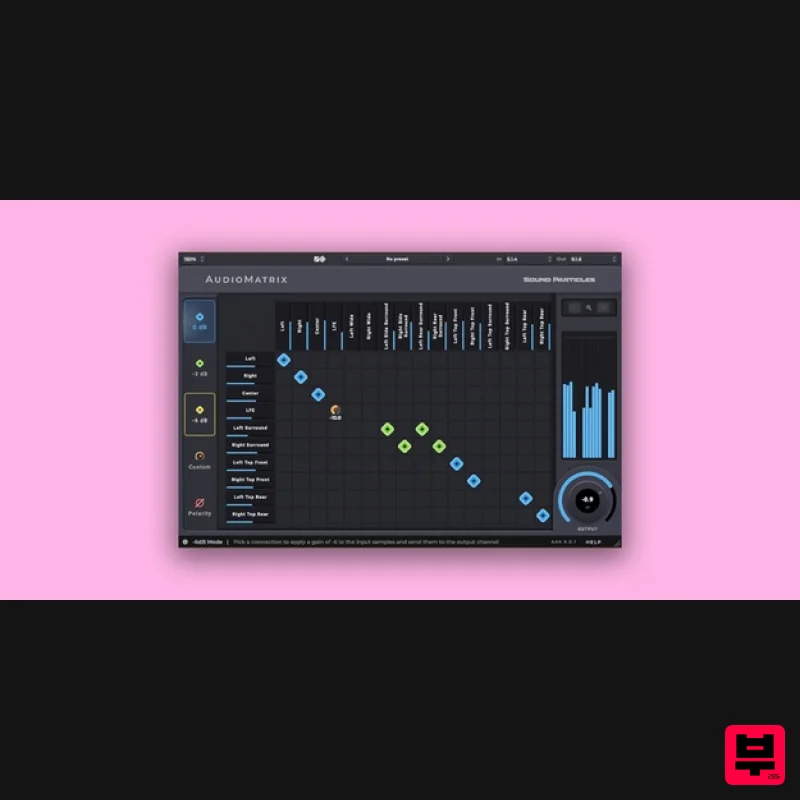
- Important Note: This is an educationally discounted version of AudioMatrix and is available for full-time students or faculty at an educational institution only. Once purchased please send your order number and proof of educational status to [email protected]. The full version of AudioMatrix is also available. AudioMatrix is a channel routing utility plugin
- capable of re-routing any input channel to any output channel
- with gain and polarity controls. Your life just got a whole lot easier! Say goodbye to complexity and experience a more efficient audio production process with AudioMatrix by your side. Your audio engineering tasks are now simplified
- allowing you to focus on unleashing your creative potential with ease. Either using regular connections or special gain values (-3 dB
- -6 dB
- or custom values)
- with or without polarity changes
- AudioMatrix offers you a flexible way to change connections. With support for up to 64 channels of audio
- AudioMatrix is the tool that any sound professional should have in their toolset
- either working in stereo
- surround or immersive. Manage Gains Whether you need to boost the signal or make subtle adjustments
- AudioMatrix offers a fast and precise way to manage the gain in each routing connection. Say goodbye to complex manual adjustments and enjoy a streamlined workflow. Polarity Inversion With AudioMatrix you can easily invert the polarity of any audio signal
- which can be quite handy in many situations
- from Mid-Side conversions to Sub-Woofer alignment. ALL Output Formats Don’t get stuck on any output format. If you work in 9.1.6 and your client wants the track in 5.1
- quickly and accurately translate it in AudioMatrix. From mono up to 64 channels
- with any in-between format. Your creativity is free! Features Speaker Array Management: create speaker arrays to reproduce 5.1 audio in a 7.1 studio
- using all surround speakers and with the right levels. Bring to Center: temporarily send any signal to the center channel
- for easier fine tune when working with immersive sounds. Middle-Side conversion: Convert stereo to Mid-Side (and back to stereo)
- for additional flexibility in terms of stereo FX processing. Mirror: flip your sounds left ↔ right for a better fit with the image
- from stereo to complex 7.1.2 soundscapes. Big Mono: transform your immersive audio into a big mono sound in the blink of an eye
- or create custom mono sounds controlling the contribution of each channel. LFE Control: control LFE level independently of all remaining channels. Send to the Sub-Woofer: gather audio from all channels into the sub-woofer
- if you don’t have a bass management system. Basic Upmixing/Downmixing: fast way to upmix or downmix something
- controlling the contribution of each channel. Format conversion: working with different 5.1 formats? Simply convert from 5.1 Film to 5.1 by changing channel ordering. System Requirements macOS Mac OSX 10.13 or higher (Apple Silicon supported) 2-core or higher CPU 4 GB or higher RAM 200 MB disk space Windows Windows 10 or higher 2-core or higher CPU 4 GB or higher RAM 200 MB disk space Energy Panner is used as an example. Windows Registration 1. Go to https://soundparticles.com/register > Enter your Name
- Email Address
- Password and Country > click 'REGISTER'. 2. Click 'CLAIM VOUCHER'. 3. Enter your voucher code
- found in the serial number section of your Plugin Boutique Account > click 'CLAIM'. Installation 1. Click 'DOWNLOAD'. 2. Select the version of the product you wish to install > click 'DOWNLOAD'. 3. Open the downloaded .zip folder and click > the .msi file. To begin the installation process > Click 'Next'. 4. Select 'I accept the terms in the License Agreement' > Click 'Next'. 5. Choose the plugin formats you would like to be installed > Click 'Next'. 6. Click 'Install' > click 'Allow' to begin the installation process. 7. Click 'Finish'. Your software is now activated and ready to use. Mac Registration 1. Go to https: //soundparticles.com/register > Enter your Name
- Email Address
- Password and Country > click 'REGISTER'. 2. Click 'CLAIM VOUCHER'. 3. Enter your voucher code
- found in the serial number section of your Plugin Boutique Account > click 'CLAIM'. Installation 1. Click 'DOWNLOAD'. 2. Select the version of the product you wish to install > click 'DOWNLOAD'. 3. Open the downloaded .dmg file > click 'Agree' on the User Agreement to begin the installation process. 4. Select 'Install'. 5. Click 'Continue'. 6. Choose the plugin formats you would like to be installed > click 'Continue'. 7. Choose your preferred 'Install Location' > click 'Install' 8. Once the software is installed > click 'Close'. Your software is now activated and ready to use.
Additional Information
About the Sound Particles AudioMatrix | Educational Version
The Sound Particles AudioMatrix | Educational Version represents excellent craftsmanship in the Utility category.
Why Choose the Sound Particles AudioMatrix | Educational Version?
- •Authentic Sound Particles craftsmanship and design
- •Versatile sound suitable for multiple musical genres
- •Professional build quality and reliable performance
- •Part of Sound Particles's respected Utility lineup
Compare & Explore
Browse our complete selection of Sound Particles instruments or explore other Utility options. Use our comparison tools to find the perfect match for your musical style and budget.
Similar Products

Acoustica Spin It Again
Utility

Blue Cat Audio Blue Cat's Connector
Utility

Audible Genius Building Blocks 2
Utility

DDMF TheStrip
Utility

Tonalic Tonalic Arranger - 30 Day Subscription
Utility

Audible Genius Building Blocks 1
Utility

Inphonik RX950
Utility

Soundspear Luxor
Utility

