
Sonuscore lo•ki
Professional music gear - detailed information and where to buy
Sonuscore
lo•ki - Felt Piano
Product Info
* Prices may vary. Check retailer for current pricing and availability.
Product Description
- Soulful Intimacy Important note: This product requires a FULL version of Native Instruments' KONTAKT. The free Kontakt player is not sufficient
- as it only runs the instrument in DEMO mode. Introducing lo•ki Where words fail
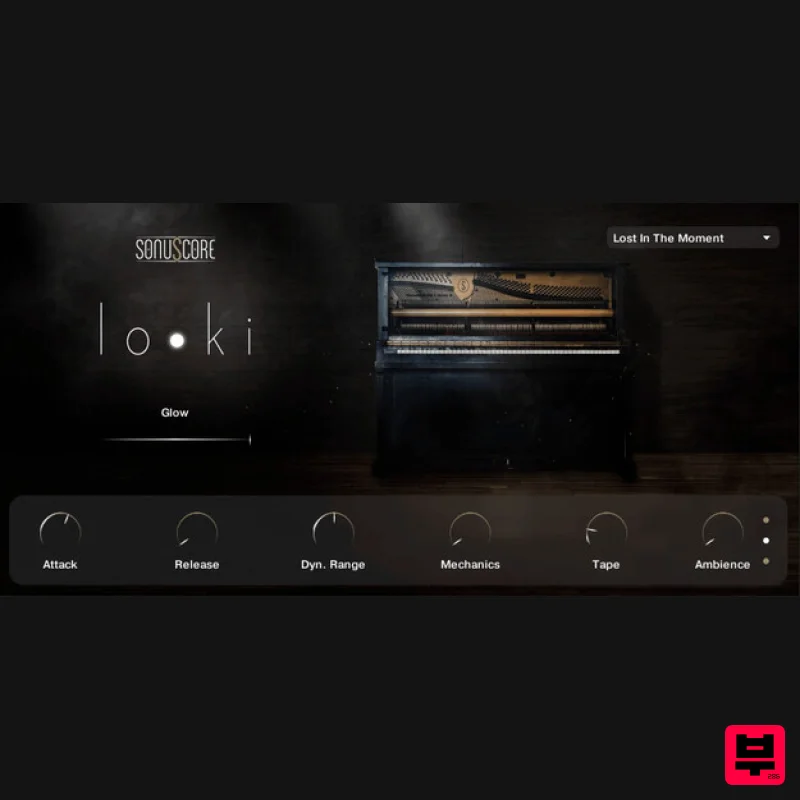
- music gains its power. The felt piano’s soulful intimacy reaches inside and touches the heart. A virtual piano never felt better. Dial-in the ambience with the dedicated Glow slider
- letting simple chords evolve into mesmerizing worlds of sound. Recorded with 5 round robins
- the lo•ki virtual piano also includes knobs to control the attack
- release
- and dynamic range
- as well as for tape
- ambience
- and mechanics. It was recorded in 3 different microphone positions and 9 ambience presets are included to get you started. lo•ki is the perfect virtual piano to round out any composer’s piano collection. Felt pianos are made from adding additional felt between the piano’s hammers and strings
- creating a perfect
- more delicate touch for soft and intimate pieces. Features 5 velocity layers 5 round robins 3 microphone positions Glow slider for incredible atmosphere Control Attack
- Release
- Dynamic Range
- Mechanics
- Tape and Ambience 9 colour presets Lightweight
- streamlined interface 5.7GB of pure intimacy System Requirements Full version of Native Instrument’s Kontakt (version 5.8.1 or higher) – Please note: The free Kontakt player is NOT sufficient. Mac OSX.10.8 or higher
- Intel Core 2 Duo Windows 7 or higher
- Intel Core 2 Duo or AMD AthlonTM 64 X2 4GB RAM At least 5.7GB of free hard disc space Important note: The full version of Kontakt (version 5.8.1 or higher) is required to use this instrument. The free Kontakt player will NOT work and will run in demo mode. Important Note: Origins Vol. 1-5 Bundle- Oud & Qanun is used as an example. 1. Download the Kontakt Library files from within your Plugin Boutique User Account. Note: If your download is a .zip file
- please unzip it. 2. Move the folder to a location of your choice. 3. Open Kontakt within your DAW. 4. Open the 'Files' tab and navigate to the location of your new Kontakt library. 5. Click and drag the .nki file into the empty window. Your Kontakt instrument is now installed and ready to use.
Additional Information
About the Sonuscore lo•ki - Felt Piano
Experience the quality and tone that makes the Sonuscore lo•ki - Felt Piano a popular choice for musicians.
Why Choose the Sonuscore lo•ki - Felt Piano?
- •Authentic Sonuscore craftsmanship and design
- •Versatile sound suitable for multiple musical genres
- •Professional build quality and reliable performance
- •Part of Sonuscore's respected Kontakt Instrument lineup
Compare & Explore
Browse our complete selection of Sonuscore instruments or explore other Kontakt Instrument options. Use our comparison tools to find the perfect match for your musical style and budget.
Similar Products

DoubleBang Software Plugged
Kontakt Instrument

Audiofier Sequi2r EX
Kontakt Instrument

Rigid Audio Retrocade
Kontakt Instrument

Aria Sounds Hybrichord
Kontakt Instrument

The Beat House LE HITS THE ESSENTIALS
Kontakt Instrument

Ecliptiq Audio Hexa Rhythm Designer
Kontakt Instrument

Audiofier Aerkord
Kontakt Instrument

HD Instruments ZoneMatrix
Kontakt Instrument

