
Sampleson Reed200 V2
Professional music gear - detailed information and where to buy
Sampleson
Reed200 V2
Product Info
* Prices may vary. Check retailer for current pricing and availability.
Product Description
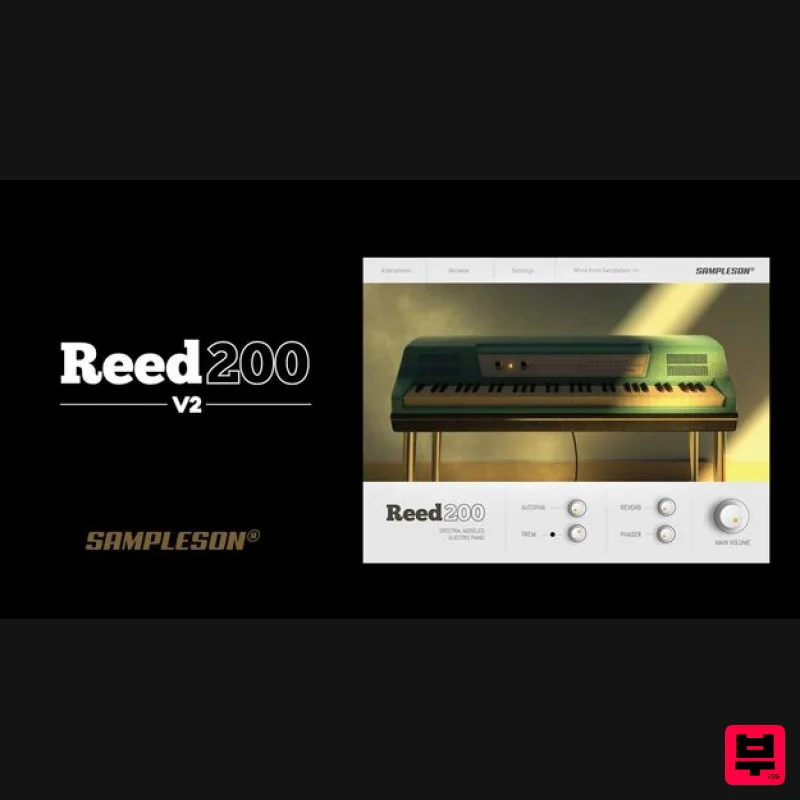
- Spectral Modelled Reed-Based EP Sampleson's acclaimed Spectral Modeled Reed EP has been updated to Version 2. Introducing Sampleson's New Spectral Engine
- and it’s so real you won't believe it's modelled. Reed200 V2 is clean and responsive because its timbre was made by analyzing the real instrument model. Sampleson achieved a perfect and accurate timbre that reproduces the sound of a Reed-EP on the line output Stacking up to 600 sine waves. The result is a modelled instrument that is not distinguishable from a real one. Features Spectral modeled Reed-based Electric Piano. Extended range (64 keys). No velocity-switching. Reverb
- Tremolo
- Autopan and Phaser FX. Scalable HD interface. Only 45MB. No extra purchases are needed (like Kontakt
- etc) or any other 3rd party player. Ready to be loaded into major DAWs (Cubase
- Logic Pro
- GarageBand
- Cakewalk
- Reaper
- BitWig
- Nuendo
- FL Studio
- etc). Win 64 bits VST/Standalone. Mac VST/AU/Standalone versions (No AAX version). All MacOS Ready. System Requirements macOS OSX 10.7 or later (Monterey compatible) Host must support VSTi or AU plugins. 45 MB HDD 4GB RAM Windows Windows 7 or later Host must support VSTi plugins. 70 MB HDD 4GB RAM Important Note: Pro Tools is not supported. Please Note: Stage54 is used as an example. Mac Download Installer 1. Navigate to your Plugin Boutique User Account and locate Stage54 > Click the blue 'DOWNLOAD' button. 2. Click 'I want this!'. 3. Enter your email address > Click 'Get'. 4. Click 'View content' to proceed straight to your downloads > Alternatively
- enter a password to create an account for future access to your download > Click 'Sign Up'. 5. Locate the 'Stage54 Mac Installer' > Click 'Download'. Installation 1. Navigate to your Downloads folder and locate the 'Stage54 Mac Installer.pkg' > Launch the installer. 2. Click 'Continue'. 3. Click 'Continue'. 4. Click 'Continue'. 5. Click 'Agree'. 6. Click 'Continue'. 7. Click 'Install'. 8. Enter your system password > Click 'Install Software'. 9. Click 'Close'. 10. Launch your DAW > Create a new Virtual Instrument track > Insert Stage54 onto the channel > Paste your 16 digit serial number found within your Plugin Boutique User Account into the box > Click 'Authorise'. Stage54 is now installed
- activated
- and ready to use within your DAW. Windows Download Installer 1. Navigate to your Plugin Boutique User Account and locate Stage54 > Click the blue 'DOWNLOAD' button. 2. Click 'I want this!'. 3. Enter your email address > Click 'Get'. 4. Click 'View content' to proceed straight to your downloads > Alternatively
- enter a password to create an account for future access to your download > Click 'Sign Up'. 5. Locate the 'Stage54 Win Installer' > Click 'Download'. Installation 1. Navigate to your Downloads folder and locate the 'Stage54 Win Installer.exe' > Launch the installer. 2. Click 'Next'. 3. Click 'Next'. 4. Click 'Next'. 5. Click 'Next'. 6. Click 'Install'. 7. Click 'Finish'. 8. Launch your DAW > Create a new Virtual Instrument track > Insert Stage54 onto the channel > Paste your 16 digit serial number found within your Plugin Boutique User Account into the box > Click 'Authorise'. Stage54 is now installed
- activated
- and ready to use within your DAW.
Additional Information
About the Sampleson Reed200 V2
Experience the quality and tone that makes the Sampleson Reed200 V2 a popular choice for musicians.
Why Choose the Sampleson Reed200 V2?
- •Authentic Sampleson craftsmanship and design
- •Versatile sound suitable for multiple musical genres
- •Professional build quality and reliable performance
- •Part of Sampleson's respected Virtual Instruments lineup
Compare & Explore
Browse our complete selection of Sampleson instruments or explore other Virtual Instruments options. Use our comparison tools to find the perfect match for your musical style and budget.
Similar Products

UJAM BEAUTYFLUTE Pro
Virtual Instruments

Audiomodern Opacity 2: Soundbox Instrument
Virtual Instruments

ZAK Sound Lyra
Virtual Instruments

MeldaProduction Electric Keys - Tines
Virtual Instruments

ZAK Sound Asteroid
Virtual Instruments

Safari Audio Cubby
Virtual Instruments

Boom SWAMPS - 3D Surround
Virtual Instruments

MNTRA Instruments Nagual
Virtual Instruments

