
Output SIGNAL Free
Professional music gear - detailed information and where to buy
Output
SIGNAL Free
Product Info
* Prices may vary. Check retailer for current pricing and availability.
Product Description
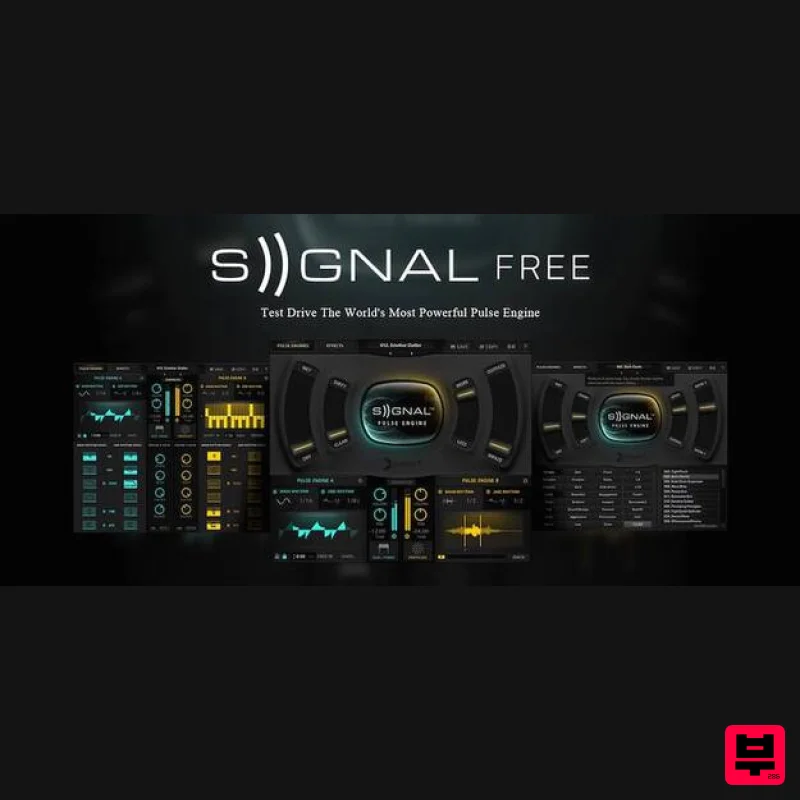
- FREE A Cut-Down Version of Output Signal The New Way To PULSE Fat analog synths and beautifully recorded live instruments combined in a groundbreaking way Features 4 sound sources 2GB of content (uncompressed) 25 Pulse Instruments LFOs
- Step
- Arpeggiator
- Looper™ Basic & Advanced modes Compare the Difference System Requirements Signal runs in Kontakt (no play limit) or Free Kontakt player (15-minute play limit) version 5.3.1 or higher Mac OS X 10.8 or higher Windows 7 or higher At least 4 GB of RAM (8 GB recommended)
- and 22 GB of free drive space Access to a stable internet connection for digital delivery Please note: This product is compatible with the FREE Kontakt Player. Signal Free: Getting Started Download Free Kontakt player There is no serial code for SIGNAL FREE
- and thus no need to activate it in Native Instruments’ Service Centre. However for this reason
- Kontakt Player users can only use the SIGNAL FREE in 15 minute increments. If you own the full version of Kontakt
- there are no time limitations. Signal Free: Installation Download Signal_DEMO.zip. Unarchive the file by double clicking (Mac) or via third party app such as Winrar (PC). Open Kontakt. Navigate to the Signal DEMO folder
- then to the Instruments folder. Either double click or drag the Signal DEMO.nki file into Kontakt. Signal Free: Setup with Kontakt After loading SIGNAL Demo.nki into Kontakt
- you can play notes in SIGNAL with your DAW
- a MIDI keyboard
- your computer’s keyboard
- or by simply clicking on the virtual keyboard within Kontakt. Playing Signal Free with your DAW or MIDI Keyboard Make sure the MIDI output channel of your MIDI Keyboard/MIDI Track matches SIGNAL’s MIDI input channel in Kontakt (Port A). You can access and assign SIGNAL’s MIDI input channel in the area pictured below. Playing Signal Free via a Computer Keyboard Open Kontakt’s Preferences or click on the ‘Options’ button in the top menu panel. Then navigate to the ‘Handling’ tab and check the box titled “Use computer keyboard for MIDI playback.” Then close the Options window and you will be able to trigger notes with the QWERTY section of your keyboard. Playing Signal Free via Kontakt’s Virtual Keyboard Navigate to the top menu Panel in Kontakt and click on the ‘Keyb’ button. You will now see a keyboard appear beneath SIGNAL’s GUI. You can click on the coloured notes to trigger sounds in SIGNAL.
Additional Information
About the Output SIGNAL Free
The Output SIGNAL Free represents excellent craftsmanship in the Kontakt Instrument category.
Why Choose the Output SIGNAL Free?
- •Authentic Output craftsmanship and design
- •Versatile sound suitable for multiple musical genres
- •Professional build quality and reliable performance
- •Part of Output's respected Kontakt Instrument lineup
Compare & Explore
Browse our complete selection of Output instruments or explore other Kontakt Instrument options. Use our comparison tools to find the perfect match for your musical style and budget.
Similar Products

HD Instruments ZoneMatrix
Kontakt Instrument

Ecliptiq Audio Hexa Rhythm Designer
Kontakt Instrument

Audiofier Sequi2r EX
Kontakt Instrument

DoubleBang Software Plugged
Kontakt Instrument

The Beat House LE HITS THE ESSENTIALS
Kontakt Instrument

Aria Sounds Hybrichord
Kontakt Instrument

Rigid Audio Retrocade
Kontakt Instrument

Audiofier Aerkord
Kontakt Instrument

