
NUGEN Audio Jotter
Professional music gear - detailed information and where to buy
NUGEN Audio
Jotter
Product Info
* Prices may vary. Check retailer for current pricing and availability.
Product Description
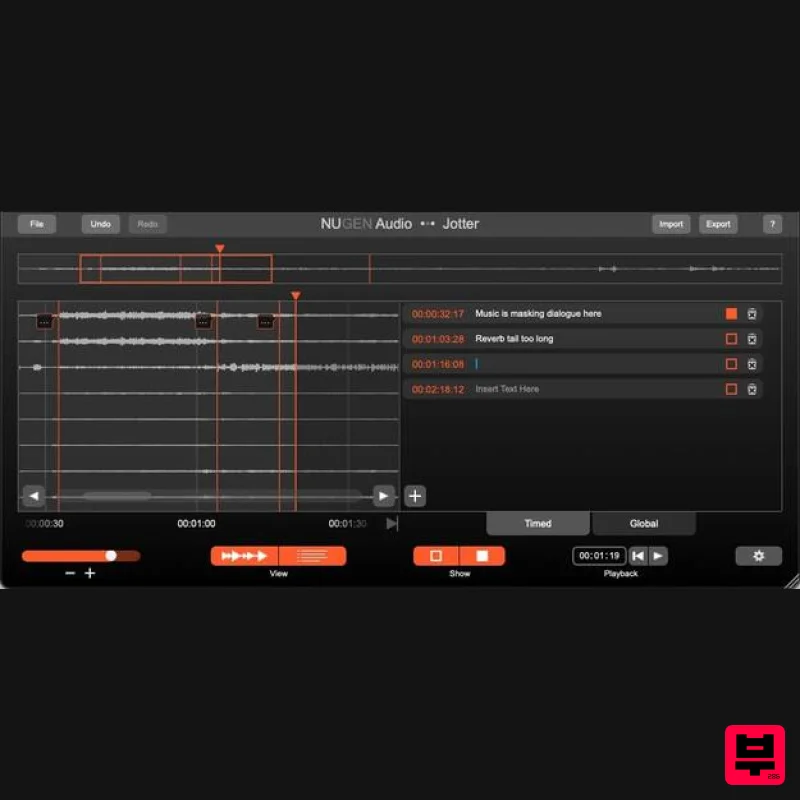
- Designed With Collaboration In Mind Streamline Your Communication Jotter is a brand new utility plug-in for making notes and comments
- designed with collaboration in mind. Simply insert Jotter anywhere in your project
- and add annotations locked to the timecode. These can be shared between collaborators either via the plug-in
- or via an exported .csv file. Jotter can also be used as a standalone application in situations where a DAW is either unavailable or simply not required. System Requirements Mac macOS 10.13 and later (64-bit only) 512 MB RAM AAX
- VST3
- AudioSuite Windows Windows 7 and later (64-bit only) 512 MB RAM AAX
- VST3
- AudioSuite NUGEN Audio Installation 1. Visit https: //www.nugenaudio.com/register.php and create a new account > enter your email address and License Code (found in your Plugin Boutique User Account). 2. Check your email > Click the link that reads ‘Complete license registration’. 3. Read the following information and click ‘My Account’. 4. Create a password > Click ‘Login’. 5. Once you have confirmed your account
- fill in the form which greets you. 6. Select your operating system. 7. Your licence can be viewed under the ‘My Licenses’ Tab. Note: If you wish to activate your Plugin using an iLok
- click ‘Convert To iLok’. 8. Click on the MY DOWNLOADS tab and download the full version of your plugin. 9. After the file has downloaded
- run the installer. 10. Read the software licence agreement and if happy
- click AGREE. 11. Select where you wish to install the plugin and click CONTINUE. 12. Select which component you wish to be installed and click CONTINUE. 13. Check you have enough space on your computer to install and if so
- click INSTALL. 14. Once the installation concludes
- open the plugin within your DAW. 15. Once the plugin is open within your DAW
- click USE LICENCE. 16. Click ON-LINE 17. Enter your licence code and click APPLY LICENCE. 18. Once your licence has been entered
- click YES to confirm you wish to licence to your machine. 19. You have now successfully licenced your plugin! PLEASE NOTE: If you wish to activate your licence onto your iLok dongle and not your machine
- please click CONVERT TO ILOK at stage 7.
Additional Information
About the NUGEN Audio Jotter
Discover the distinctive sound and feel of the NUGEN Audio Jotter, a standout choice among Utility.
Why Choose the NUGEN Audio Jotter?
- •Authentic NUGEN Audio craftsmanship and design
- •Versatile sound suitable for multiple musical genres
- •Professional build quality and reliable performance
- •Part of NUGEN Audio's respected Utility lineup
Compare & Explore
Browse our complete selection of NUGEN Audio instruments or explore other Utility options. Use our comparison tools to find the perfect match for your musical style and budget.
Similar Products

Audible Genius Building Blocks 1
Utility

Soundspear Luxor
Utility

Acoustica Spin It Again
Utility

DDMF TheStrip
Utility

Inphonik RX950
Utility

Tonalic Tonalic Arranger - 30 Day Subscription
Utility

Audible Genius Building Blocks 2
Utility

Blue Cat Audio Blue Cat's Connector
Utility

