
Niche Audio Platinum Breakz
Professional music gear - detailed information and where to buy
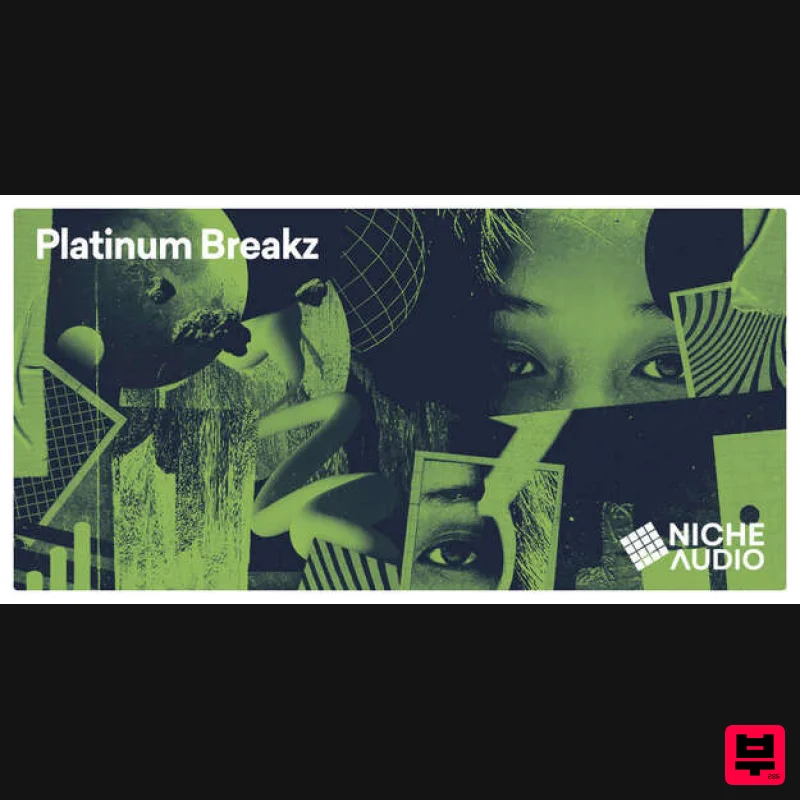
Niche Audio
Platinum Breakz
Product Info
* Prices may vary. Check retailer for current pricing and availability.
Product Description
- Niche Audio presents Platinum Breakz - an inspired multi-genre infusion of samples for the open-minded producer seeking foundational melodic concepts from divergent sources. Platinum Breakz ingeniously fuses drum & bass
- dubstep
- jungle
- and jazz. Provided in loop
- one-shot
- Ableton Live
- and Maschine formats. In the lab
- Platinum Breakz was built to help you experiment
- create
- and push boundaries when producing your tracks. With lush atmospherics
- chord scapes
- gnarly basses
- and cross-genre drum hits
- Platinum Breakz can easily be incorporated into numerous styles far and wide
- whether you're recreating old-school jungle breaks or designing forward-thinking house and techno. Niche Audio
- as always
- aims to bring to you an authentic collection of samples and kits. They think that Platinum Breakz goes a little further with its inspired fusion of genres
- making this pack an excellent choice for out-of-the-box producers looking for something different. Maybe this pack will help you create a new sub-genre! Platinum Breakz features separate formats for NI Maschine and Ableton Live users - 15 custom kits mixed and blended in a consistent structure
- meaning you can switch out samples easily to try out different sounds with your song ideas. Of course
- the Niche Audio team have included loop and one-shot exports too for those wanting to experiment fast no matter what studio setup or DAW you use. Features Ableton Live 15 Kits 240 Total Samples Maschine 15 Kits 240 Total Samples System Requirements The full version of Maschine 2.6.8+ and Ableton Live 9.7+ are required to run the full contents of this software. Notes: House Arrest is used as the example. Pop-up windows must be allowed within your web browser's Settings area to allow the opening of the hyperlinks provided beow
- which enable you to watch the tutorial videos. Maschine has a slightly different install process depending on the version you have. Please follow the guidelines below and see the additional notes if you are experiencing difficulties. Maschine 2.0 Video Installation Guide <iframe frameborder="0" height="315" src="//www.youtube.com/embed/4yIZ1Nssx_4?showinfo=0&autohide=1&iv_load_policy=3&rel=0" width="560"></iframe> 1. Download the purchased Niche Audio software .zip folder provided within your User Account
- to your computer. 2. Double-click the .zip folder to open and reveal its contents > save it to a computer location of choice
- e.g documents or your external hard drive. 3. Launch Maschine and select the ‘Preferences’ tab via the drop-down selection
- which is located via the ‘Maschine 2’ option at the top left toolbar. 4. Select ‘Library’. 5. Click the ‘User’ tab. 6. Click ‘Add’ to open the file browser
- and then locate the pack’s main folder which contains sub-folders entitled ‘Groups’
- ‘Massive Patches’
- ‘Projects’
- and ‘Samples’. 7. Be sure to select the main pack folder
- which in this instance is ‘House Arrest’ > once performed
- click the ‘Choose/Open’ option that is located at the bottom right-hand corner of the Mac - Finder/Windows - Library window. 8. After the folder has been located
- you will then need to enter and add an alias name for the pack e.g ‘House Arrest’ > double-click underneath the ‘Alias’ tab (where it reads ‘Click here to set an alias name’) and type the exact name of the pack
- including numbers
- capitals and symbols. 9. Once this has been performed
- select ‘Close’ and the Niche Audio pack content will automatically upload to Maschine. 10. Select ‘Close’ once again to exit the preferences window
- and you will then see the pack’s content within your user library! The Pack is now Installed and Ready for Use Within Maschine! Maschine 1.8 Video Installation Guide (Note: Skip to 2.02 mins) <iframe frameborder="0" height="315" src="//www.youtube.com/embed/4yIZ1Nssx_4?showinfo=0&autohide=1&iv_load_policy=3&rel=0" width="560"></iframe> 1. Download the purchased Niche Audio software .zip folder provided within your User Account
- to your computer. 2. Double-click the .zip folder to open and reveal its contents > save it to a computer location of choice
- e.g documents or your external hard drive. 3. Launch Maschine and select the ‘Preferences’ tab via the drop-down selection
- which is located via the ‘Maschine’ option at the top left toolbar. 4. Click ‘User Paths’. 5. Click ‘Add’. 6. Locate the main Niche Audio 1.8 folder
- which in this instance is entitled ‘House Arrest Maschine 1.8’. 7. Be sure to select the main pack folder
- which in this instance is ‘House Arrest’ > once selected
- click the ‘Choose/Open’ option that is located at the bottom right-hand corner of the Mac - Finder/Windows - Library window. 8. After the folder has been located
- you will then need to enter and add an alias name for the pack e.g ‘House Arrest’ > double-click underneath the ‘Alias’ tab (where it reads ‘Click here to set an alias name’) and type the exact name of the pack
- including numbers
- capitals and symbols. 9. Once this has been performed
- select ‘OK’ and the Niche Audio pack content will automatically upload to Maschine. 10. Select ‘OK’ once again to exit the preferences window
- and you will then see the pack’s content within your user library! The Pack is now Installed and Ready for Use Within Maschine! Install Problem? If you have previously installed a Maschine Pack and the groups or projects are not loading
- please ensure that you have installed the correct pack for your version of Maschine Also check that you have created an alias to the sample pack
- so that Maschine can locate the projects: For example
- the alias should be written as ‘House Arrest’ Note: The alias should not be written as ‘house arrest’ If you do not type the exact name of the pack
- it will not install correctly If you encounter any issues when attempting to install your purchased Niche Audio pack
- it is advisable to uninstall the pack entirely from Maschine before re-installing it
- to prevent any further cross-referencing problems Uninstalling the Pack 1. Go to Maschine’s ‘Preferences’ tab
- which is located at the top-left toolbar. 2. Select the ‘Library’ tab
- followed by the ‘User’ option. 3. Remove any previous location path to the Niche Audio packs
- and then close/quit Maschine. 4. Reopen Maschine and create a new project - this is necessary to clear the software history. 5. Quit Maschine
- reopen it and follow the instructions from step 1 of the installation process. Ableton Live Pack Installation Guide 1. Download the .zip folder provided within your User Account
- and double-click it to extract its contents > save it to a computer location of choice
- e.g documents or to your external hard drive. 2. Locate the .alp file and double-click it > Live will automatically open and ask where you would like to install the project folder. 3. Locate the main extracted folder from the computer location that you saved it in (in step 1. of the installation process) > click 'Open' and Live will begin the unpacking process. 4. Once the unpacking process is finished you will need to tell Ableton Live where the pack is. 5. Within Ableton’s browser
- select the ‘Add Folder’ option and then the project folder that you have installed. 6. Click 'Open' and Ableton will add the pack to the browser for easy access. 7. The Ableton Live Pack is now ready for use within the DAW.
Additional Information
About the Niche Audio Platinum Breakz
Discover the distinctive sound and feel of the Niche Audio Platinum Breakz, a standout choice among Maschine Expansions.
Why Choose the Niche Audio Platinum Breakz?
- •Authentic Niche Audio craftsmanship and design
- •Versatile sound suitable for multiple musical genres
- •Professional build quality and reliable performance
- •Part of Niche Audio's respected Maschine Expansions lineup
Compare & Explore
Browse our complete selection of Niche Audio instruments or explore other Maschine Expansions options. Use our comparison tools to find the perfect match for your musical style and budget.
Similar Products
Niche Audio Twisted Future Bass
Maschine Expansions
Niche Audio Deep House Movement
Maschine Expansions
Niche Audio Old School Hip Hop
Maschine Expansions
Niche Audio Dub & Reggae 2
Maschine Expansions
Niche Audio Dark Techno
Maschine Expansions
Niche Audio Creator Series: DnB Evolution
Maschine Expansions
Niche Audio Shades Of Techno
Maschine Expansions
Niche Audio Jungle DNB
Maschine Expansions

