
Niche Audio 2 Step Garage
Professional music gear - detailed information and where to buy
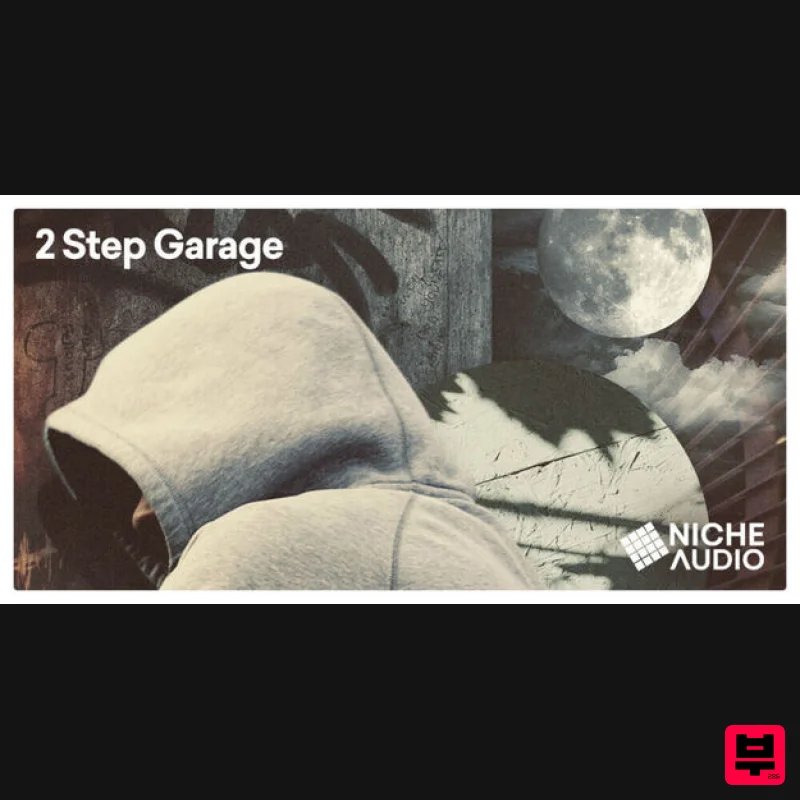
Niche Audio
2 Step Garage
Product Info
* Prices may vary. Check retailer for current pricing and availability.
Product Description
- 2 Step Garage from Niche Audio serves up a bumpin’ selection of 13 diverse and expertly produced kits which will allow producers worldwide to start creating inspirational Garage jams immediately. Taking influence from legendary producers such as MJ Cole
- El-B and Artful Dodger
- this package contains over 200 authentic samples in pristine 24bit and seamlessly brings together the full spectrum of sounds
- effortlessly running the line between classic UKG vibes and modern trends. Niche Audio have enrolled Scott Diaz
- another top notch producer who has created a 100% authentic 2 Step Garage pack for Maschine and Ableton Live. Combining the dusty flavour of the old-skool with nu-skool production techniques and sound design
- the samples are as authentic as it gets - sexy and soulful chord progressions
- editable guitar and Classic Electric Piano riffs
- flexin’ underground beats
- pitched vocal cut-ups
- vintage organs
- grimey stabs and resampled analog subs and basses. These 2 Step Garage samples can be effortlessly swapped out for your own sounds within seconds
- along with the ability to edit any of the included midi patterns and sounds. Within a few minutes you have will stamp your own identity and creative ideas on to a kit making it totally unrecognizable from the original. This is what Niche Audio is all about - We don't want anything getting in the way of your creativity and you won't find any other sample packs out there quite like this - Guaranteed! Content Inside you will find thirteen standard kits
- as well as two special kits; consisting of an assortment of vocal cuts and FX ideal for complimenting the standard kits. The Maschine version includes five starter projects and fifteen kits all with comprehensive midi patterns. The Ableton version includes thirteen project files and fifteen Drum Racks also with comprehensive midi patterns. In addition there are fifty six simpler presets making the pack highly versatile for all you Abletons out there. Tags (Maschine Only) Of course we make it easy for you to enjoy 2 Step Garage and get the full use of it for years to come. It’s fully tagged making it a breeze to find and replace sounds from the same pack or construct your own unique kits in minutes. If your one of those who has more than one Niche Maschine pack you will know how useful it is to zone in to sounds from any Niche audio pack. Features Ableton Live 9+: 13 Starter Projects 15 Drum Racks 56 Simpler Presets 256 24 Bit 44.1khz Samples Maschine 2.0: 15 Kits 5 Starter Projects 256 24 Bit 44.1khz Samples System Requirements The full version of Maschine 2+ and Ableton Live 9+ are required to run the full contents of this software. Important note: The full version of Maschine 2+ and Ableton Live 9+ are required to run the full contents of this software! Notes: House Arrest is used as the example. Pop-up windows must be allowed within your web browser's Settings area to allow the opening of the hyperlinks provided beow
- which enable you to watch the tutorial videos. Maschine has a slightly different install process depending on the version you have. Please follow the guidelines below and see the additional notes if you are experiencing difficulties. Maschine 2.0 Video Installation Guide <iframe frameborder="0" height="315" src="//www.youtube.com/embed/4yIZ1Nssx_4?showinfo=0&autohide=1&iv_load_policy=3&rel=0" width="560"></iframe> 1. Download the purchased Niche Audio software .zip folder provided within your User Account
- to your computer. 2. Double-click the .zip folder to open and reveal its contents > save it to a computer location of choice
- e.g documents or your external hard drive. 3. Launch Maschine and select the ‘Preferences’ tab via the drop-down selection
- which is located via the ‘Maschine 2’ option at the top left toolbar. 4. Select ‘Library’. 5. Click the ‘User’ tab. 6. Click ‘Add’ to open the file browser
- and then locate the pack’s main folder which contains sub-folders entitled ‘Groups’
- ‘Massive Patches’
- ‘Projects’
- and ‘Samples’. 7. Be sure to select the main pack folder
- which in this instance is ‘House Arrest’ > once performed
- click the ‘Choose/Open’ option that is located at the bottom right-hand corner of the Mac - Finder/Windows - Library window. 8. After the folder has been located
- you will then need to enter and add an alias name for the pack e.g ‘House Arrest’ > double-click underneath the ‘Alias’ tab (where it reads ‘Click here to set an alias name’) and type the exact name of the pack
- including numbers
- capitals and symbols. 9. Once this has been performed
- select ‘Close’ and the Niche Audio pack content will automatically upload to Maschine. 10. Select ‘Close’ once again to exit the preferences window
- and you will then see the pack’s content within your user library! The Pack is now Installed and Ready for Use Within Maschine! Maschine 1.8 Video Installation Guide (Note: Skip to 2.02 mins) <iframe frameborder="0" height="315" src="//www.youtube.com/embed/4yIZ1Nssx_4?showinfo=0&autohide=1&iv_load_policy=3&rel=0" width="560"></iframe> 1. Download the purchased Niche Audio software .zip folder provided within your User Account
- to your computer. 2. Double-click the .zip folder to open and reveal its contents > save it to a computer location of choice
- e.g documents or your external hard drive. 3. Launch Maschine and select the ‘Preferences’ tab via the drop-down selection
- which is located via the ‘Maschine’ option at the top left toolbar. 4. Click ‘User Paths’. 5. Click ‘Add’. 6. Locate the main Niche Audio 1.8 folder
- which in this instance is entitled ‘House Arrest Maschine 1.8’. 7. Be sure to select the main pack folder
- which in this instance is ‘House Arrest’ > once selected
- click the ‘Choose/Open’ option that is located at the bottom right-hand corner of the Mac - Finder/Windows - Library window. 8. After the folder has been located
- you will then need to enter and add an alias name for the pack e.g ‘House Arrest’ > double-click underneath the ‘Alias’ tab (where it reads ‘Click here to set an alias name’) and type the exact name of the pack
- including numbers
- capitals and symbols. 9. Once this has been performed
- select ‘OK’ and the Niche Audio pack content will automatically upload to Maschine. 10. Select ‘OK’ once again to exit the preferences window
- and you will then see the pack’s content within your user library! The Pack is now Installed and Ready for Use Within Maschine! Install Problem? If you have previously installed a Maschine Pack and the groups or projects are not loading
- please ensure that you have installed the correct pack for your version of Maschine Also check that you have created an alias to the sample pack
- so that Maschine can locate the projects: For example
- the alias should be written as ‘House Arrest’ Note: The alias should not be written as ‘house arrest’ If you do not type the exact name of the pack
- it will not install correctly If you encounter any issues when attempting to install your purchased Niche Audio pack
- it is advisable to uninstall the pack entirely from Maschine before re-installing it
- to prevent any further cross-referencing problems Uninstalling the Pack 1. Go to Maschine’s ‘Preferences’ tab
- which is located at the top-left toolbar. 2. Select the ‘Library’ tab
- followed by the ‘User’ option. 3. Remove any previous location path to the Niche Audio packs
- and then close/quit Maschine. 4. Reopen Maschine and create a new project - this is necessary to clear the software history. 5. Quit Maschine
- reopen it and follow the instructions from step 1 of the installation process. Ableton Live Pack Installation Guide (Note: Post Dubstep & Future Garage is used as the example). 1. Download the .zip folder provided within your User Account
- and double-click it to extract its contents > save it to a computer location of choice
- e.g documents or to your external hard drive. 2. Locate the .alp file and double-click it > Live will automatically open and ask where you would like to install the project folder. 3. Locate the main extracted folder from the computer location that you saved it in (in step 1. of the installation process) > click 'Open' and Live will begin the unpacking process. 4. Once the unpacking process is finished you will need to tell Ableton Live where the pack is. 5. Within Ableton’s browser
- select the ‘Add Folder’ option and then the project folder that you have installed. 6. Click 'Open' and Ableton will add the pack to the browser for easy access. 7. The Ableton Live Pack is now ready for use within the DAW.
Additional Information
About the Niche Audio 2 Step Garage
Discover the distinctive sound and feel of the Niche Audio 2 Step Garage, a standout choice among Maschine Expansions.
Why Choose the Niche Audio 2 Step Garage?
- •Authentic Niche Audio craftsmanship and design
- •Versatile sound suitable for multiple musical genres
- •Professional build quality and reliable performance
- •Part of Niche Audio's respected Maschine Expansions lineup
Compare & Explore
Browse our complete selection of Niche Audio instruments or explore other Maschine Expansions options. Use our comparison tools to find the perfect match for your musical style and budget.
Similar Products
Niche Audio Dark Techno
Maschine Expansions
Niche Audio Deep House Movement
Maschine Expansions
Niche Audio Dub & Reggae 2
Maschine Expansions
Niche Audio Jungle DNB
Maschine Expansions
Niche Audio Shades Of Techno
Maschine Expansions
Niche Audio Creator Series: DnB Evolution
Maschine Expansions
Niche Audio Twisted Future Bass
Maschine Expansions
Niche Audio Old School Hip Hop
Maschine Expansions

