
Native Instruments Expansion
Professional music gear - detailed information and where to buy
Native Instruments
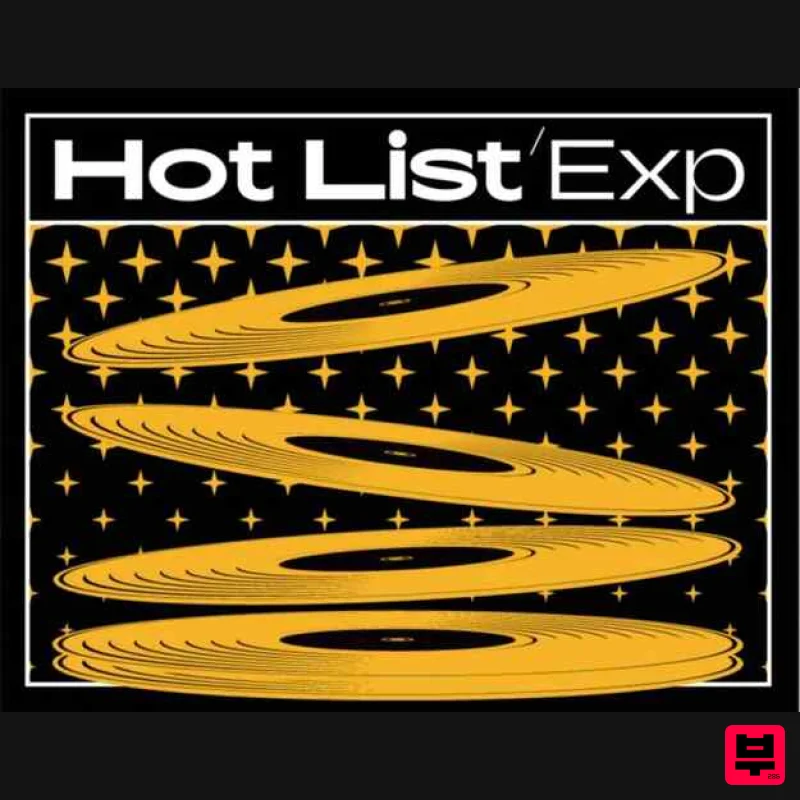
Expansion - Hot List
Product Info
* Prices may vary. Check retailer for current pricing and availability.
Product Description
- For tracks that rise above the rest Step into the sound of today’s biggest hits with punchy drum grooves
- infectious melodies
- and rich melodics. Hot List was created with GRAMMY Award-winning producer and writer Snipe Young
- whose collaborators include Nicki Minaj
- The Game
- Dr. Dre
- Beyonce
- and many more. Features Hard-hitting drum grooves
- infectious melodies
- and rich harmonic textures A versatile pop palette of drums
- keys
- synths
- basses
- and lush loops 50 Maschine kits
- 62 Battery kits
- 10 Monark presets
- 380 loops
- and 610 one-shots Loops and Samples work in any DAW MASCHINE content requires the latest version of the MASCHINE software. BATTERY content requires the latest version of BATTERY Any MASSIVE
- MONARK or REAKTOR PRISM content requires the latest version of the software. Please note: Expansions can't be used in KONTAKT Native Instruments Installation Instructions Note: Massive is used as an example. Windows 1. Download the .zip installer file from this Help Centre Area. 2. Double-click the extracted .exe file to begin the installation process > click ‘Run’. 3. Read the welcome message > click 'Next'. 4. Click 'Next' to begin the installation. 5. Native Access has now been installed > Click 'Finish'. 6. Open Native Access > Create a new Native ID if you do not have one already. If you do
- skip ahead to step 8. 7. You will then receive an email with a confirmation link > Open the email and click 'CONFIRM EMAIL'. 8. Log in to Native Access with your Native ID. 9. Click 'Add a serial'. 10. Enter your Serial Number found in your Plugin Boutique User Account > Click 'ADD SERIAL'. 11. Once your serial has been registered
- click 'VIEW PRODUCTS NOT INSTALLED'. 12. Click the 'Not installed' tab > Locate Massive > Click 'INSTALL'. Your software is now activated and ready for use within your DAW. Mac 1. Download the .dmg installer file from this Help Centre Area. 2. Double-click the .dmg file to install Native Access. 3. Open Native Access > Create a new Native ID if you do not have one already. If you do
- skip ahead to step 5. 4. You will then receive an email with a confirmation link > Open the email and click 'CONFIRM EMAIL'. 5. Log in to Native Access with your Native ID. 6. Click 'Add a serial' 7. Enter your Serial Number found in your Plugin Boutique User Account > Click 'ADD SERIAL'. 8. Click the 'Not installed' tab > Locate Massive > Click 'INSTALL'. Your software is now activated and ready for use within your DAW. Beatport Streaming Advanced Registration Instructions 1. Head to Beatport.com > enter your details > click 'CREATE ACCOUNT' (if you already have an account simply Log in). 2. Click 'SUBSCRIBE'. 3. Under the 'Advanced' plan > click 'TRY FREE FOR 30 DAYS'. 4. Enter your '3-Months Beatport Streaming Advanced' code (found in your Plugin Boutique account) > enter your payment details > Enter your billing details > click 'APPLY'. Please note: No payment will be taken when you complete this step. Your payment date will be three months after you redeem your free 3 months of Beatport Streaming Advanced. 5. Click 'UNDEFINED 3-MONTH' to begin your free 3-Months Beatport Advanced Streaming membership. 6. Click 'Get Started' to get started with your subscription for Beatport Streaming Advanced. Beatsource Pro+ Registration Instructions 1. Head to Beatsource > enter your details > click 'Create Account' (if you already have an account simply Log in). 2. Click 'Try Beatsource Free'. 3. Under the 'Beatsource Pro+' plan > click 'Try 30 Days Free'. 4. Enter your '3-Months Beatsource Pro+' code (found in your Plugin Boutique account) > enter your payment details > Enter your billing details > click 'APPLY'. Please note: No payment will be taken when you complete this step. Your payment date will be three months after you redeem your free 3 months of Beatsource Pro+. 5. Click 'START YOUR 3 MONTH FREE TRIAL' to begin your free 3-Months Beatsource Pro+ membership. Your subscription is now activated.
Additional Information
About the Native Instruments Expansion - Hot List
The Native Instruments Expansion - Hot List combines traditional design with modern performance for Expansion Packs enthusiasts.
Why Choose the Native Instruments Expansion - Hot List?
- •Authentic Native Instruments craftsmanship and design
- •Versatile sound suitable for multiple musical genres
- •Professional build quality and reliable performance
- •Part of Native Instruments's respected Expansion Packs lineup
Compare & Explore
Browse our complete selection of Native Instruments instruments or explore other Expansion Packs options. Use our comparison tools to find the perfect match for your musical style and budget.
Similar Products

Tracktion Taurinorum Expansion Pack (for Attracktive)
Expansion Packs

Tracktion Suitcase in a Box Expansion Pack (for Attracktive)
Expansion Packs

Tracktion SA-1000 Expansion Pack (for Attracktive)
Expansion Packs

Tracktion Langweil 150 Expansion Pack (for Attracktive)
Expansion Packs

Tracktion Stonegrabber D-232 Expansion Pack (for Attracktive)
Expansion Packs

Tracktion Poly-One Expansion Pack (for Attracktive)
Expansion Packs

Tracktion SH-20 Expansion Pack (for Attracktive)
Expansion Packs

Tracktion DG-8000 Expansion Pack (for Attracktive)
Expansion Packs

