
Murst Instruments Legato Cello
Professional music gear - detailed information and where to buy
Murst Instruments
Legato Cello
Product Info
* Prices may vary. Check retailer for current pricing and availability.
Product Description
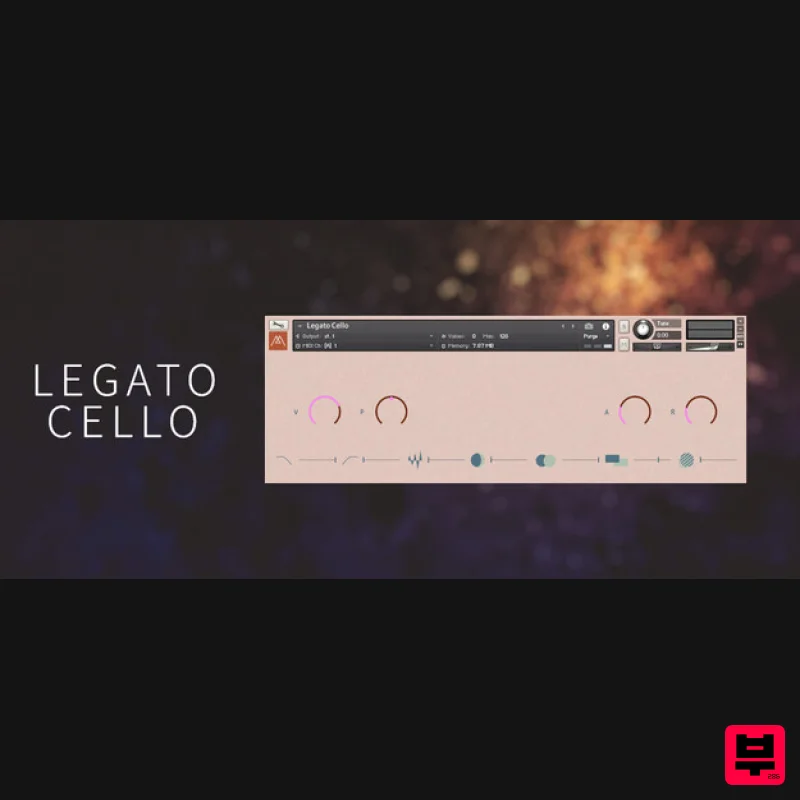
This library is a legato, monophonic version of the Cello featured in the Pivot bank of Stone. It focuses on the articulation and expression of a solo Cello. The recording was made with one very close mic and one room mic, capturing a lovely bow texture and resonance from the body of the Cello. The instrument features three velocity layers and scripted vibrato to add articulation Features An array of effects to warp and expand the sound sources Front panel control over the more immediate aspects - volume, envelopes, fx sends 2 octaves of monophonic Cello sustains Buttons to reveal further modulation controls for the filters Kontakt Player runs on Mac/PC Serial redeemable through Native Access System Requirements Kontakt Player 6.3.1 and above (Works with free player version) Mac OSX.10.14 or higher Windows 10 or higher 4GB RAM At least 100MB of free hard disc space Please Note: Glass is used as an example Important Notes: You must have a Native Instruments account and Native Access installed on your computer in order to activate this software. You can create an account and download the application at the Native Instruments website. You must have Kontakt Player installed on your computer in order to use this library. You can download the Kontakt Player from within the Native Access application. Mac Installation / Activation 1. Download and install the FREE Kontakt Player from the Native Instruments website. 2. Download and install the FREE Native Access application. 3. Open Native Access and enter your Native Instruments-registered email address and password > Click 'LOG IN'. 4. Click 'Add a serial' in the top left corner of the application window. 5. Enter the Serial Number found in your email > Click 'Add Serial'. 6. Click 'View products not installed'. 7. Navigate to Glass > Click 'INSTALL'. 8. Open Kontakt and go to the 'Libraries' tab. Your Library is now activated and ready to use in standalone or within your DAW. PC Installation / Activation 1. Download and install the FREE Kontakt Player from the Native Instruments website. 2. Download and install the FREE Native Access application. 3. Open Native Access and enter your Native Instruments-registered email address and password > Click 'LOG IN'. 4. Click 'Add a serial' in the top left corner of the application window. 5. Enter the Serial Code found in your email > Click 'Add Serial'. 6. Click 'View products not installed'. 7. Navigate to Glass > Click 'INSTALL'. 8. Open Kontakt and go to the 'Libraries' tab. Your Library is now activated and ready to use in standalone or within your DAW
Additional Information
About the Murst Instruments Legato Cello
The Murst Instruments Legato Cello represents excellent craftsmanship in the Kontakt Instrument category.
Why Choose the Murst Instruments Legato Cello?
- •Authentic Murst Instruments craftsmanship and design
- •Versatile sound suitable for multiple musical genres
- •Professional build quality and reliable performance
- •Part of Murst Instruments's respected Kontakt Instrument lineup
Compare & Explore
Browse our complete selection of Murst Instruments instruments or explore other Kontakt Instrument options. Use our comparison tools to find the perfect match for your musical style and budget.
Similar Products

DoubleBang Software Plugged
Kontakt Instrument

HD Instruments ZoneMatrix
Kontakt Instrument

Ecliptiq Audio Hexa Rhythm Designer
Kontakt Instrument

Audiofier Aerkord
Kontakt Instrument

Aria Sounds Hybrichord
Kontakt Instrument

Audiofier Sequi2r EX
Kontakt Instrument

Rigid Audio Retrocade
Kontakt Instrument

The Beat House LE HITS THE ESSENTIALS
Kontakt Instrument

