
MNTRA Instruments Vespera Standard
Professional music gear - detailed information and where to buy
MNTRA Instruments
Vespera Standard
Product Info
* Prices may vary. Check retailer for current pricing and availability.
Product Description
- Transformed Tube Driven Modular Synth What's Different Between Versions? Pro Edition Featuring extended sample ranges spanning 6 octaves (1 below and 1 above theStandard’s 4-octave range) and up to 13 round robins
- capturing all the natural variationsthat occur when you retrigger the same key. Crafted for professionals and liveperforming musicians alike who want to explore Vespera’s full capabilities without compromise
- with 32 GB of system RAM recommended. Standard Edition Delivers the same exceptional presets and sample maps as the Pro edition but optimized to 1 round-robin per note and a 4-octave range. Perfect for enthusiasts and budding musicians with limited systems
- the Standard edition provides a comprehensive introduction to the world of Vespera while maintaining overall quality and performance. The result of extensive sonic experimentation focused on acoustic synthesis
- Vespera is a hybrid electro-acoustic synthesizer that seamlessly merges the raw distortion of tube-driven circuits with the innate resonance of physical objects. Each oscillation undergoes a complete transformation by painstaking re-amping through a vibrational speaker transducer -resonating through diverse mediums
- including drums with various skins
- metal springs
- and the sympathetic vibrations of resonant instruments such as a rare giant Indian Ezraj and a Swedish Nyckelharpa. The outcome is a diverse array of organic textures and tones that transforms the grit of the original distorted modular synth signals into completely new sounds
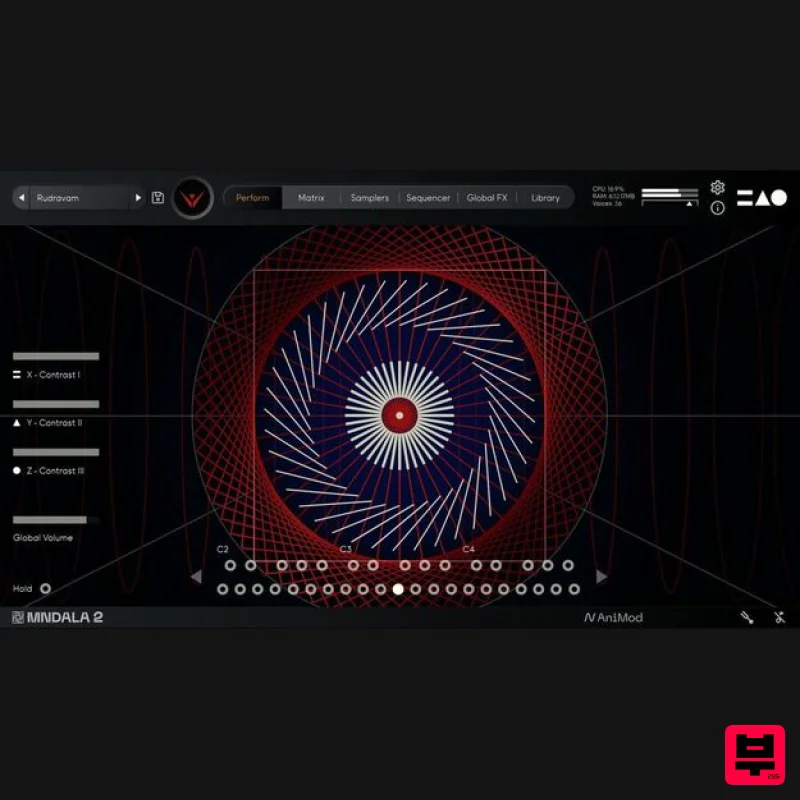
- unlocking unique possibilities for sonic exploration. Powered by MNDALA 2's Animistic Synthesis capabilities
- Vespera becomes an extension of your musical expression. Its nonlinear features allow each patch to resonate spontaneously
- intuitively responding to the subtlest nuances of your touch. With over 128+ velocity possibilities at your disposal (powered by Sample Start Modulation)
- Vespera seamlessly integrates into your musical journey
- offering an unprecedented level of articulation and responsiveness
- surpassing the capabilities of traditional physical and virtual synths. Vespera is not just an instrument; it's a portal to a vast
- unexplored sonic universe. Its meticulously designed patches beckon you to venture into a multidimensional realm of dark
- gritty
- and hauntingly beautiful sounds. Vespera's expansive sonic palette offers a multitude of unique reactive variations
- pushing the boundaries of traditional modular synthesis. From pulsating rhythms to ethereal atmospheres and gritty textures to haunting drones
- Vespera is a limitless playground for your sonic exploration. Features Presets: 140 Sample Maps: 83 Total samples included: 4
- 625 Size: 4.5 GB SSM™ powered samples: 83 Range: C1-C5 (4 octaves) Format: 48 Khz / 24 Bit Stereo
- .mntra Format System Requirements macOS Mac OS (10.14.6+) including M1 Chip support 19.3 GB installed
- 40 GB required for setup Minimum 8 GB of RAM and an i5 or better CPU required Supported by all VST/AU/AAX compatible DAWs Windows Windows 7+ 4.5 GB installed
- 9 GB required for setup Minimum 8 GB of RAM and an i5 or better CPU required Supported by all VST/AU/AAX compatible DAWs Please Note: Mixcraft 9 Pro is not currently suported. Note: Huracan is used as an example. Mac 1. Download the MNDALA 2 Engine installer from your Plugin Boutique User Account > Extract the .zip archive > Launch the .pkg installer. 2. Click 'Continue'. 3. Click 'Continue'. 4. Click 'Agree'. 5. Click 'Continue'. 6. Click 'Install'. 7. Click 'Install Software'. 8. Click 'Close'. 9. Launch your DAW > Insert MNDALA 2 on a new instrument track > Click 'Create New Account' (If you have an existing MNTRA Instruments log in and skip to step 15). 10. Enter your email address and click 'Register'. 11. A MNTRA account has now been created > Click 'edit your password and account details' to create a password for your MNTRA account. 12. Enter your chosen password into the 'New password' box > Enter your password again into the 'Confirm new password' box > Click 'Save changes'. 13. Enter your MNTRA account details > Click 'Login'. 14. You are now logged into the MNDALA 2 Engine > Click 'Library' to continue to activate Huracan. 15. Click 'Add From Serial'. 16. Enter your serial number found within your Plugin Boutique User Account > Click 'Enter'. 17. Click 'OK'. 18. Click 'Install'. 19. Click 'OK' > Choose a location to store the instruments samples. 20. Huracan is now downloading (this may take a few minutes). 21. Click 'OK'. 22. Click 'OK' > Close and relaunch your DAW. 23. Insert MNDALA 2 on a new instrument track > Click 'Open Preset Browser'. 24. Select 'Huracan' then choose a preset. Huracan is now installed
- activated
- and ready to use. Windows 1. Download the MNDALA 2 Engine installer from your Plugin Boutique User Account > Extract the .zip archive > Launch the .exe installer. 2. Click 'More info'. 3. Click 'Run anyway'. 4. Accept the license agreement > Click 'Next'. 5. Click 'Next'. 6. Click 'Next'. 7. Click 'Next'. 8. Click 'Install'. 9. Click 'Finish'. 10. Launch your DAW > Insert MNDALA 2 on a new instrument track > Click 'Create New Account' (If you have an existing MNTRA Instruments log in and skip to step 15). 11. Enter your email address and click 'Register'. 12. A MNTRA account has now been created > Click 'edit your password and account details' to create a password for your MNTRA account. 13. Enter your chosen password into the 'New password' box > Enter your password again into the 'Confirm new password' box > Click 'Save changes'. 14. Enter your MNTRA account details > Click 'Login'. 15. You are now logged into the MNDALA 2 Engine > Click 'Library' to continue to activate Huracan. 16. Click 'Add From Serial'. 17. Enter your serial number found within your Plugin Boutique User Account > Click 'Enter'. 18. Click 'OK'. 19. Click 'Install'. 20. Click 'OK' > Choose a location to store the instruments samples. 21. Huracan is now downloading (this may take a few minutes). 22. Click 'OK'. 23. Click 'OK' > Close and relaunch your DAW. 24. Insert MNDALA 2 on a new instrument track > Click 'Open Preset Browser'. 25. Select 'Huracan' then choose a preset. Huracan is now installed
- activated
- and ready to use.
Additional Information
About the MNTRA Instruments Vespera Standard
Discover the distinctive sound and feel of the MNTRA Instruments Vespera Standard, a standout choice among Virtual Instruments.
Why Choose the MNTRA Instruments Vespera Standard?
- •Authentic MNTRA Instruments craftsmanship and design
- •Versatile sound suitable for multiple musical genres
- •Professional build quality and reliable performance
- •Part of MNTRA Instruments's respected Virtual Instruments lineup
Compare & Explore
Browse our complete selection of MNTRA Instruments instruments or explore other Virtual Instruments options. Use our comparison tools to find the perfect match for your musical style and budget.
Similar Products

Safari Audio Cubby
Virtual Instruments

UJAM BEAUTYFLUTE Pro
Virtual Instruments

Boom SWAMPS - 3D Surround
Virtual Instruments

MNTRA Instruments Nagual
Virtual Instruments

MeldaProduction Electric Keys - Tines
Virtual Instruments

ZAK Sound Lyra
Virtual Instruments

ZAK Sound Asteroid
Virtual Instruments

Audiomodern Opacity 2: Soundbox Instrument
Virtual Instruments

