
MNTRA Instruments The Dark Tower
Professional music gear - detailed information and where to buy
MNTRA Instruments
The Dark Tower
Product Info
* Prices may vary. Check retailer for current pricing and availability.
Product Description
- Dark Cinematic Resonances from an Abandoned Silo The Dark Tower is a percussive virtual instrument born from an extraordinary acoustic space—a towering grain silo where multi-story concrete chambers create natural reverb unlike any studio. This decommissioned industrial monument became the MNTRA team's recording environment
- its weathered metal infrastructure and vast vertical shafts offering a unique sonic palette. To capture The Dark Tower
- they ventured into this hollow silo where several stories resonate into the sky
- with the cylindrical concrete chamber creating a natural reverb chamber unlike any studio could replicate. But before they could harvest these hidden industrial tones
- the MNTRA team had to find the right sources within the tower itself. Deep in the structure
- they discovered massive sheets of metal
- interconnected resonating staircases
- ventilation shafts
- and random unusual metallic structures—every piece of the silo's skeleton becoming a new source for percussive sound. The recording process was equal parts archaeological expedition and musical exploration. The silo's towering acoustics meant each sound traveled through multiple stories of concrete and metal before capture
- creating natural delays and reverbs impossible to replicate artificially. Every strike became a conversation between performer and architecture. What emerged was something between industrial percussion and ambient sculpture. The Dark Tower delivers more than percussion—it's a focused dark acoustic environment built for modern production. Ideal for trailer music composers seeking massive impacts
- film scorers crafting tension
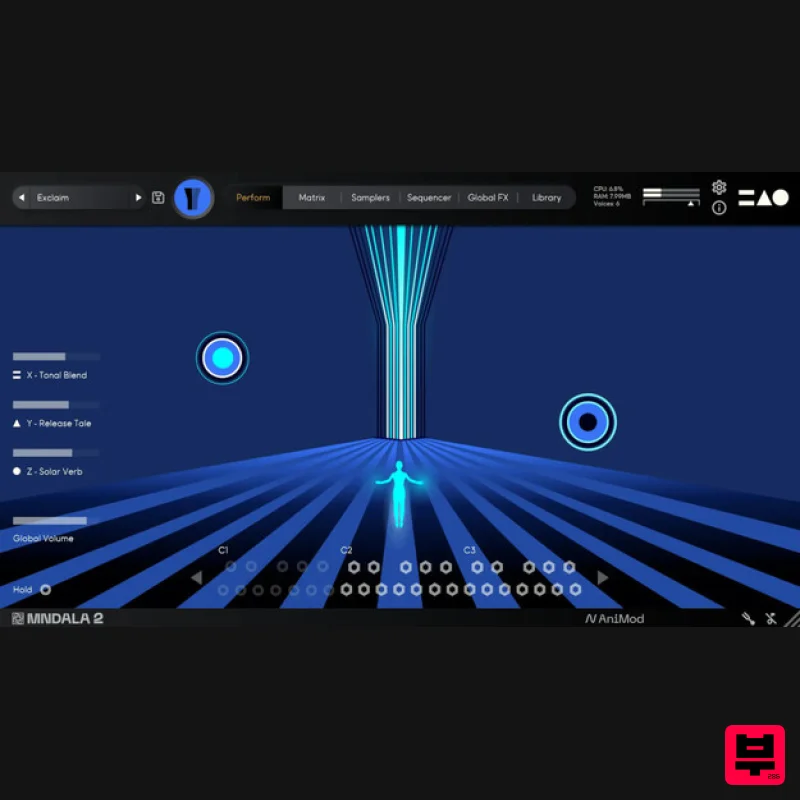
- and electronic producers pushing industrial boundaries. Using MNDALA 2
- these sounds were brought to life through its sequencer
- live effects
- and the use of macros in the X
- and Z axes. MNTRA transformed these sounds into musical sources that are perfectly suited for electronic
- industrial
- and experimental music. The percussive sounds become synths as you modulate them and shape them with the never-ending possibilities in MNDALA 2. The Dark Tower is the first installment of MNTRA's Microfield Recording Series—living instruments that let you step into a place where industry meets artistry
- where abandonment breeds creativity. It's an interactive virtual instrument that expands your sonic palette with textures rarely accessible outside their architectural source. What was discovered in that concrete tower surprised the MNTRA team
- and they hope it transforms your music too. Features Presets: 52 Atelier Presets: 30 Sample Maps: 22 Size: 250 MB Round Robins: Up to 8 SSM powered samples: All sample maps enabled Recording format: 192 kHz / 24 bit Sample Format: 96 kHz / 24 bit System Requirements 500 MB free disk space recommended for setup Minimum 16 GB of RAM and an i5 or better CPU required
- SSD drive recommended Support for all popular VST/AU/AAX compatible DAWs Note: Huracan is used as an example. Mac 1. Download the MNDALA 2 Engine installer from your Plugin Boutique User Account > Extract the .zip archive > Launch the .pkg installer. 2. Click 'Continue'. 3. Click 'Continue'. 4. Click 'Agree'. 5. Click 'Continue'. 6. Click 'Install'. 7. Click 'Install Software'. 8. Click 'Close'. 9. Launch your DAW > Insert MNDALA 2 on a new instrument track > Click 'Create New Account' (If you have an existing MNTRA Instruments log in and skip to step 15). 10. Enter your email address and click 'Register'. 11. A MNTRA account has now been created > Click 'edit your password and account details' to create a password for your MNTRA account. 12. Enter your chosen password into the 'New password' box > Enter your password again into the 'Confirm new password' box > Click 'Save changes'. 13. Enter your MNTRA account details > Click 'Login'. 14. You are now logged into the MNDALA 2 Engine > Click 'Library' to continue to activate Huracan. 15. Click 'Add From Serial'. 16. Enter your serial number found within your Plugin Boutique User Account > Click 'Enter'. 17. Click 'OK'. 18. Click 'Install'. 19. Click 'OK' > Choose a location to store the instruments samples. 20. Huracan is now downloading (this may take a few minutes). 21. Click 'OK'. 22. Click 'OK' > Close and relaunch your DAW. 23. Insert MNDALA 2 on a new instrument track > Click 'Open Preset Browser'. 24. Select 'Huracan' then choose a preset. Huracan is now installed
- activated
- and ready to use. Windows 1. Download the MNDALA 2 Engine installer from your Plugin Boutique User Account > Extract the .zip archive > Launch the .exe installer. 2. Click 'More info'. 3. Click 'Run anyway'. 4. Accept the license agreement > Click 'Next'. 5. Click 'Next'. 6. Click 'Next'. 7. Click 'Next'. 8. Click 'Install'. 9. Click 'Finish'. 10. Launch your DAW > Insert MNDALA 2 on a new instrument track > Click 'Create New Account' (If you have an existing MNTRA Instruments log in and skip to step 15). 11. Enter your email address and click 'Register'. 12. A MNTRA account has now been created > Click 'edit your password and account details' to create a password for your MNTRA account. 13. Enter your chosen password into the 'New password' box > Enter your password again into the 'Confirm new password' box > Click 'Save changes'. 14. Enter your MNTRA account details > Click 'Login'. 15. You are now logged into the MNDALA 2 Engine > Click 'Library' to continue to activate Huracan. 16. Click 'Add From Serial'. 17. Enter your serial number found within your Plugin Boutique User Account > Click 'Enter'. 18. Click 'OK'. 19. Click 'Install'. 20. Click 'OK' > Choose a location to store the instruments samples. 21. Huracan is now downloading (this may take a few minutes). 22. Click 'OK'. 23. Click 'OK' > Close and relaunch your DAW. 24. Insert MNDALA 2 on a new instrument track > Click 'Open Preset Browser'. 25. Select 'Huracan' then choose a preset. Huracan is now installed
- activated
- and ready to use.
Additional Information
About the MNTRA Instruments The Dark Tower
Discover the distinctive sound and feel of the MNTRA Instruments The Dark Tower, a standout choice among Virtual Instruments.
Why Choose the MNTRA Instruments The Dark Tower?
- •Authentic MNTRA Instruments craftsmanship and design
- •Versatile sound suitable for multiple musical genres
- •Professional build quality and reliable performance
- •Part of MNTRA Instruments's respected Virtual Instruments lineup
Compare & Explore
Browse our complete selection of MNTRA Instruments instruments or explore other Virtual Instruments options. Use our comparison tools to find the perfect match for your musical style and budget.
Similar Products

ZAK Sound Lyra
Virtual Instruments

Audiomodern Opacity 2: Soundbox Instrument
Virtual Instruments

Safari Audio Cubby
Virtual Instruments

ZAK Sound Asteroid
Virtual Instruments

Boom SWAMPS - 3D Surround
Virtual Instruments

UJAM BEAUTYFLUTE Pro
Virtual Instruments

MeldaProduction Electric Keys - Tines
Virtual Instruments

MNTRA Instruments Nagual
Virtual Instruments

