
MNTRA Instruments Tenebrae LE
Professional music gear - detailed information and where to buy
MNTRA Instruments
Tenebrae LE
Product Info
* Prices may vary. Check retailer for current pricing and availability.
Product Description
- Exhumed synthetic textures from SNAKES OF RUSSIA (Light Edition) Tenebrae-LE was designed as a free introductory exploration into some of the sounds offered in the full Tenebrae. The collection of 11 sound sources was handpicked by SNAKES OF RUSSIA to be a diverse and useful palette for your creations with the included 21 presets also designed by the artist. Enveloped in the essence of deep sonic exploration
- this window into a collaboration with LA-based artist Joseph Holiday
- alias SNAKES OF RUSSIA
- delves into his dark
- apocalyptic sound. In these texturally rich playable soundscapes
- complex modular synth patches
- heavy analog subs
- and gritty drum samples converge
- all intricately processed through chains of unobtanium outboard and tape
- unleashing a unique world of dirt and darkness. This free version of the inaugural entry into the MNTRA Artist Series is a chasm into the depths of SNAKES OF RUSSIA’s distinctive sonic palette. Together they imagined Tenebrae not just as an instrument; but as an exhumed creature
- buried for over a century and now resurfaced
- bringing the dark mystery of the depths of the earth. Analog outboard processing and gritty tape infuse instant textural vibe into modular and analog synths
- screeching bowed instruments
- and noisy percussion
- bringing forth the unique sonic darkness encapsulated within Tenebrae. With creative processing being an essential part of the SNAKES OF RUSSIA sound
- MNTRA also worked with Joseph to create two exclusive effect processors modeling his signature signal chains: BESTIAE (destructive Filters
- Drive
- and Compression in either parallel or series)
- and DIRTY BUCKETS (a series of gritty Bucket Brigade Delay based reverbs)
- allowing you to shape the sound dynamically in real time. Within this free version
- the effects are available in the included presets but can not be added to new user presets. Full access to these exclusive effects is enabled in the full version of Tenebrae. Features 30+ Presets 21 Presets crafted by SNAKES OF RUSSIA 11 Instrument Sound Sources crafted from analog origins
- meticulously processed using rare and unobtanium hardware Up to 13 Round Robins Recorded at 24-bit
- up to 96 kHz No fuss copy protection
- simply install and the instrument is uniquely encrypted to be used within your system. Seamless download
- updates
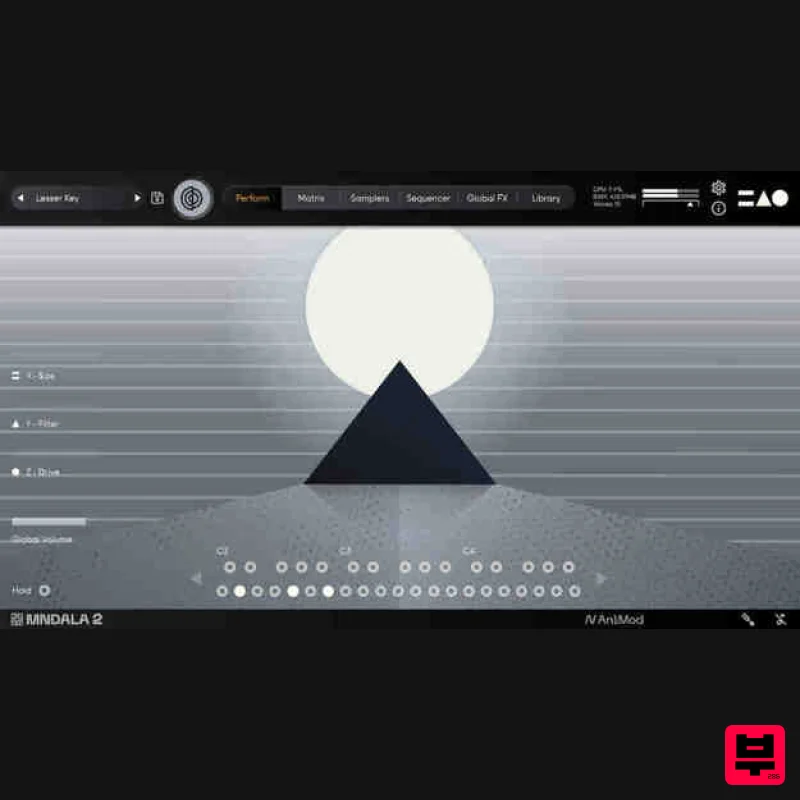
- and installation within MNDALA 2 with a registered MNTRA account System Requirements 4 GB installed
- 8 GB recommended for setup Minimum 8GB of RAM and an i5 or better CPU required
- SSD drive recommended Supported by all popular VST/AU compatible DAWs MacOS 10.11+ (64-bit only) (Silicon processor supported) Win 10+ (64-bit only) Please note: Huracan is used as an example. You will need to install the MNDALA 2 engine to use Mirage. Mac 1. Download the MNDALA 2 Engine installer from your Plugin Boutique User Account > Extract the .zip archive > Launch the .pkg installer. 2. Click 'Continue'. 3. Click 'Continue'. 4. Click 'Agree'. 5. Click 'Continue'. 6. Click 'Install'. 7. Click 'Install Software'. 8. Click 'Close'. 9. Launch your DAW > Insert MNDALA 2 on a new instrument track > Click 'Create New Account' (If you have an existing MNTRA Instruments log in and skip to step 15). 10. Enter your email address and click 'Register'. 11. A MNTRA account has now been created > Click 'edit your password and account details' to create a password for your MNTRA account. 12. Enter your chosen password into the 'New password' box > Enter your password again into the 'Confirm new password' box > Click 'Save changes'. 13. Enter your MNTRA account details > Click 'Login'. 14. You are now logged into the MNDALA 2 Engine > Click 'Library' to continue to activate Huracan. 15. Click 'Add From Serial'. 16. Enter your serial number found within your Plugin Boutique User Account > Click 'Enter'. 17. Click 'OK'. 18. Click 'Install'. 19. Click 'OK' > Choose a location to store the instruments samples. 20. Huracan is now downloading (this may take a few minutes). 21. Click 'OK'. 22. Click 'OK' > Close and relaunch your DAW. 23. Insert MNDALA 2 on a new instrument track > Click 'Open Preset Browser'. 24. Select 'Huracan' then choose a preset. Huracan is now installed
- activated
- and ready to use. Windows 1. Download the MNDALA 2 Engine installer from your Plugin Boutique User Account > Extract the .zip archive > Launch the .exe installer. 2. Click 'More info'. 3. Click 'Run anyway'. 4. Accept the license agreement > Click 'Next'. 5. Click 'Next'. 6. Click 'Next'. 7. Click 'Next'. 8. Click 'Install'. 9. Click 'Finish'. 10. Launch your DAW > Insert MNDALA 2 on a new instrument track > Click 'Create New Account' (If you have an existing MNTRA Instruments log in and skip to step 15). 11. Enter your email address and click 'Register'. 12. A MNTRA account has now been created > Click 'edit your password and account details' to create a password for your MNTRA account. 13. Enter your chosen password into the 'New password' box > Enter your password again into the 'Confirm new password' box > Click 'Save changes'. 14. Enter your MNTRA account details > Click 'Login'. 15. You are now logged into the MNDALA 2 Engine > Click 'Library' to continue to activate Huracan. 16. Click 'Add From Serial'. 17. Enter your serial number found within your Plugin Boutique User Account > Click 'Enter'. 18. Click 'OK'. 19. Click 'Install'. 20. Click 'OK' > Choose a location to store the instruments samples. 21. Huracan is now downloading (this may take a few minutes). 22. Click 'OK'. 23. Click 'OK' > Close and relaunch your DAW. 24. Insert MNDALA 2 on a new instrument track > Click 'Open Preset Browser'. 25. Select 'Huracan' then choose a preset. Your software is now ready to use!
Additional Information
About the MNTRA Instruments Tenebrae LE
The MNTRA Instruments Tenebrae LE represents excellent craftsmanship in the Synth Presets category.
Why Choose the MNTRA Instruments Tenebrae LE?
- •Authentic MNTRA Instruments craftsmanship and design
- •Versatile sound suitable for multiple musical genres
- •Professional build quality and reliable performance
- •Part of MNTRA Instruments's respected Synth Presets lineup
Compare & Explore
Browse our complete selection of MNTRA Instruments instruments or explore other Synth Presets options. Use our comparison tools to find the perfect match for your musical style and budget.
Similar Products

Resonance Sound Stranger Serum Synths Vol. 1 for Serum 2
Synth Presets
Resonance Sound FILTH Vol. 1 for Serum 2
Synth Presets
W. A. Production Progressive Trance for InstaComposer 3
Synth Presets
Resonance Sound UK Speed Garage Vol. 1 for Serum 2
Synth Presets

Resonance Sound Main Stage Techno Vol. 1 for Serum 2
Synth Presets
W. A. Production Progressive House for Babylon 2
Synth Presets

W. A. Production Cinematic Synths for Babylon 2
Synth Presets
W. A. Production Melodic Techno for InstaComposer 3
Synth Presets

