
MNTRA Instruments Rasa
Professional music gear - detailed information and where to buy
MNTRA Instruments
Rasa
Product Info
* Prices may vary. Check retailer for current pricing and availability.
Product Description
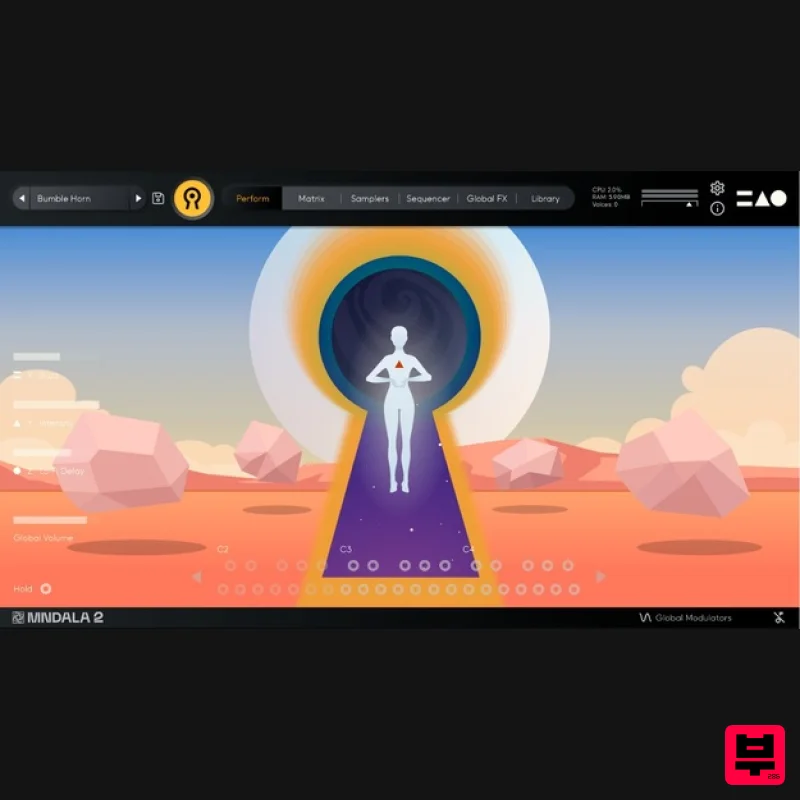
- A free gateway into Mntra's Sound Sculpture Series Rasa is a taste of the vast creative possibilities that Mntra's unique instruments have to offer. Drawing from four of Mntra’s instruments
- Rasa features four of their sample maps: the large Tibetan Horn (Orakle)
- the Morin khuur (Arca)
- Pitched Volcanic Rocks (Atma)
- and our “Viper” Death Whistle (UDW) Rasa includes 20 expertly curated presets to get you started on the powerful sound sculpting possibilities of Mntra's dedicated VST/AU MNDALA 2 engine. Rasa (Sanskrit: रस) translates to “essence” or “taste.” For Mntra
- this refers to the aesthetic flavours crafted into their sample maps
- ready to be experienced by you
- the sahṛdaya
- literally one who “has heart” and can connect to the work with emotion. In this spirit
- Mntra created Rasa as an introductory gateway into the vast creative possibilities that their expressive instruments have within them. For Rasa
- Mntra chose four sample maps from their collection of instruments. Orakle’s large Tibetan horn
- sampled using a custom-built giant resonator that lends this horn its colossal and brutalist sound; Arca’s Mongolian Morin khuur
- performed in such a way that its unique harmonics are accentuated; Atma’s rare Pitched Volcanic Rocks; and UDW’s ‘Viper’ Death Whistle. Rasa includes 20 expertly curated presets to get you started with the powerful sculpting possibilities of Mntra's MNDALA 2 engine. Sampled Instruments Large Tibetan Horn Mongolian Morin khuur Pitched Volcanic Rocks “Viper” Death Whistle Features 4 Instrument Sample Maps Up To 15 Round Robins Recorded at extreme definition 32-bit 384kHz ultrasonic resolution CPU-efficient in-engine playback at industry- 24-bit 96kHz resolution No fuss copy protection
- simply install and the instrument is uniquely encrypted to be used within your system Seamless downloads
- updates
- and installation within MNDALA with a registered Mntra account System Requirements 5GB hard drive space required for setup VST / AU / AAX plugin for Windows & Mac OS (10.11+) Including M1 Chip Minimum 8GB of RAM and an i5 or better CPU required Supported by all VST/AU/AAX compatible DAWs* Important Note: MNTRA - MNDALA V2 (free) is required to run this software Nemanja Rancic “I find all the MNTRA instruments to be organic
- yet perfectly capable of blending with synths. They feel timeless to me
- because I can use them in any project I work on.” Chris Dudley “I own every MNTRA instrument and I can honestly say they’re all pushing a limit and filling a niche I didn’t even know was there.” Takeshi Furukawa “Brian and the MNTRA team have created truly unique instruments. The recording quality
- the musicality of the samples
- ease of use of the plug-in
- everything is top-notch.” Please note: Huracan is used as an example. You will need to install the MNDALA 2 engine to use RASA. Mac 1. Download the MNDALA 2 Engine installer from your Plugin Boutique User Account > Extract the .zip archive > Launch the .pkg installer. 2. Click 'Continue'. 3. Click 'Continue'. 4. Click 'Agree'. 5. Click 'Continue'. 6. Click 'Install'. 7. Click 'Install Software'. 8. Click 'Close'. 9. Launch your DAW > Insert MNDALA 2 on a new instrument track > Click 'Create New Account' (If you have an existing MNTRA Instruments log in and skip to step 15). 10. Enter your email address and click 'Register'. 11. A MNTRA account has now been created > Click 'edit your password and account details' to create a password for your MNTRA account. 12. Enter your chosen password into the 'New password' box > Enter your password again into the 'Confirm new password' box > Click 'Save changes'. 13. Enter your MNTRA account details > Click 'Login'. 14. You are now logged into the MNDALA 2 Engine > Click 'Library' to continue to activate Huracan. 15. Click 'Add From Serial'. 16. Enter your serial number found within your Plugin Boutique User Account > Click 'Enter'. 17. Click 'OK'. 18. Click 'Install'. 19. Click 'OK' > Choose a location to store the instruments samples. 20. Huracan is now downloading (this may take a few minutes). 21. Click 'OK'. 22. Click 'OK' > Close and relaunch your DAW. 23. Insert MNDALA 2 on a new instrument track > Click 'Open Preset Browser'. 24. Select 'Huracan' then choose a preset. Huracan is now installed
- activated
- and ready to use. Windows 1. Download the MNDALA 2 Engine installer from your Plugin Boutique User Account > Extract the .zip archive > Launch the .exe installer. 2. Click 'More info'. 3. Click 'Run anyway'. 4. Accept the license agreement > Click 'Next'. 5. Click 'Next'. 6. Click 'Next'. 7. Click 'Next'. 8. Click 'Install'. 9. Click 'Finish'. 10. Launch your DAW > Insert MNDALA 2 on a new instrument track > Click 'Create New Account' (If you have an existing MNTRA Instruments log in and skip to step 15). 11. Enter your email address and click 'Register'. 12. A MNTRA account has now been created > Click 'edit your password and account details' to create a password for your MNTRA account. 13. Enter your chosen password into the 'New password' box > Enter your password again into the 'Confirm new password' box > Click 'Save changes'. 14. Enter your MNTRA account details > Click 'Login'. 15. You are now logged into the MNDALA 2 Engine > Click 'Library' to continue to activate Huracan. 16. Click 'Add From Serial'. 17. Enter your serial number found within your Plugin Boutique User Account > Click 'Enter'. 18. Click 'OK'. 19. Click 'Install'. 20. Click 'OK' > Choose a location to store the instruments samples. 21. Huracan is now downloading (this may take a few minutes). 22. Click 'OK'. 23. Click 'OK' > Close and relaunch your DAW. 24. Insert MNDALA 2 on a new instrument track > Click 'Open Preset Browser'. 25. Select 'Huracan' then choose a preset. Your software is now ready to use!
Additional Information
About the MNTRA Instruments Rasa
The MNTRA Instruments Rasa combines traditional design with modern performance for Virtual Instruments enthusiasts.
Why Choose the MNTRA Instruments Rasa?
- •Authentic MNTRA Instruments craftsmanship and design
- •Versatile sound suitable for multiple musical genres
- •Professional build quality and reliable performance
- •Part of MNTRA Instruments's respected Virtual Instruments lineup
Compare & Explore
Browse our complete selection of MNTRA Instruments instruments or explore other Virtual Instruments options. Use our comparison tools to find the perfect match for your musical style and budget.
Similar Products

MNTRA Instruments Nagual
Virtual Instruments

UJAM BEAUTYFLUTE Pro
Virtual Instruments

Safari Audio Cubby
Virtual Instruments

ZAK Sound Lyra
Virtual Instruments

Audiomodern Opacity 2: Soundbox Instrument
Virtual Instruments

Boom SWAMPS - 3D Surround
Virtual Instruments

MeldaProduction Electric Keys - Tines
Virtual Instruments

ZAK Sound Asteroid
Virtual Instruments

