
MNTRA Instruments Mirage
Professional music gear - detailed information and where to buy
MNTRA Instruments
Mirage
Product Info
* Prices may vary. Check retailer for current pricing and availability.
Product Description
- Mirage blends the performance of master Dhrupad vocalist Chintan Upadhyay with an 1800s Church bass; a rare
- richly balanced instrument with a deeper and more resonant sound than a cello
- performed by MNTRA founder Brian D’Oliveira and used in several award-winning video game and film titles. Unique sacred sounds from these two different lineages are beautifullymelded together in this unique freebie offering. “When I first met Chintan 6 years ago
- learning from him completely changed my entire approach to music. He is still my teacher
- and our friendship has evolved into a collaboration where he brings in the depth of the ancient tradition of Dhrupad and I bring in the technology of today. Mirage is an embodiment of our friendship: his voice and my church bass meet through the commonalities that we have learned from each other and shared.” Brian D’Oliveira - Creative Director and Performer Dhrupad singer Chintan Upadhyay’s overtone rich voice
- drenched in ancient tradition
- deconstructs and renews the ‘Aa’ sound. This is the original sacred syllable ‘Om’ that forms the basis of the ancient dhrupad tradition. In the Hindu canon
- the sound OM is claimed to be the source of all creation. Dhrupad is the oldest surviving Hindustani vocal musical tradition from North India. The nature of dhrupad is spiritual and has its origins in the chanting of the samvedas which can be dated from around 1200 BCE. Born in Gujarat
- India
- Chintan Upadhyay started his training in singing from his parents at a very early age. He is a Dhrupad vocalist from the Dagar Baani tradition
- and a disciple of Pt. Uday Bhawalkar. Brian D’Oliveira
- prolific composer
- deep multi-instrumentalist
- and creative director of MNTRA
- matches Chintan’s ‘Om’ with a rare church bass. This instrument has a drastically contrasting history to the venerable and ancient dhrupad lineage. In North American churches
- congregations of settler pilgrims had a hard time keeping up with the singing. Their way of life was not conducive to literacy and musical skills. A carpenter started making sturdy
- box-like versions of an instrument between a cello and an upright bass specifically to aid a congregation to keep some idea of pitch. This grew in popularity from Revolutionary War times (1775–1783) until around the 1840s. As time went by
- makers refined their skills and the instruments improved. Our church bass is a gorgeous
- richly balanced instrument with a deeper and more resonant sound than a cello
- made by the luthier Abraham Prescott
- C 1830. It is one of the main instruments featured in Brian D’Oliveira’s soundtrack of The Shadow of the Tomb Raider. The voice and church bass are performed in a way that works effortlessly within the context of today’s soundtracks. These sounds are perfect for drones
- and textures
- and will add a haunting and ethereal element to your sonic landscapes. Features Dhrupad - Om: Dhrupad style vocals performed by Indian classical music virtuoso Chintan Uphadhyay. Dhrupad - Aa: Dhrupad style vocals performed by Indian classical music virtuoso Chintan Uphadhyay. Church bass - Straight: rich
- deep sounds of Cello bass dating from the early 19th century performed by award winning composer Brian D’Oliveira. Church bass - Tremolo: rich
- deep sounds of Cello bass dating from the early 19th century performed by award winning composer Brian D’Oliveira. 16 Presets 4 Instrument Sample Maps One octave
- 13 notes
- 182 samples recorded at 24-bit 88.2 kHz System Requirements 64-bit VST3/AU/AAX plugin for Windows & Mac OS (10.11+) including full M1 Chip support 880 MB installed
- 2 GB recommended for setup Minimum 8GB of RAM and an i5 or better CPU required SSD drive recommended Supported by all popular VST/AU/AAX compatible DAW Nemanja Rancic “I find all the MNTRA instruments to be organic
- yet perfectly capable of blending with synths. They feel timeless to me
- because I can use them in any project I work on.” Panic Girl “If you need some fresh and unusual sounds for your compositions or want to work with an easy yet powerful user interface
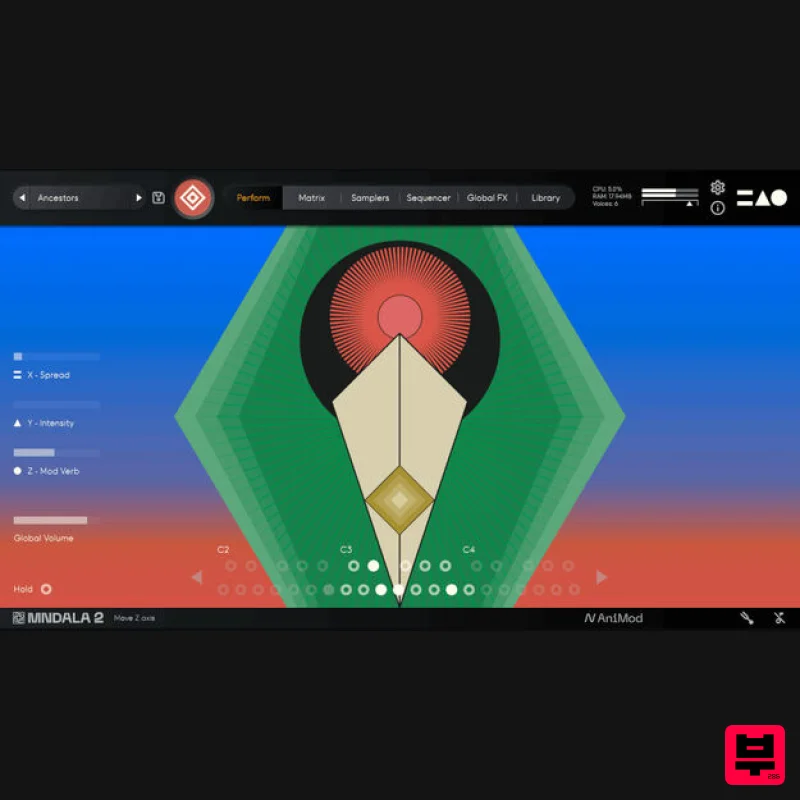
- then you should definitely check it out.” Ryan Elder “In a sea of virtual instruments and sound libraries MNTRA's Instruments really stand out as creative and inspirational tools.” Please note: Huracan is used as an example. You will need to install the MNDALA 2 engine to use Mirage. Mac 1. Download the MNDALA 2 Engine installer from your Plugin Boutique User Account > Extract the .zip archive > Launch the .pkg installer. 2. Click 'Continue'. 3. Click 'Continue'. 4. Click 'Agree'. 5. Click 'Continue'. 6. Click 'Install'. 7. Click 'Install Software'. 8. Click 'Close'. 9. Launch your DAW > Insert MNDALA 2 on a new instrument track > Click 'Create New Account' (If you have an existing MNTRA Instruments log in and skip to step 15). 10. Enter your email address and click 'Register'. 11. A MNTRA account has now been created > Click 'edit your password and account details' to create a password for your MNTRA account. 12. Enter your chosen password into the 'New password' box > Enter your password again into the 'Confirm new password' box > Click 'Save changes'. 13. Enter your MNTRA account details > Click 'Login'. 14. You are now logged into the MNDALA 2 Engine > Click 'Library' to continue to activate Huracan. 15. Click 'Add From Serial'. 16. Enter your serial number found within your Plugin Boutique User Account > Click 'Enter'. 17. Click 'OK'. 18. Click 'Install'. 19. Click 'OK' > Choose a location to store the instruments samples. 20. Huracan is now downloading (this may take a few minutes). 21. Click 'OK'. 22. Click 'OK' > Close and relaunch your DAW. 23. Insert MNDALA 2 on a new instrument track > Click 'Open Preset Browser'. 24. Select 'Huracan' then choose a preset. Huracan is now installed
- activated
- and ready to use. Windows 1. Download the MNDALA 2 Engine installer from your Plugin Boutique User Account > Extract the .zip archive > Launch the .exe installer. 2. Click 'More info'. 3. Click 'Run anyway'. 4. Accept the license agreement > Click 'Next'. 5. Click 'Next'. 6. Click 'Next'. 7. Click 'Next'. 8. Click 'Install'. 9. Click 'Finish'. 10. Launch your DAW > Insert MNDALA 2 on a new instrument track > Click 'Create New Account' (If you have an existing MNTRA Instruments log in and skip to step 15). 11. Enter your email address and click 'Register'. 12. A MNTRA account has now been created > Click 'edit your password and account details' to create a password for your MNTRA account. 13. Enter your chosen password into the 'New password' box > Enter your password again into the 'Confirm new password' box > Click 'Save changes'. 14. Enter your MNTRA account details > Click 'Login'. 15. You are now logged into the MNDALA 2 Engine > Click 'Library' to continue to activate Huracan. 16. Click 'Add From Serial'. 17. Enter your serial number found within your Plugin Boutique User Account > Click 'Enter'. 18. Click 'OK'. 19. Click 'Install'. 20. Click 'OK' > Choose a location to store the instruments samples. 21. Huracan is now downloading (this may take a few minutes). 22. Click 'OK'. 23. Click 'OK' > Close and relaunch your DAW. 24. Insert MNDALA 2 on a new instrument track > Click 'Open Preset Browser'. 25. Select 'Huracan' then choose a preset. Your software is now ready to use!
Additional Information
About the MNTRA Instruments Mirage
Experience the quality and tone that makes the MNTRA Instruments Mirage a popular choice for musicians.
Why Choose the MNTRA Instruments Mirage?
- •Authentic MNTRA Instruments craftsmanship and design
- •Versatile sound suitable for multiple musical genres
- •Professional build quality and reliable performance
- •Part of MNTRA Instruments's respected Virtual Instruments lineup
Compare & Explore
Browse our complete selection of MNTRA Instruments instruments or explore other Virtual Instruments options. Use our comparison tools to find the perfect match for your musical style and budget.
Similar Products

MeldaProduction Electric Keys - Tines
Virtual Instruments

MNTRA Instruments Nagual
Virtual Instruments

Safari Audio Cubby
Virtual Instruments

ZAK Sound Lyra
Virtual Instruments

UJAM BEAUTYFLUTE Pro
Virtual Instruments

Audiomodern Opacity 2: Soundbox Instrument
Virtual Instruments

Boom SWAMPS - 3D Surround
Virtual Instruments

ZAK Sound Asteroid
Virtual Instruments

